01 / STYLE YOUR APP
Themes
Reusable styles and six demo layouts. Choose from 25 palettes.
US$49 each · Any three for US$99
Editable themes, free add-ons, and free solutions for FileMaker.
Style your app, extend it, or start with a ready-made workspace.
Practical articles, worked examples and short learning paths.
25 editable FileMaker themes
Themes tested with FileMaker Pro 18–26 on macOS, FileMaker Go and FileMaker WebDirect.
Windows compatibility is unverified. Add-ons and solutions have their own requirements. Check the product page before downloading. Platform details ↗

01 / STYLE YOUR APP
Reusable styles and six demo layouts. Choose from 25 palettes.
US$49 each · Any three for US$99
02 / EXTEND YOUR APP
Practical components for an existing FileMaker file.
Explore Navigation Sidebar ↗03 / START A WORKSPACE
Standalone FileMaker files for focused, everyday work.
Explore Loan Desk ↗FILESOFT / WORKED EXAMPLES
Three practical changes, explained with native screenshots and editable FileMaker examples. These are Filesoft demonstrations with fictional records.
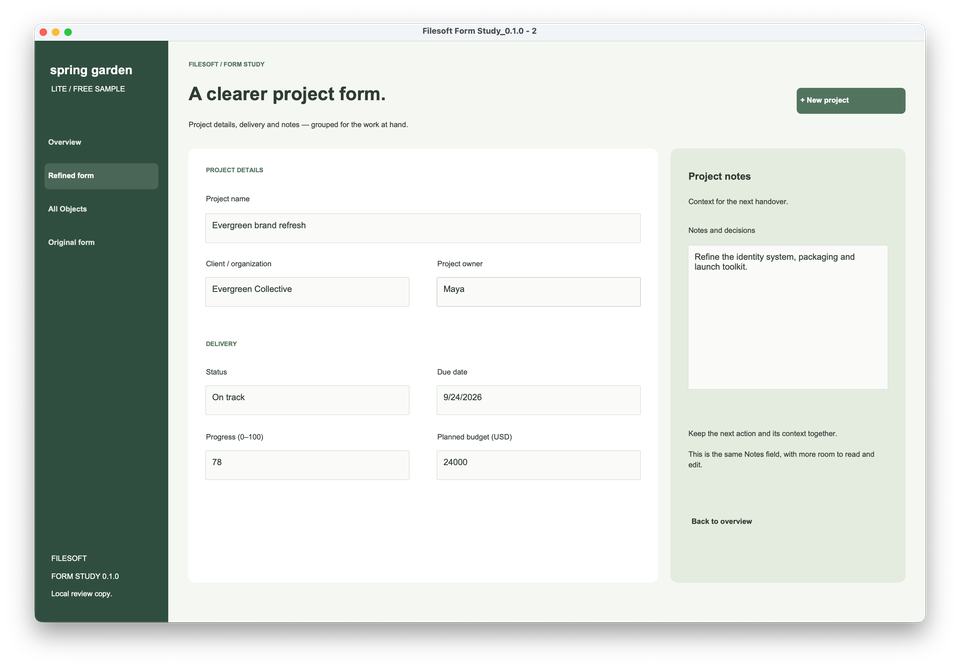
Group related fields, give notes room and make the next action easier to find.
Explore the case study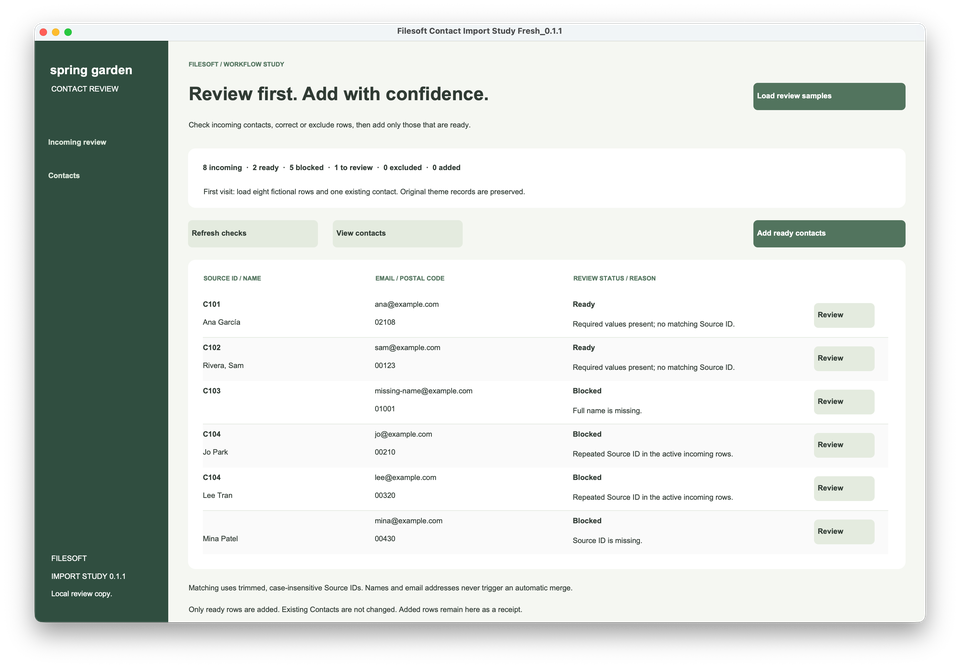
Spot missing values and duplicate IDs, then add only the contacts that are ready.
Explore the case study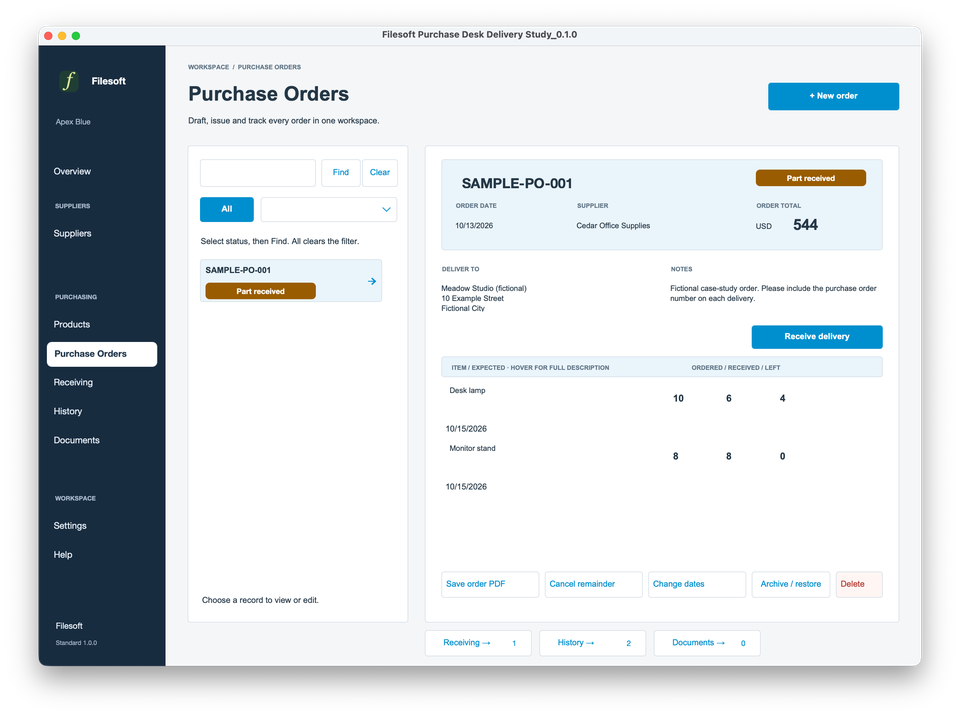
Record what arrived, see what is still missing and keep both receipts.
Explore the case studyA READY-MADE SALES WORKSPACE
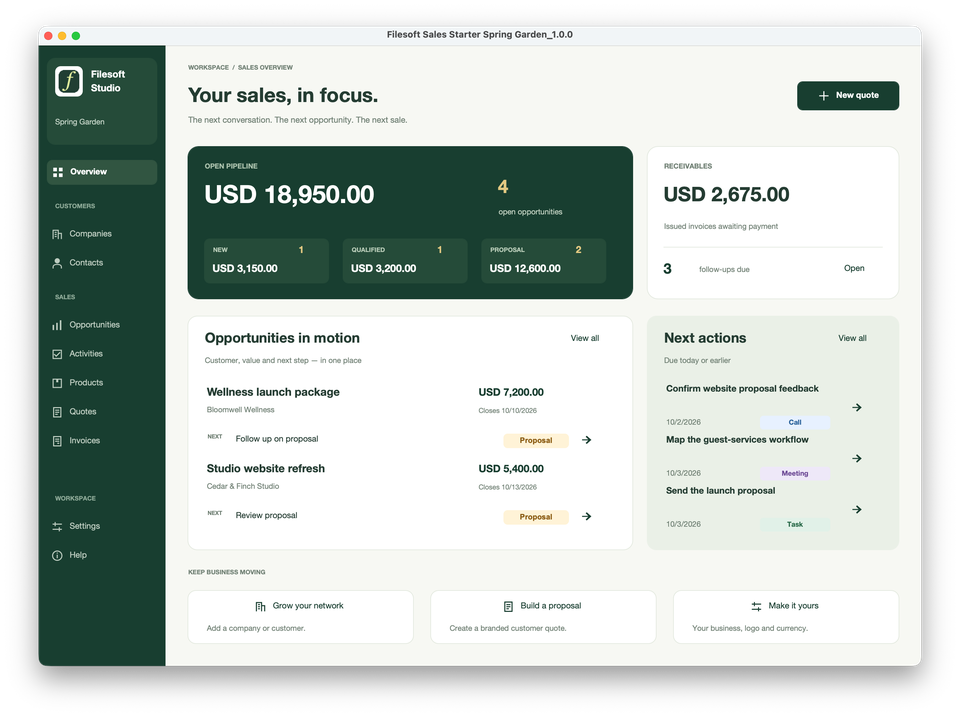
Keep customers, opportunities, quotes, invoices and payment records together in FileMaker.
Standard is free. Premium Spring Garden is US$99.
Both editions include the same core sales functions.
FileMaker Pro required, sold separately. Tested on macOS; Windows compatibility unverified. See edition pages for tested versions and scope.
A CLOSER LOOK
Meet three palettes. See what’s included.
Find a starting point that feels like you.
American English narration · English captions · Plays with sound when you choose
Meet Filesoft. Themes for your next FileMaker app. Start fresh with the calm colors of Spring Garden. Or choose Ember Ledger, for a warmer, bolder look. And Rose Current brings a little warmth to every screen.
Each theme comes with a demo file, reusable styles, theme resources, and a guide to get you started. Forty-nine dollars per theme at launch. Once PayPal confirms your payment, we’ll email you a download link.
Find a look that feels right for your next project. Explore filesofttools.com.
TRY FILESOFT FREE
A working, editable FileMaker sample with 60 named styles, a dashboard, a project form and an All Objects sampler. Import the theme into your own file. No email signup, activation or expiry.
Try our free FileMaker theme ↗CREATOR’S PICKS
Three distinct palettes to help you find your direction.
Explore a favorite, or compare all 25 themes in the collection.

CALM & FRESH
Grounded greens with soft, sunny accents. A gentle starting point for a welcoming interface.
Explore themeWARM & FOCUSED
Copper accents with a steady slate foundation. A grounded look for information-rich layouts.
Explore theme
BOLD & EXPRESSIVE
Midnight tones with violet and rose accents. A distinctive starting point with creative character.
Explore themeTHE FULL COLLECTION
Filter 25 themes, compare two or three side by side, or build your US$99 bundle.
Browse and compare themes ↗THE PERSON BEHIND FILESOFT
I’m Plato, a software engineer with over 10 years of experience building applications and custom business solutions.
My background spans native Apple interfaces and FileMaker development, including relational databases, layouts, and workflow automation. I bring that experience to Filesoft, creating themes with coordinated colors, reusable styles, and practical layouts to help you build clear, consistent interfaces.
My aim is simple: help you spend less time styling your app and more time building what matters.
Connect with me on LinkedInA FEW THINGS TO KNOW
A theme styles your layouts. An add-on adds a component or workspace to an existing file. A solution is a separate working FileMaker file. Compare the options.
Our add-ons, Standard standalone solutions and Spring Garden Lite sample are free. Full themes cost US$49 each or US$99 for any three. Sales Starter, Project Delivery and Purchase Desk also offer optional Premium editions for US$99 each, with the same core workflow as their free Standard editions.
FileMaker Pro is required for themes, add-ons and standalone solutions and is sold separately. Our browser tools and the first Academy lesson work without it. Check each product or course for its requirements.
Free add-ons and solutions require your name and email; we email a private download link without subscribing you to marketing. Paid purchases use PayPal, followed by an emailed link. The free sample theme and SVG icons download directly. Get download help.
FREE / DEVELOPER TOOLS
Work in your browser. No FileMaker installation is needed to use these tools.
Make expressions and structured data easier to read.
Calculation formatter ↗JSON validator & formatter ↗SQL formatter & checker ↗Prepare a request or follow references in your solution.
FileMaker cURL builder ↗DDR Explorer ↗Prepare a button icon and keep your interface consistent.
SVG converter ↗Icon library ↗UI design guide ↗FREE / FILESOFT ACADEMY
Four free courses, with six lessons each, practical exercises, quizzes and example files. Start with a contact-and-notes app, then add tasks, summaries and reports in Course 2, improve the workflow in Course 3, and build a project tracker in Course 4. Created by Plato · Filesoft.
Native exercises use FileMaker Pro 26 on macOS, sold separately. Course 1, Lesson 1 works in your browser.
Explore the FileMaker courses ↗Manage room and studio bookings in FileMaker with free Standard or US$99 Premium Citrine Harbor. Local macOS desktop, one operator.
Compare editions and requirements ↗ · Browse FileMaker solutions ↗