A file of its own
Open the supplied .fmp12 in FileMaker Pro. No add-on installation is needed.
Get the standalone solution ↗FILESOFT LOAN DESK · FREE SOLUTION · 1.0.0
Track equipment, borrowers, due dates and individual returns in a focused FileMaker workspace.
Requires Claris FileMaker Pro, sold separately.
For single-user desktop use on macOS.
ONE WORKFLOW. TWO WAYS TO USE IT.
Open the supplied .fmp12 in FileMaker Pro. No add-on installation is needed.
Get the standalone solution ↗Install the .fmaddon and place the Open Loan Desk launcher. Return to your work with Back to host.
Get the Loan Desk Add-on ↗Both require FileMaker Pro, sold separately. Name and email required; no marketing subscription. Check each product’s compatibility details.
FROM SHELF TO RETURN
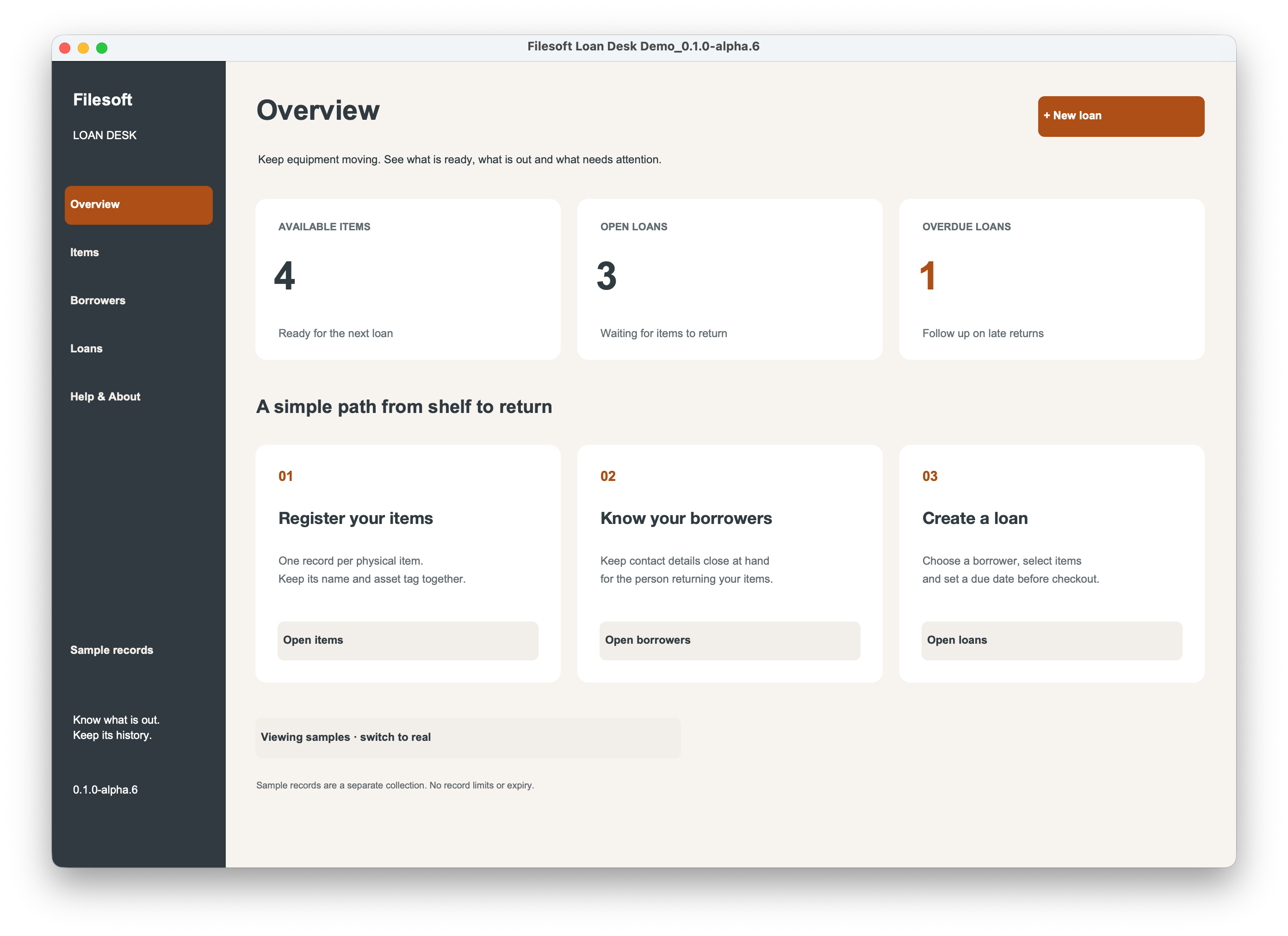
Register each physical item, choose a borrower, build a loan and check it out. Return items individually while retaining the loan history.
Keep items and borrowers in clear detail editors. Search for a record and use Clear to reset your search.
Add multiple items to a draft. Click a selected item again to remove it before checkout. Availability checks help you see what is ready to lend.
Record each return as it happens while keeping the loan history together.
Colored Draft, On loan, Due today, Overdue and Returned statuses help you follow the work. The overview shows available items, open loans and overdue loans.
Retire equipment and archive borrowers while retaining issued history.
Your download has no personal or screenshot-only records. Optional samples stay separate from real records. No artificial record limits or expiry.
INSIDE LOAN DESK
From the draft to the last returned item.
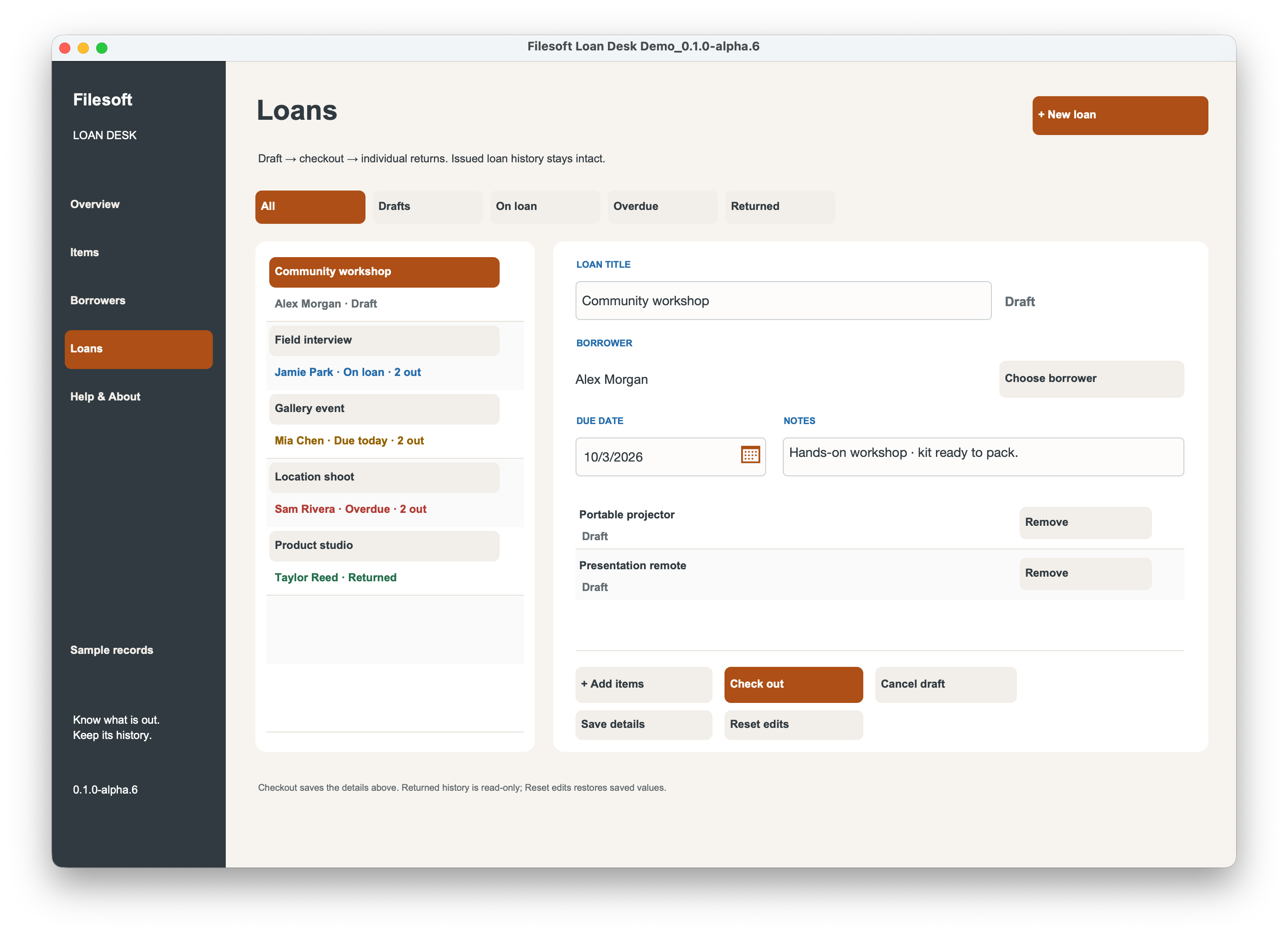
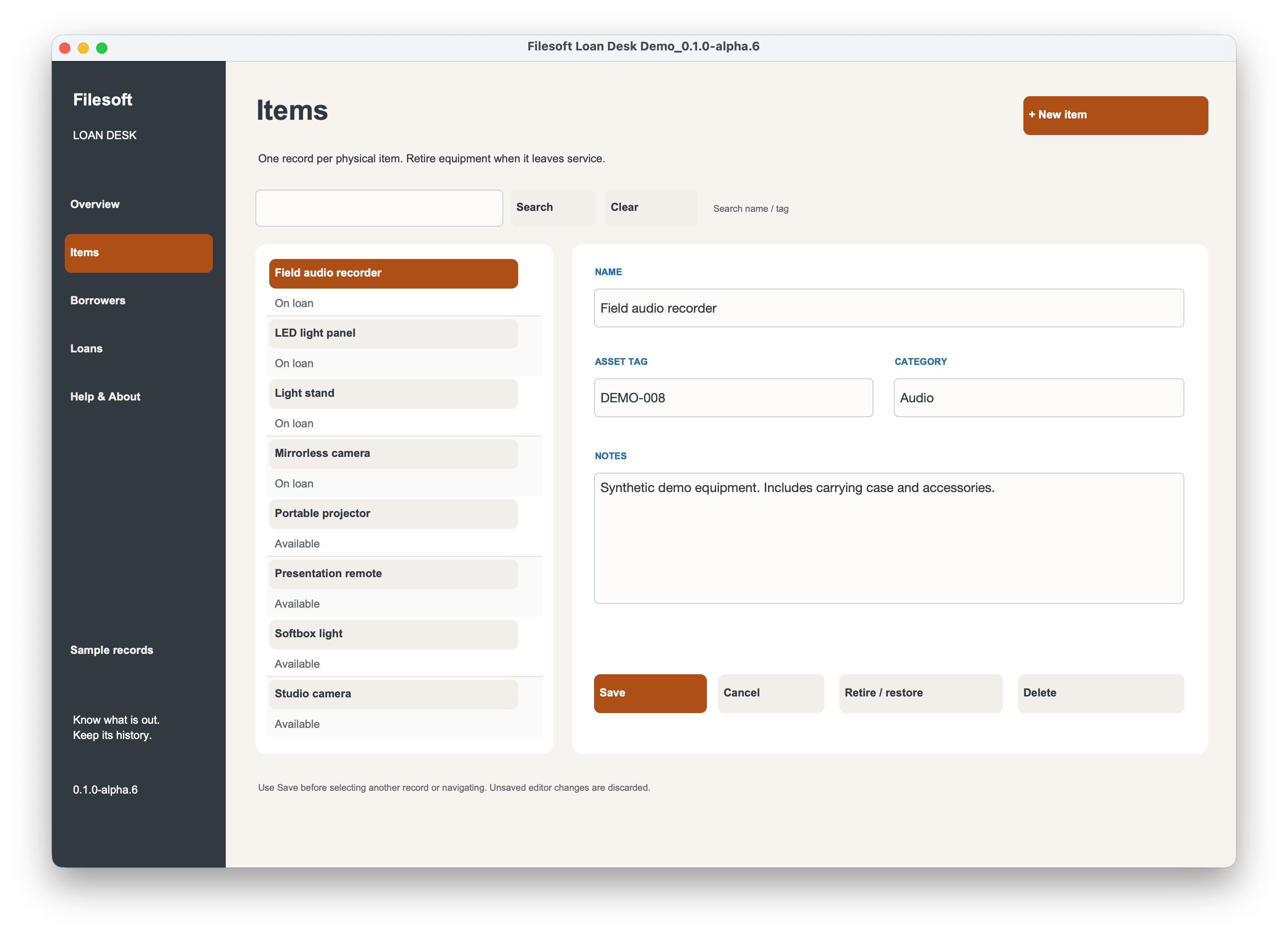
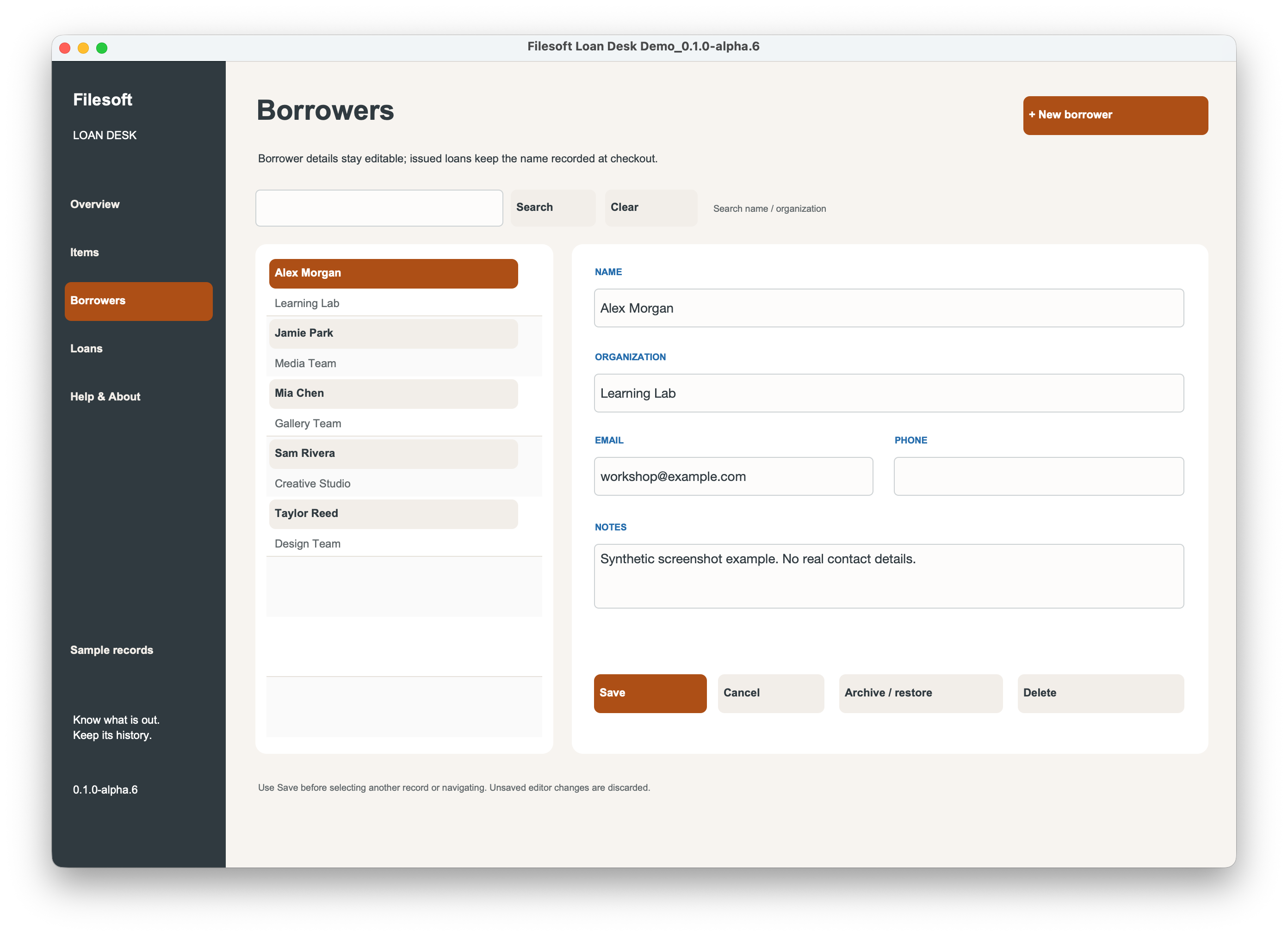
These unchanged screenshots show the approved alpha.6 demo with synthetic records. The clean 1.0.0 download preserves the accepted workflows, with version-label and release-information updates only.
BUILT WITH FILESOFT COPPER DUNE
Loan Desk uses Copper Dune styling for its workspace. The full commercial Copper Dune theme is a separate product and is not included in this free download.
Explore the Copper Dune theme ↗FREE · VERSION 1.0.0
Download Filesoft Loan Desk, free.
Unzip the package and open the file in FileMaker Pro. This is a standalone FileMaker solution, not an add-on or standalone executable.
ZIP · 129 KB · FileMaker Pro required.
MAKE IT FIT YOUR WORK
Have a workflow that Loan Desk doesn’t quite cover? Tell us what you need. We can discuss whether custom development would be a good fit.
These are ideas for custom development, not features included in Loan Desk. We’ll review feasibility, scope and cost with you. Integrations and team use would require additional development and testing.
Tell us what you would like to change or add. Asking is free and does not commit you to paid work.
Discuss your requirementsPrefer email? Contact support@filesofttools.com.
Custom work is scoped and quoted separately. The free Loan Desk download remains available. Your enquiry does not subscribe you to marketing emails.
BEFORE YOU GET STARTED
Requires Claris FileMaker Pro, sold separately. Designed for FileMaker Pro 19.6.3–26 on macOS in single-user desktop use. Owner-reviewed on macOS; exact tested FileMaker versions have not been recorded for Loan Desk. Windows, Go, WebDirect and multi-user use are not validated.
Questions? support@filesofttools.com
LEARN WITH FILESOFT
Read the equipment loan tracking guide ↗