Try real controls
Open the demo in FileMaker Pro. Edit the project form, browse records, then choose All Objects in the sidebar to explore the desktop control sampler.
Start styling your FileMaker app with 60 editable named styles and three desktop demo layouts: Dashboard, Form and All Objects. The free ZIP includes the .fmp12 demo and a Read Me, with the Lite theme embedded in the file.
Filesoft tests its FileMaker products on Windows and macOS. Platform details ↗
Lite is a theme and demonstration file, not a finished project-management solution. Importing its theme brings the styles into your file; it does not copy layouts or records. The paid full Spring Garden theme offers a larger style collection and additional layouts.
Direct ZIP download. No email signup, activation or expiry.
Version 1.1.1 · 60 named styles · 3 desktop layouts · FileMaker Pro required
A WORKING, EDITABLE SAMPLE
Native screenshots of the included demo.
A dashboard, editable form and All Objects sampler.
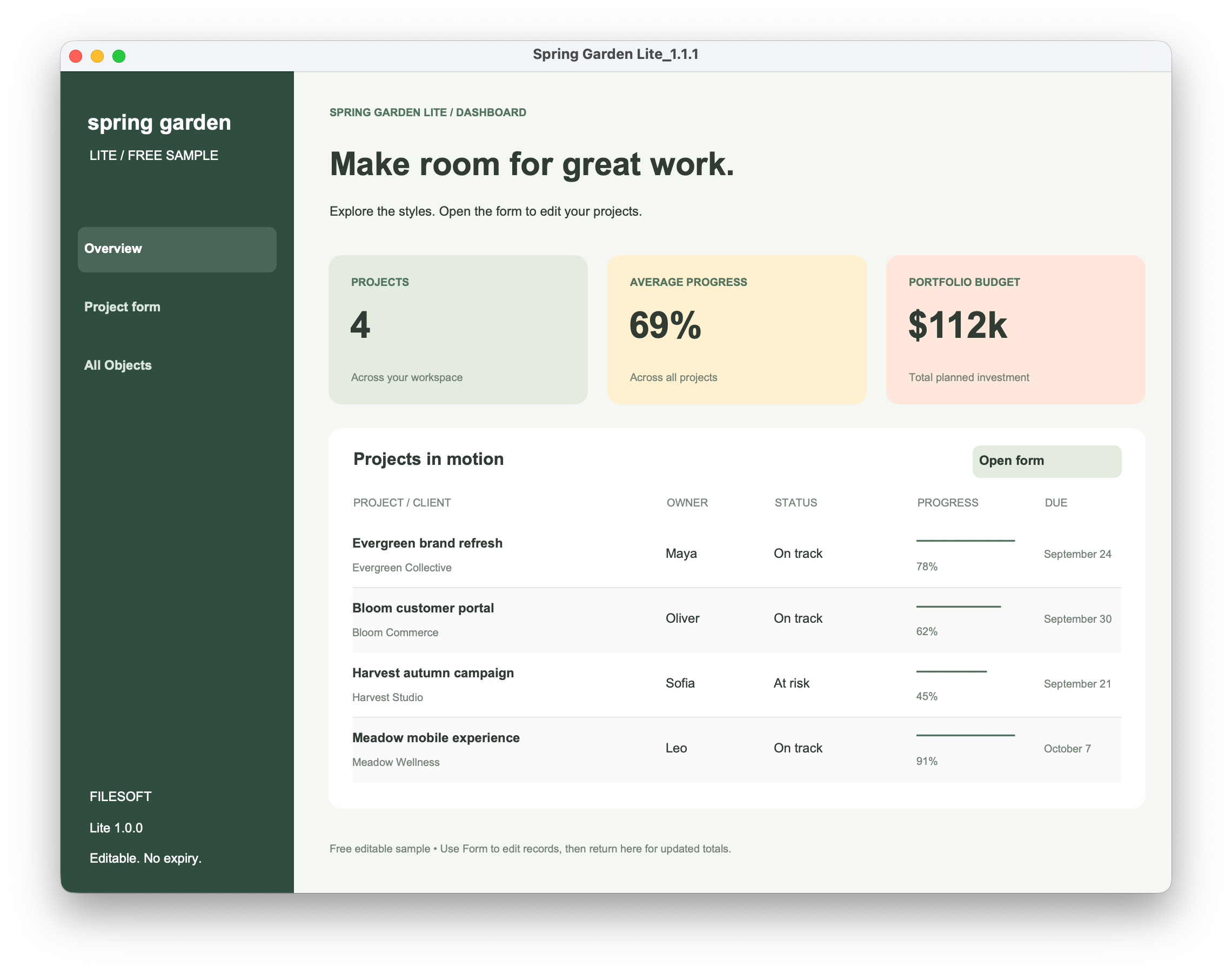
Native screenshots of version 1.1.1. Dashboard and Form retain the historical “Lite 1.0.0” sidebar label; the download and window titles are 1.1.1.
OPEN. EXPLORE. IMPORT.
The ZIP includes the editable .fmp12 demo
and a short Read Me. The Lite theme is embedded.
Open the demo in FileMaker Pro. Edit the project form, browse records, then choose All Objects in the sidebar to explore the desktop control sampler.
Choose File → Manage → Themes → Import, select the Lite demo, then apply Spring Garden Lite in Layout mode.
Edit text, fields, buttons and portal styles. Lite remains editable, with no expiry or activation.
TRY THIS FIRST · ABOUT FIVE MINUTES
You should finish with an edited sample project and a styled test layout. Importing the theme copies styles, not the demo’s layouts or data. The sample is a styling demonstration, not a finished project-management app.
Follow the step-by-step Lite styling exercise
The video uses Spring Garden. Choose Spring Garden Lite when importing this sample.
FileMaker Pro is required and is not included. You need layout-editing access to your own file. Importing a theme transfers styles, not layouts, tables or records. Lite’s layouts are desktop examples.
CHOOSE YOUR STARTING POINT
Try the controls in your own file.
Upgrade when you need the complete collection.

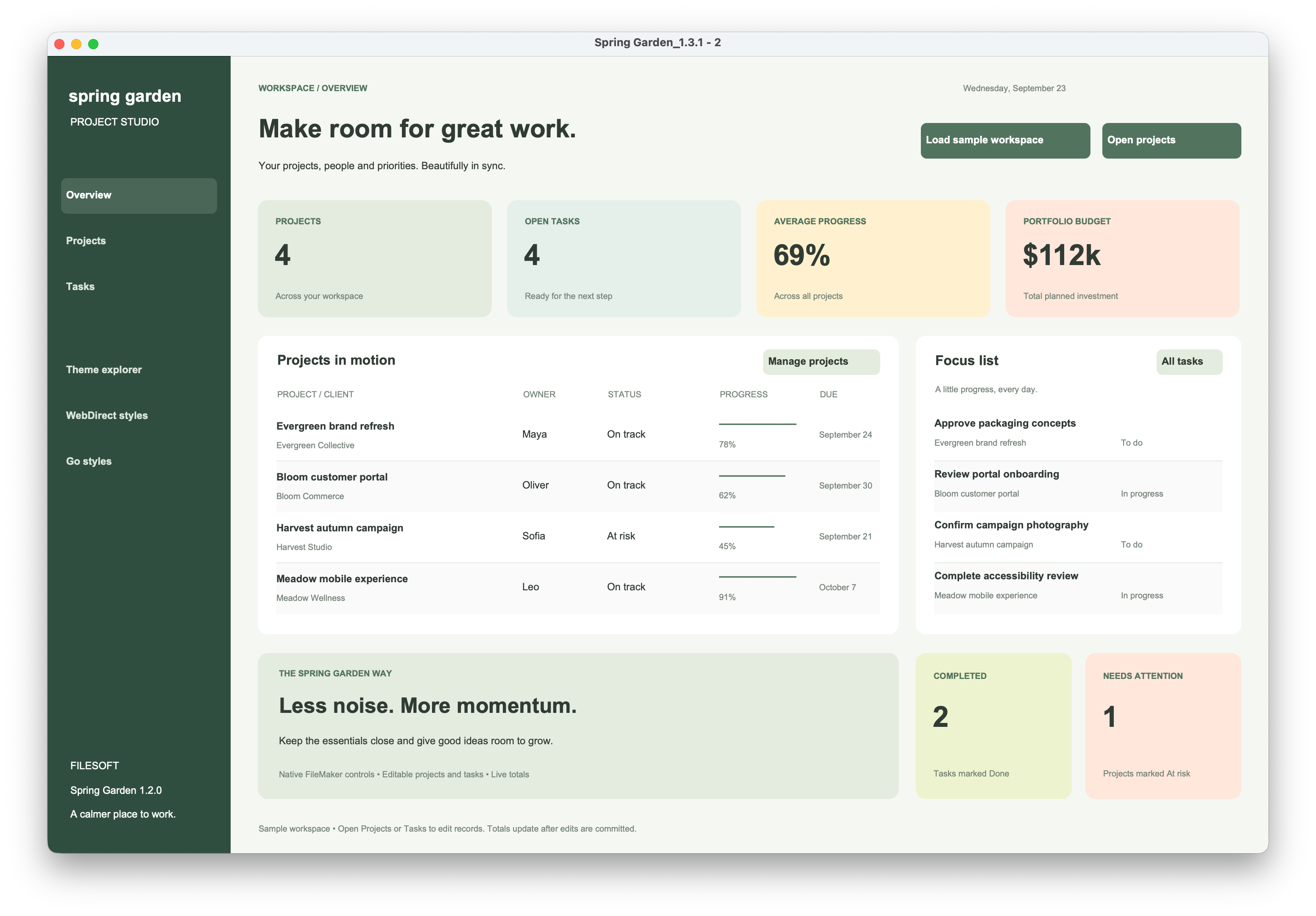
Native dashboard screenshots: Lite 1.1.1 and full theme demo 1.3.1. Lite retains a historical 1.0.0 sidebar label; some full-demo labels still show 1.2.0. These are different demo layouts; importing either theme transfers styles only.
| Included | Spring Garden Lite Free | Spring Garden US$49 |
|---|---|---|
| Named styles | 60 named styles, including desktop buttons, button bars, compact fields and supporting surfaces | Complete 209-style collection, with a wider range of styles and dedicated WebDirect and Go examples |
| Demo layouts | 3 desktop layouts: Dashboard, Form and All Objects | 6 layouts: Dashboard, Projects, Tasks, All Objects, WebDirect and Go |
| Editable and importable | Yes — customize Lite in your own file | Yes — customize the complete theme |
| Guidance | Short Read Me and installation-video link | Customer guide and installation video |
| Additional resources | Theme embedded in the demo | Installable theme folder and six preview images |
| Download | Direct free ZIP. No email, activation or expiry. | Paid checkout with a private download link by email |
RELEASE NOTES
Compared with 1.0.0: 60 named styles and three desktop layouts. The new All Objects sampler brings together native fields, controls, button variants, button bars, panels and states. Dashboard and Form now have an All Objects sidebar link.
The download includes the editable demo and Read Me. Existing sample records and original styles are preserved. A new download does not upgrade your own working file automatically.
View release history ↗