Customers & contacts
Keep companies and the people you work with connected.
FREE · VERSION 1.0.0
The complete core sales workflow, in built-in Apex Blue styling.
Get free Standard ↓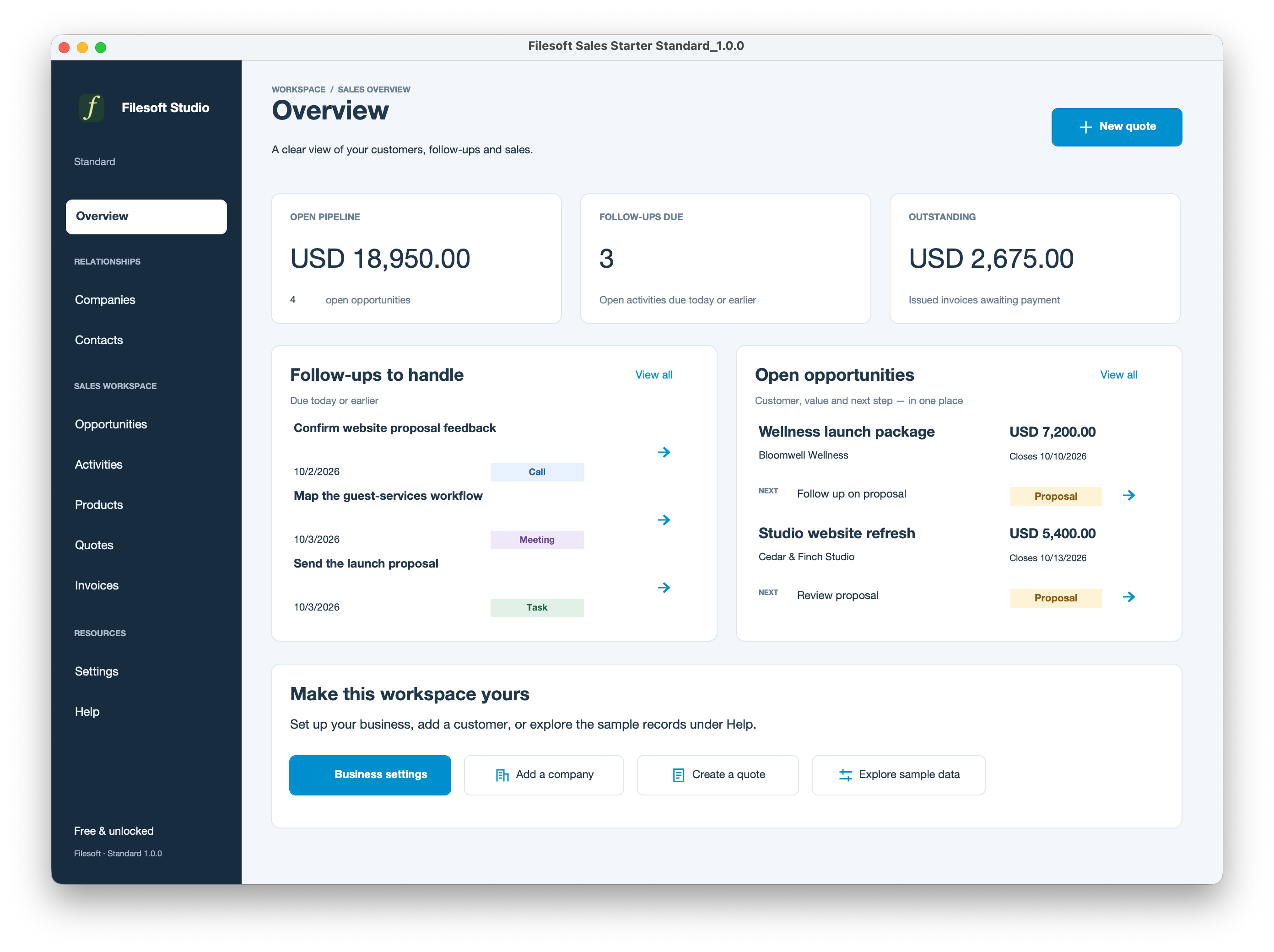
Keep companies and the people you work with connected.
Track pipeline, next actions and customer activities.
Reuse descriptions, prices, tax rates and product images.
Prepare line items, export PDFs and turn quotes into invoices.
Record payments and see outstanding balances. This does not process payments.
Set business details and separate workspace and document logos.
FREE · STANDARD 1.0.0
Enter your name and email. We will email a private download link for the empty Standard file and Read Me. No automatic marketing subscription.
YOUR FIRST SESSION
Requires FileMaker Pro, sold separately. Both editions were owner-tested in FileMaker 19 and 26 on macOS; exact patches were not specified. Intermediate versions and other platforms have not been individually validated. This is a desktop release; hosting and multi-user deployment are not established by these tests.
One business currency with two decimals and simple per-line percentage tax. Sales Starter is not a complete accounting or tax-compliance system.
Personal and internal-business use and customization are permitted. Resale or redistribution is not permitted. Support is best effort, without guaranteed response times or future updates. FileMaker licensing, hosting, implementation, migration and training are separate. Premium does not include a separate standalone theme license.
Your records do not automatically appear in a new Premium file. Contact Filesoft before switching a live workspace. Migration and merging customizations require a separate assessment and quote. Keep using your current file until a migrated copy is accepted.
Discuss migration or customization ↗RELEASE NOTES
Initial customer release of Standard and Premium Spring Garden: customers, contacts, opportunities, activities, products, quotes, invoices, payment records, PDF export, business settings and optional sample records.
Future released updates will list added features and fixes here.