A file of its own
Open the supplied .fmp12 in FileMaker Pro. No add-on installation is needed.
Get the standalone solution ↗FILESOFT LOAN DESK · FREE ADD-ON · 0.1.0
Add a self-contained equipment-loan workspace to an existing FileMaker file. Place the Open Loan Desk launcher, track equipment and borrowers, and record each return. Use Back to host to return to your work.
Requires Claris FileMaker Pro, sold separately.
For single-user desktop use on macOS.
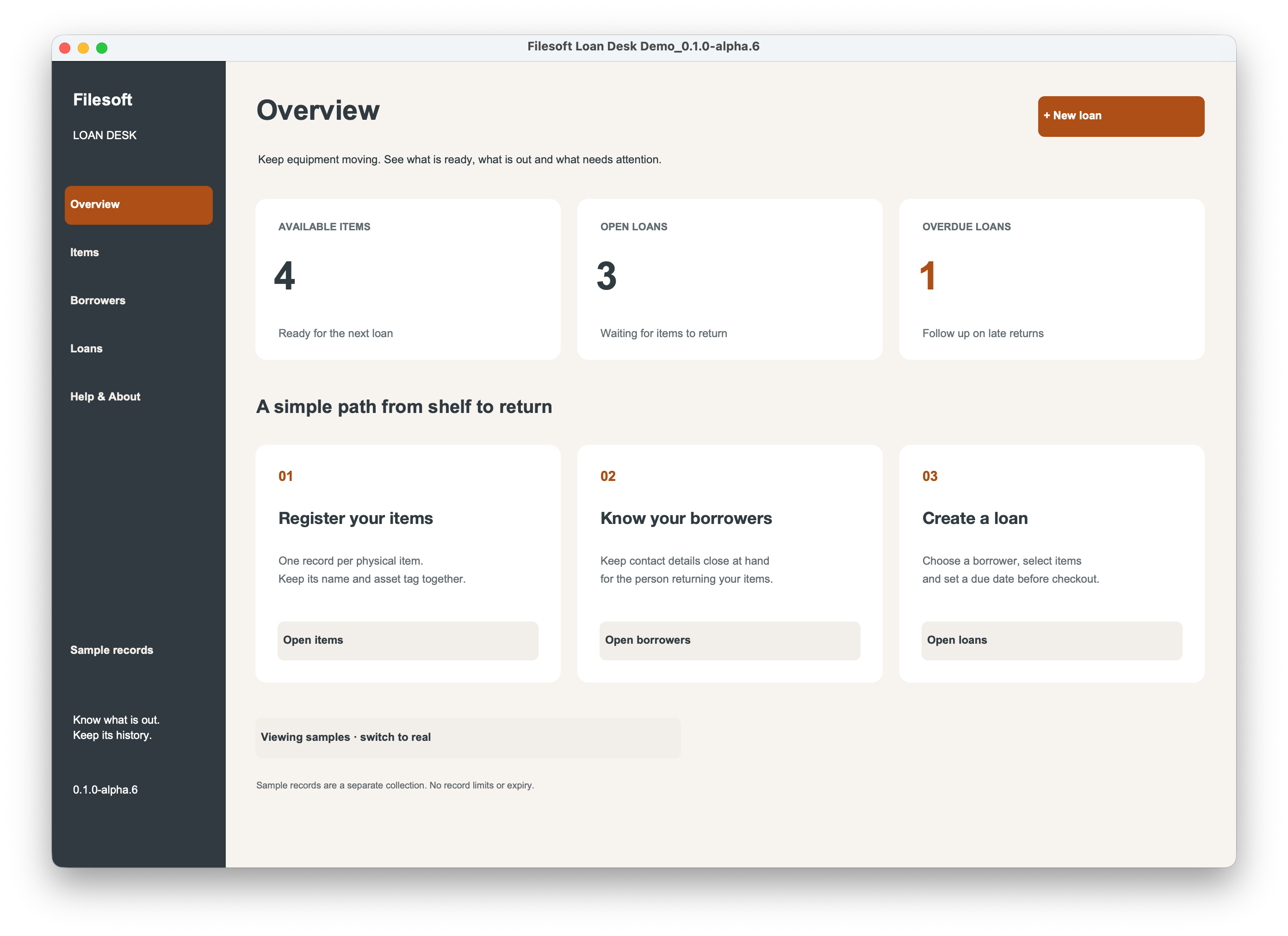
ONE WORKFLOW. TWO WAYS TO USE IT.
Open the supplied .fmp12 in FileMaker Pro. No add-on installation is needed.
Get the standalone solution ↗Install the .fmaddon and place the Open Loan Desk launcher. Return to your work with Back to host.
Get the Loan Desk Add-on ↗Both require FileMaker Pro, sold separately. Name and email required; no marketing subscription. Check each product’s compatibility details.
FROM SHELF TO RETURN
Register each physical item, choose a borrower, build a loan and check it out. Return items individually while retaining the loan history.
Keep items and borrowers in clear detail editors. Search for a record and use Clear to reset your search.
Add multiple items to a draft. Click a selected item again to remove it before checkout. Availability checks help you see what is ready to lend.
Record each return as it happens while keeping the loan history together.
Colored Draft, On loan, Due today, Overdue and Returned statuses help you follow the work. The overview shows available items, open loans and overdue loans.
Retire equipment and archive borrowers while retaining issued history.
Optional samples stay separate from real records.
INSIDE LOAN DESK
From the draft to the last returned item.
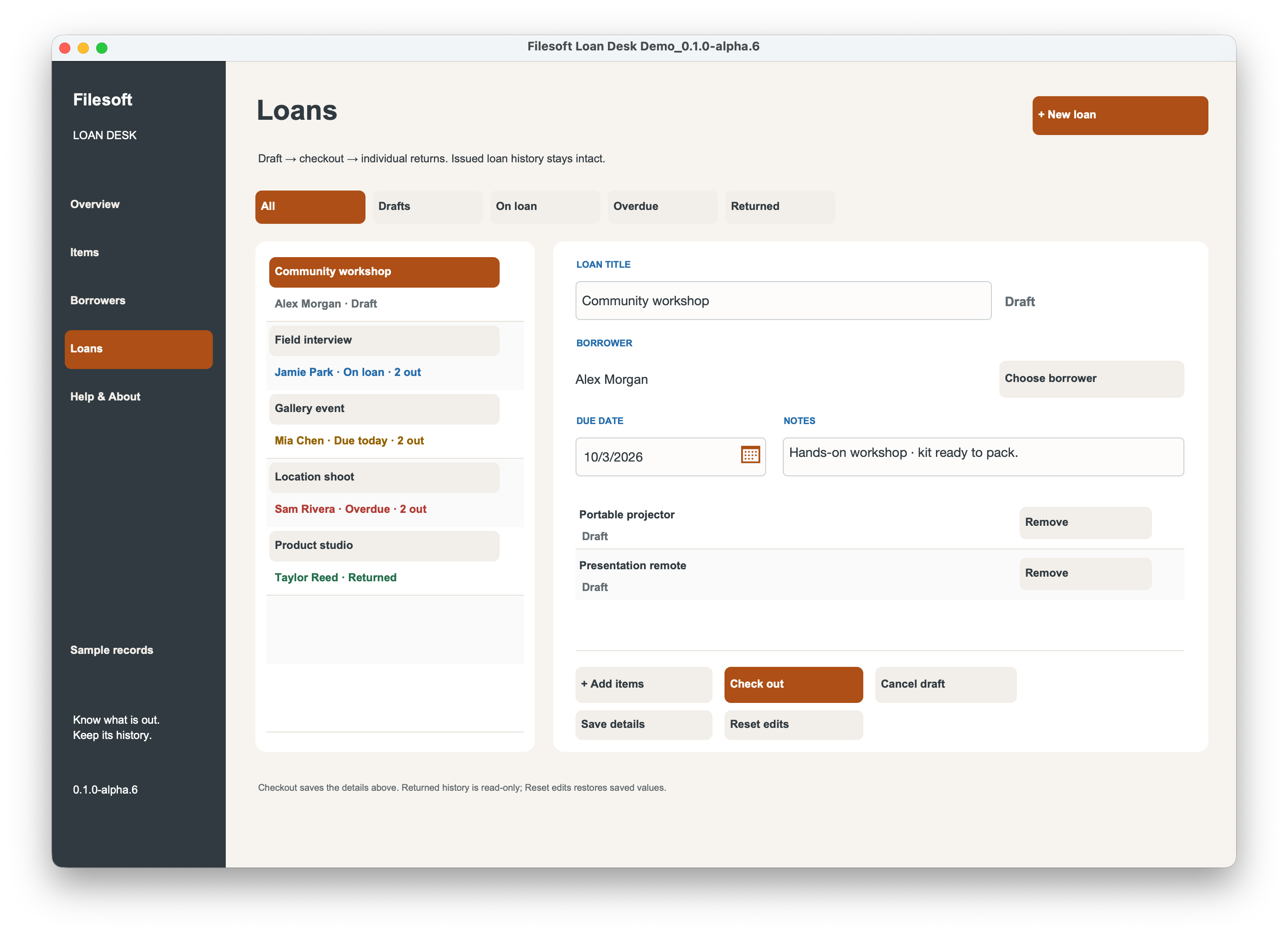
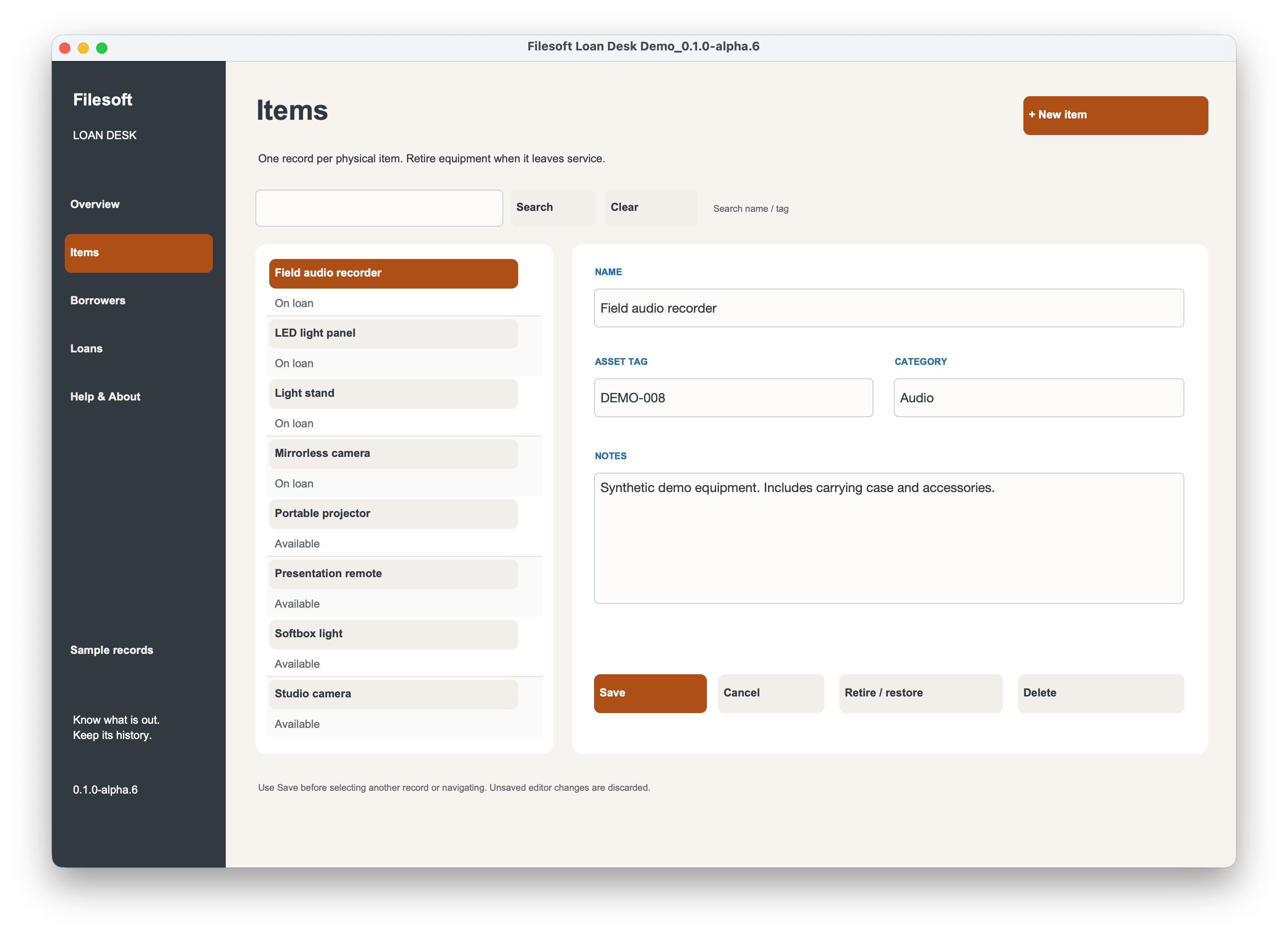
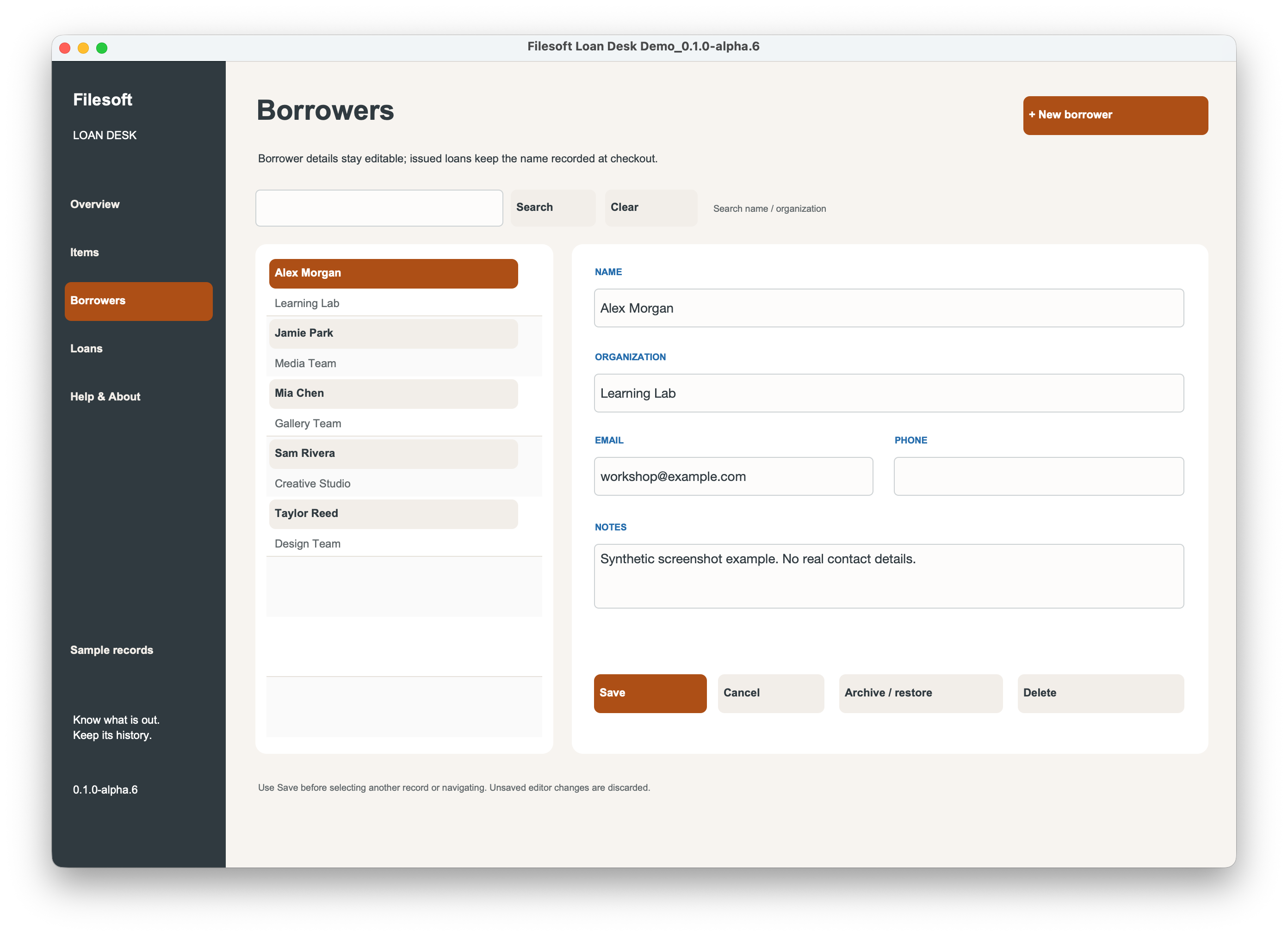
These unchanged screenshots show the shared workflow in the standalone alpha.6 demo, not an installed add-on. They do not document add-on installation testing.
BUILT WITH FILESOFT COPPER DUNE
Loan Desk embeds only the required Copper Dune styles for its workspace. The full commercial Copper Dune theme is a separate product and is not included in this free download.
Explore the Copper Dune theme ↗One shared collection per host file; loans are not linked to individual host records. No host relationship or startup-script change is required. Use one installed module and one active window. Installation requires appropriate development access; normal use respects host privileges.
ABOUT 90 SECONDS TO GET ORIENTED
Installation follows the same steps shown here. Choose Filesoft Loan Desk instead of Checklist Lite.
This shared tutorial demonstrates Checklist Lite 0.1.2. Its checklist features are specific to Checklist Lite; use your Loan Desk Read Me for product-specific guidance.
Back up your FileMaker file before installing. Follow the video and the included Read Me.
English narration and visible captions. Download transcript
Filesoft Checklist Lite — Installation Tutorial
Let’s install Filesoft Checklist Lite in your FileMaker file. Start with a backup of your app.
Open the .fmaddon package in FileMaker Pro. This makes Checklist Lite available in the add-on chooser.
In your file, enter Layout mode and open the Add-ons tab. Click Install Add-on, select Filesoft Checklist Lite, and choose it.
Drag Checklist Lite from the Add-ons pane onto your layout. Position the launcher where it is easy to find.
Save the layout and return to Browse mode. Click Open Checklist Lite. No host-table relationship or startup-script change is needed.
Open Templates and choose a starting point. Click Use template to create an independent checklist that you can make your own.
Complete a step to update your progress. Your checklist keeps the step details and completion information together.
Click Back to host to return to your original layout. The launcher is there whenever you need your checklists.
Your checklist module is ready. Create more lists whenever you need them. Find more tools at filesofttools.com.
FREE · ADD-ON VERSION 0.1.0
Download Filesoft Loan Desk Add-on 0.1.0, free.
Back up your existing FileMaker file before installation. Follow the shared tutorial and the customer Read Me.
Private ZIP · FileMaker Pro required.
Requires Claris FileMaker Pro, sold separately. Intended for FileMaker Pro 19.6.3–26 on macOS. Owner-tested in FileMaker Pro 19 and 26; the exact 19.x patch was not restated and intermediate versions were not individually tested. Native export: 19.6.3. Windows, FileMaker Go, WebDirect and concurrent multi-user use are not validated.
Use one installed module and one active window.
Questions? support@filesofttools.com
LEARN WITH FILESOFT
Explore the equipment loan workflow ↗