When cameras, laptops or other equipment are lent out, a useful loan record answers four questions: what went out, who has it, when it is due and what has come back. Filesoft Loan Desk keeps those details together in a free standalone FileMaker solution.
This guide describes standalone Loan Desk 1.0.0. It is designed for FileMaker Pro 19.6.3–26 on macOS in single-user desktop use. Owner-reviewed on macOS; exact tested versions have not been recorded for this standalone release. Windows, Go, WebDirect and multi-user use are not validated. FileMaker Pro is required and sold separately.
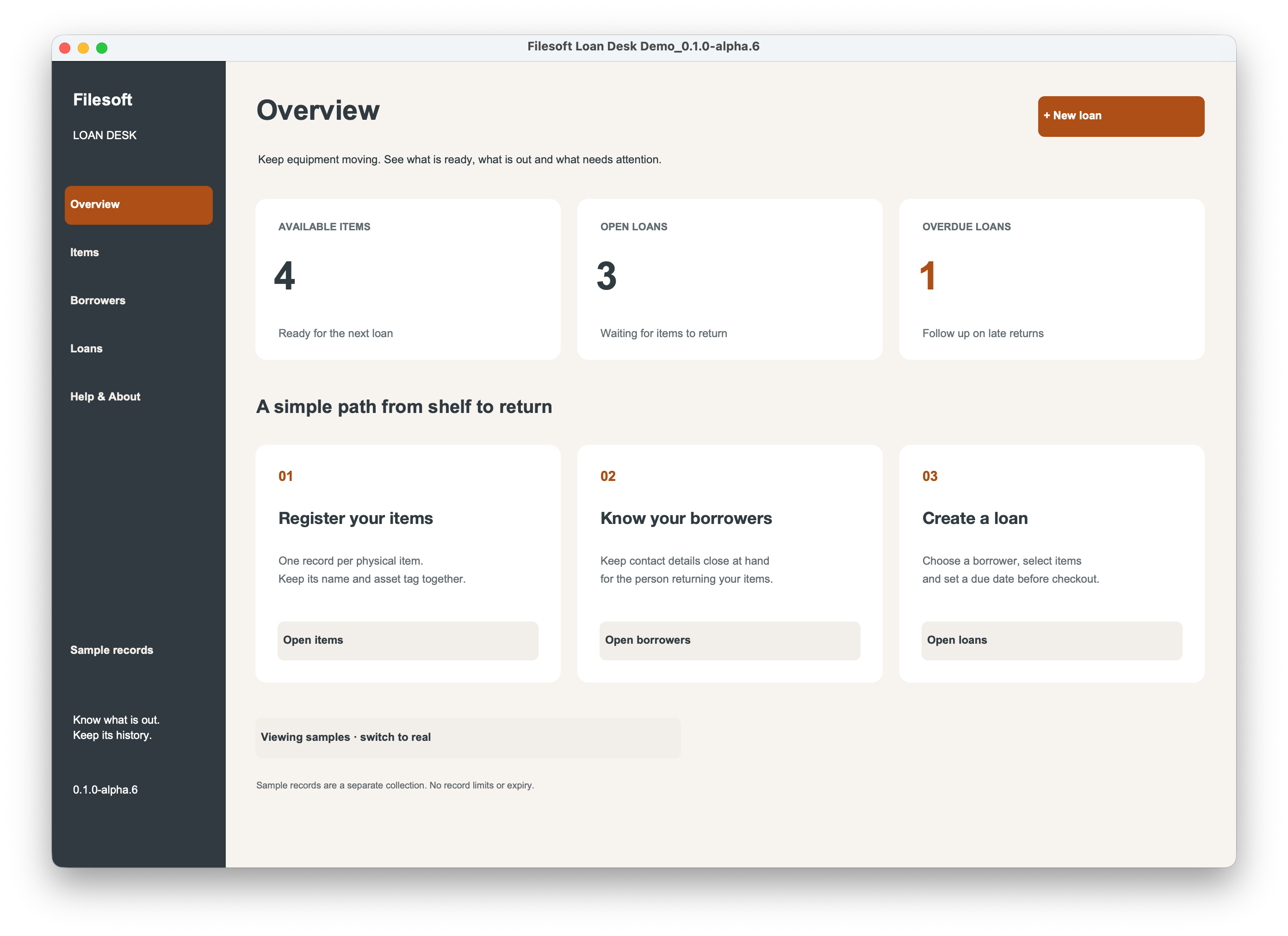
1. Start with your equipment and borrowers.
Request the standalone download with your name and email, open the included .fmp12 file in FileMaker Pro, and follow its Read Me. Your download request does not subscribe you to marketing.
Register each physical item separately so that you can tell two similar pieces of equipment apart. Add the borrowers who will receive them. Detail editors, search and Clear controls help you find and maintain those records. Optional sample records are separate from real records.
2. Build a draft loan.
Select the borrower, choose the due date and add the items to a draft loan. You can select several items; clicking an item again removes it before checkout. Review the selection before issuing the loan.
3. Check out and watch the due dates.
Checkout checks availability. Loan Desk uses Draft, On loan, Due today, Overdue and Returned statuses to help you review what needs attention. The overview summarizes available inventory, open loans and overdue loans.
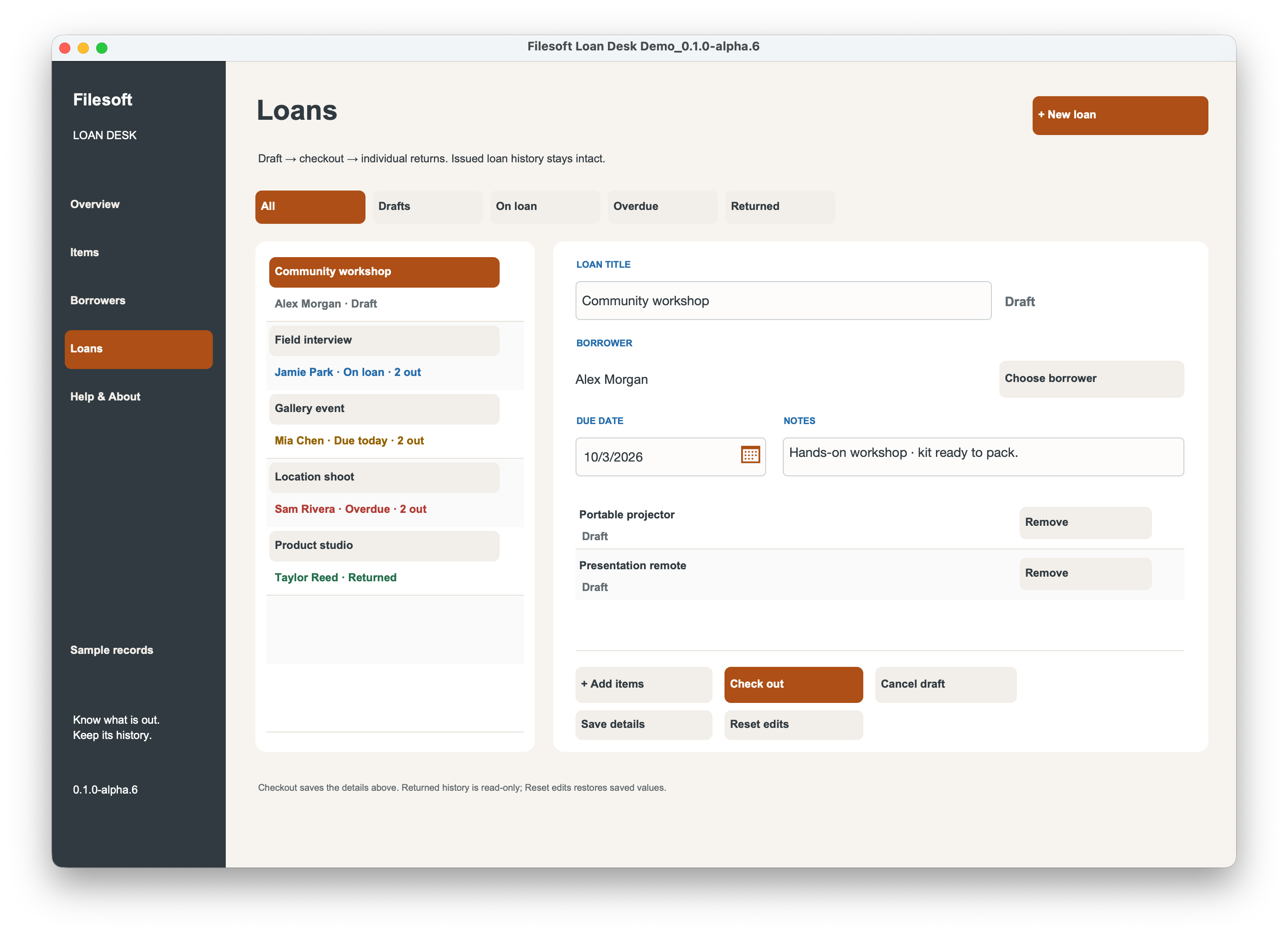
4. Return items individually.
Record each item’s return as it comes back. If a borrower returns one item before the others, use individual returns rather than treating the entire loan as complete. Keep the issued history for later reference.
5. Keep the history useful.
Retire equipment or archive borrowers when they are no longer active, while retaining issued history. Keep regular backups of the file containing your real records. Loan Desk is a focused equipment-loan workspace; assess its workflow before relying on it for your organization.
Already have a FileMaker file?
The separate Loan Desk Add-on 0.1.0 brings a self-contained workspace into an existing file, with an Open Loan Desk launcher and Back to host. It keeps one collection per host file; its equipment and loan records are not linked to individual host records. No host-table relationship or startup-script change is required. Review the add-on’s own compatibility and installation notes.
The standalone solution opens as its own file. The add-on installs into yours. Compare the two free download choices ↗
About the design
Loan Desk showcases Copper Dune styling. The full commercial Copper Dune theme is a separate paid product and is not included in the free download.