A file of its own
Open the supplied .fmp12 in FileMaker Pro. No add-on installation is needed.
Get the standalone solution ↗FILESOFT STOCKROOM · FREE ADD-ON · 0.1.1
Add one shared stockroom to an existing FileMaker solution. Track supplies, receive deliveries, record usage and adjust physical counts with a reason.
Requires Claris FileMaker Pro, sold separately.
For single-user desktop use on macOS.
ONE WORKFLOW. TWO WAYS TO USE IT.
Open the supplied .fmp12 in FileMaker Pro. No add-on installation is needed.
Get the standalone solution ↗Install one shared Stockroom per host file, with a Jade Meridian launcher and Back to host.
Get the Stockroom Add-on ↗Both are free and require FileMaker Pro, sold separately. Enter your name and email for the selected package’s private link. No marketing subscription. Check each product’s requirements.
FROM DELIVERY TO DAILY USE
Built for small offices, studios and workshops. One user, one active window and one stock location.
Track consumable supplies and set a minimum stock level for each item. Search and active filters help you find what you need.
Keep dated receipt history alongside each item, with stock movements together in one place.
Record usage as supplies leave the shelf. Review an item’s movement history when you need the details.
In-stock, low-stock, out-of-stock and archived statuses use both color and text.
Enter the counted quantity and a reason for the correction, retaining the adjustment in your movement history.
Your download opens without screenshot-only data. Optional synthetic samples stay separate from real records. No artificial record limits or expiry.
INSIDE STOCKROOM
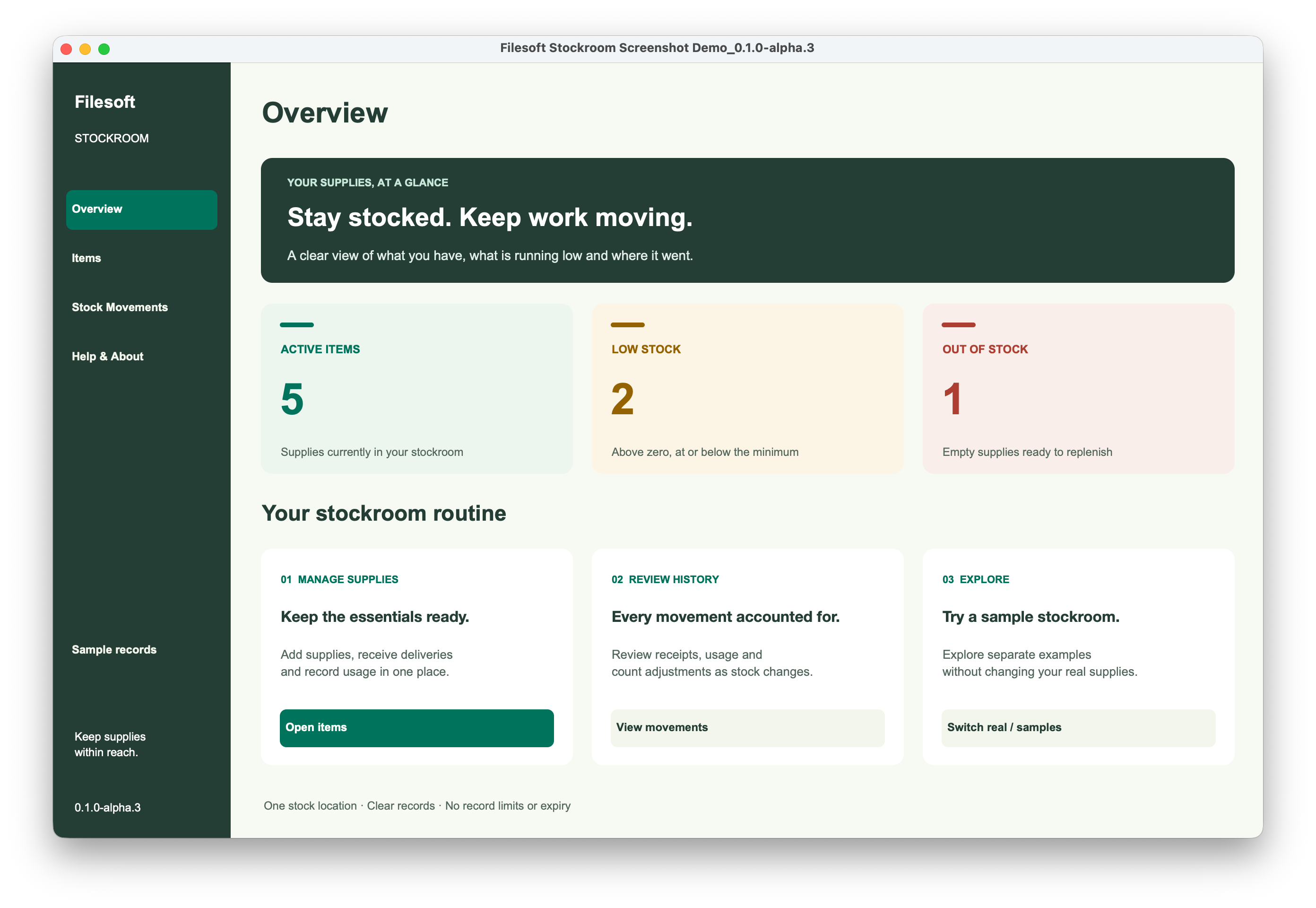
These three unaltered screenshots show the shared workflow in the standalone alpha.3 demo, with synthetic sample records. They are not installed-add-on screenshots; their visible version labels are unchanged.
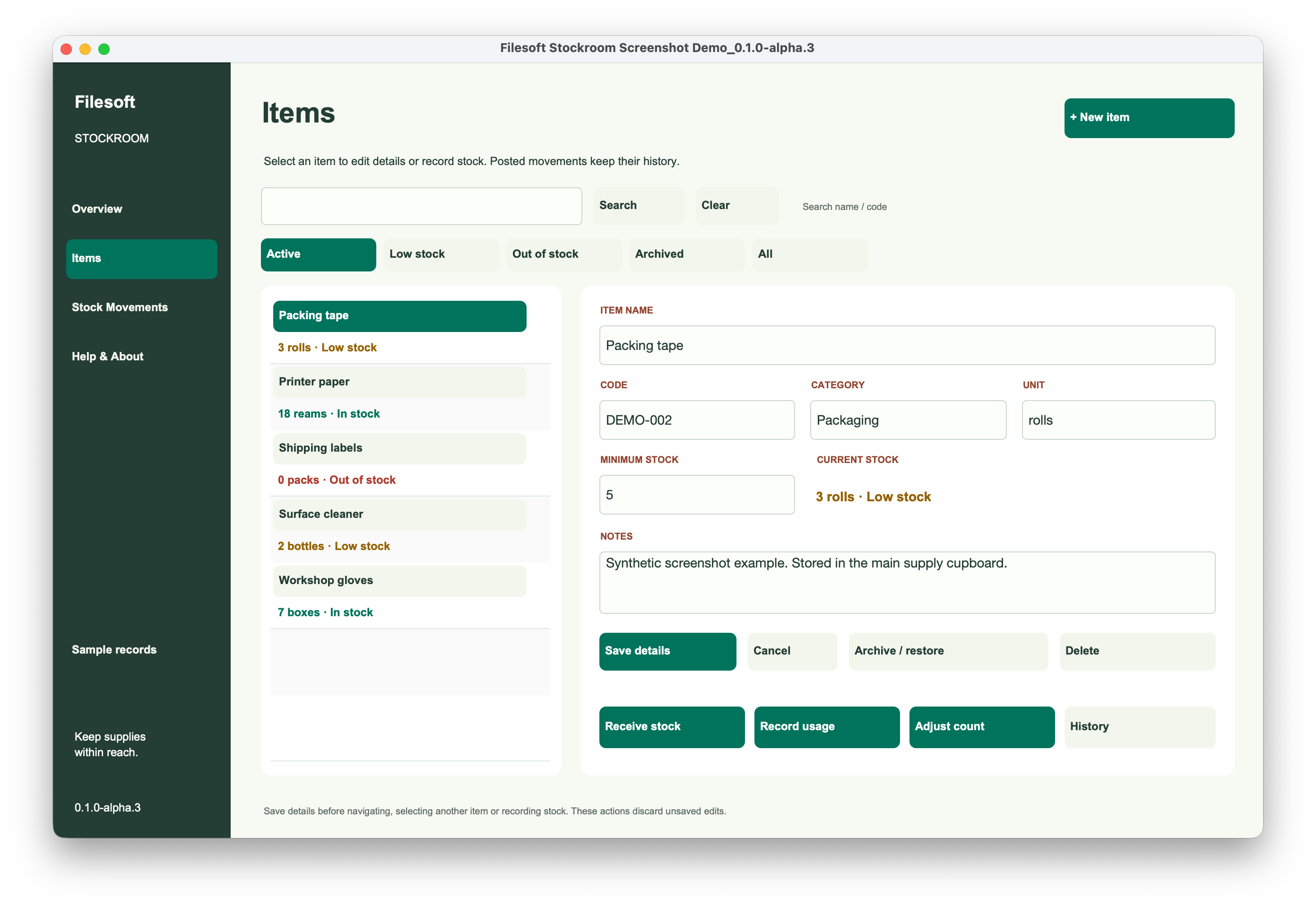
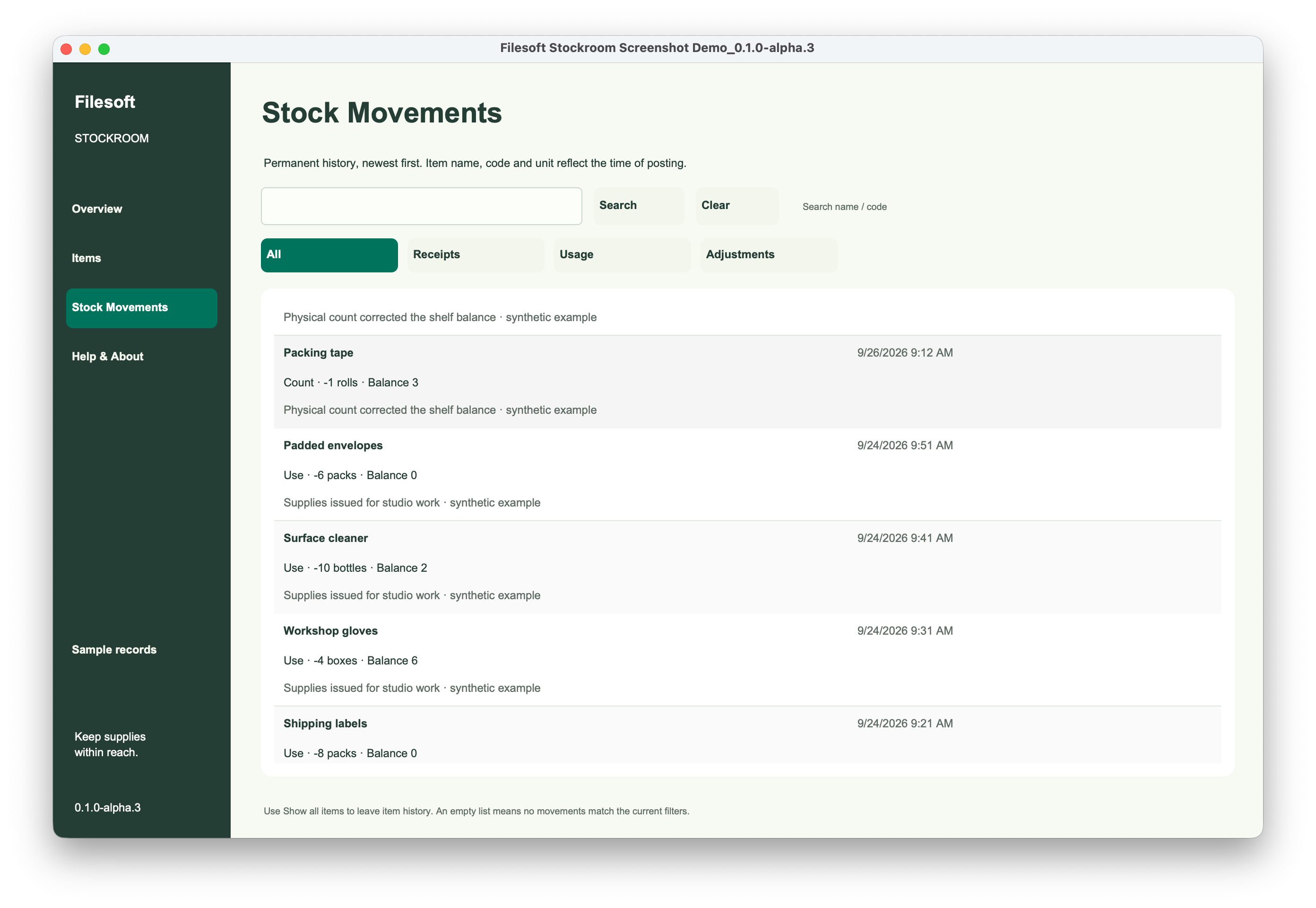
Add-on module screens retain the 0.1.0 label. Release 0.1.1 repairs the outer launcher group action; the stock workflows and schema are unchanged. Stock Movements is scrolled partway through a row in the original capture.
STYLED WITH JADE MERIDIAN
Stockroom showcases selected Jade Meridian styles. The full commercial Jade Meridian theme is a separate product and is not included in this free download.
Explore the Jade Meridian theme ↗Every launcher opens the same stock collection, independent of individual host records. The Jade Meridian launcher opens Stockroom; Back to host returns to the layout that launched it. No manual host relationship, primary-key setup or startup-script change is required.
Use one installed module and one active window. Do not install into a file that already contains Stockroom components, including the standalone Stockroom solution. Development access is required for installation; normal operation respects host privileges.
WRITTEN INSTALLATION GUIDE
Save item details before navigating: unsaved editor changes are discarded on normal navigation, and Back to host does not apply those changes. Host layout triggers still run. Follow the included Read Me for installation, daily use and backup guidance.
Already using an earlier version? Replacing the chooser package does not repair existing placed launchers or update installed modules. Do not uninstall a populated module or remove existing data to apply the fix. Contact support@filesofttools.com if you need help.
FREE · ADD-ON VERSION 0.1.1
Download Filesoft Stockroom Add-on 0.1.1, free.
Back up your host file before installation. Follow the written installation steps and customer Read Me.
Private ZIP · FileMaker Pro required.
BEFORE YOU GET STARTED
Requires Claris FileMaker Pro, sold separately. Intended for FileMaker Pro 19.6.3–26 on macOS, single-user desktop use with one active window. Owner-reported successful tests of the repaired add-on in FileMaker 19 and 26; exact tested patch versions were not restated. Intermediate versions were not individually tested. Native export: 26.0.3. Windows, FileMaker Go, WebDirect and concurrent multi-user or multi-window use are not validated.
Questions? support@filesofttools.com
Explore all free add-ons ↗