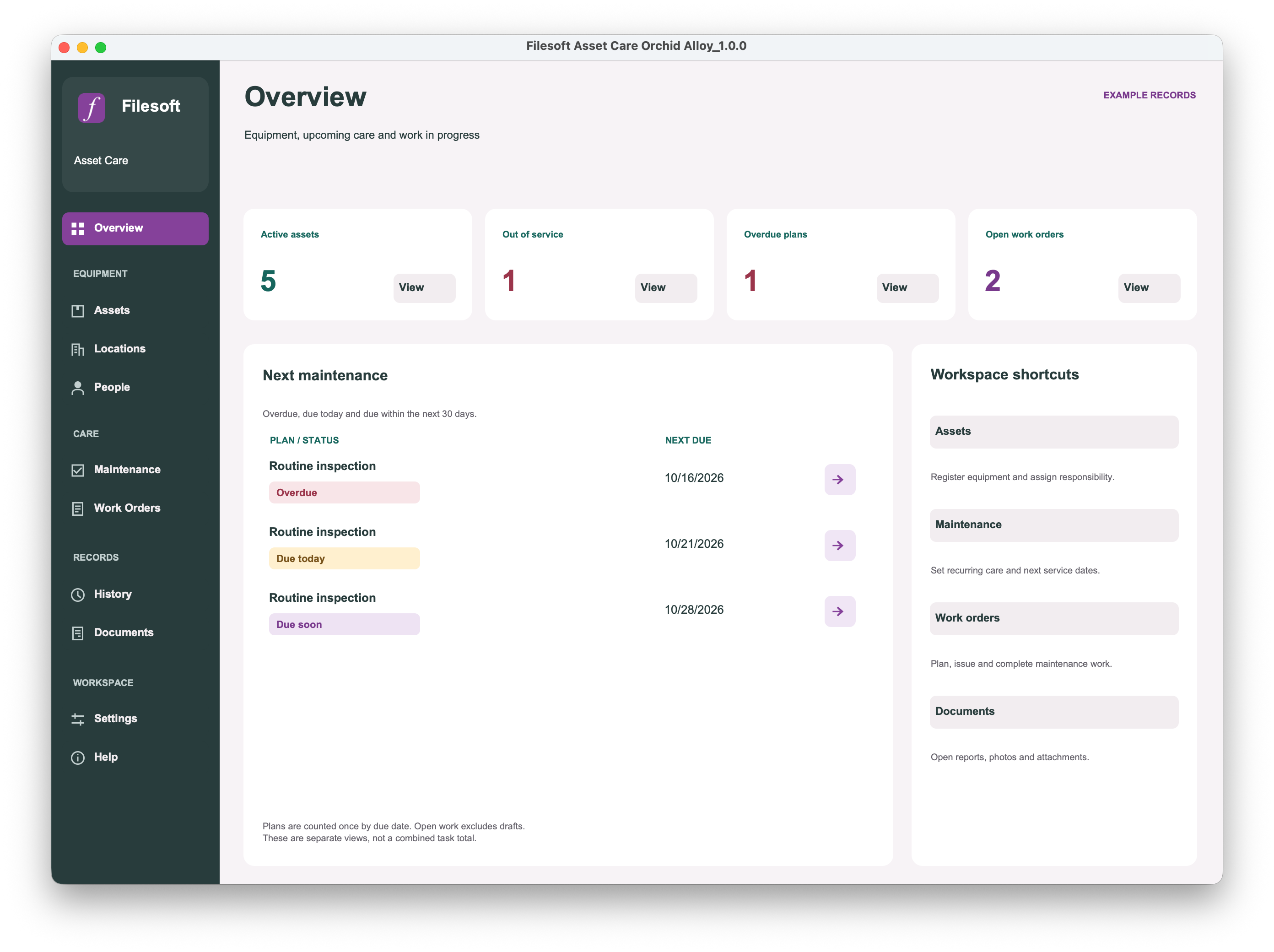
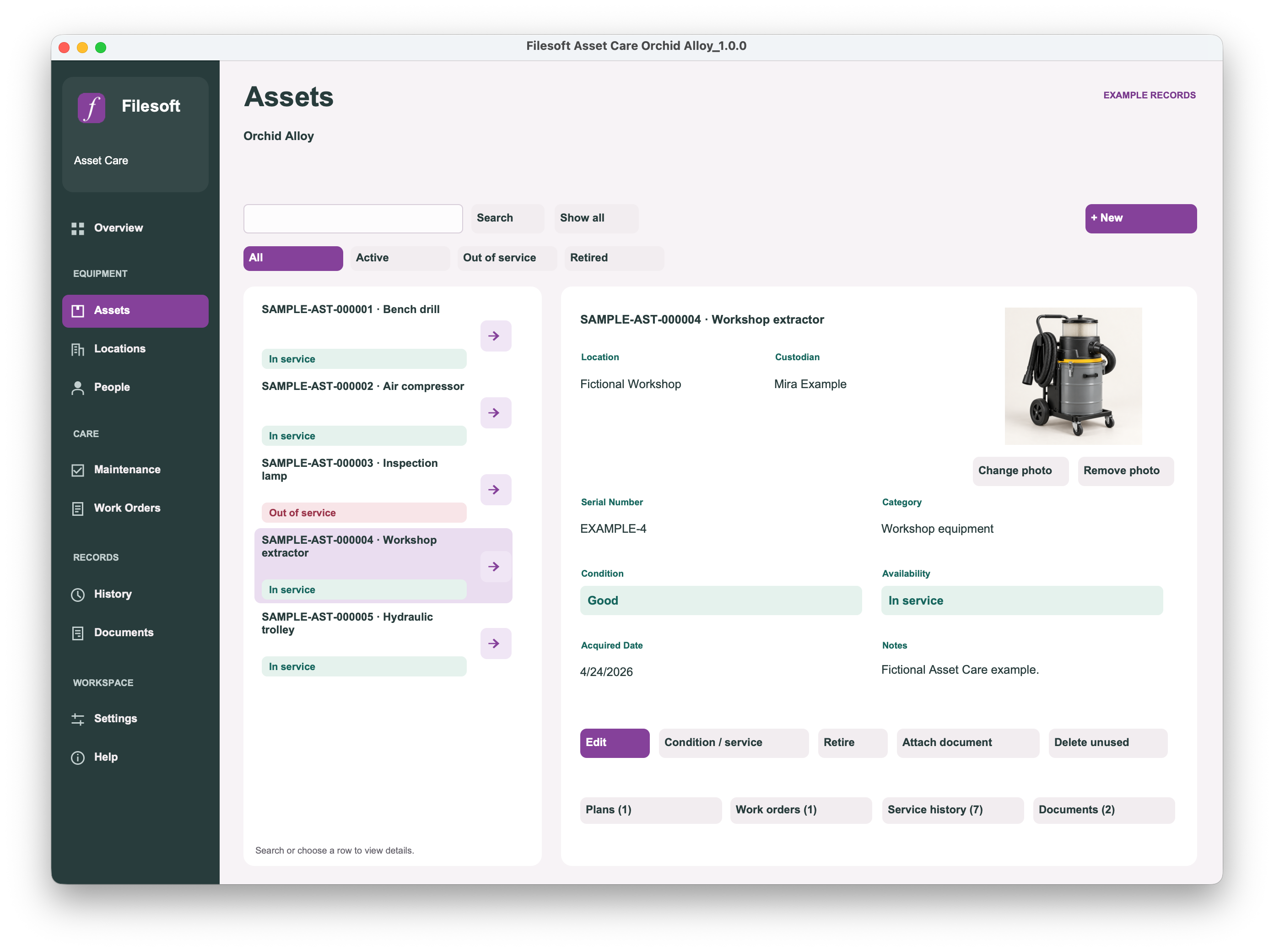
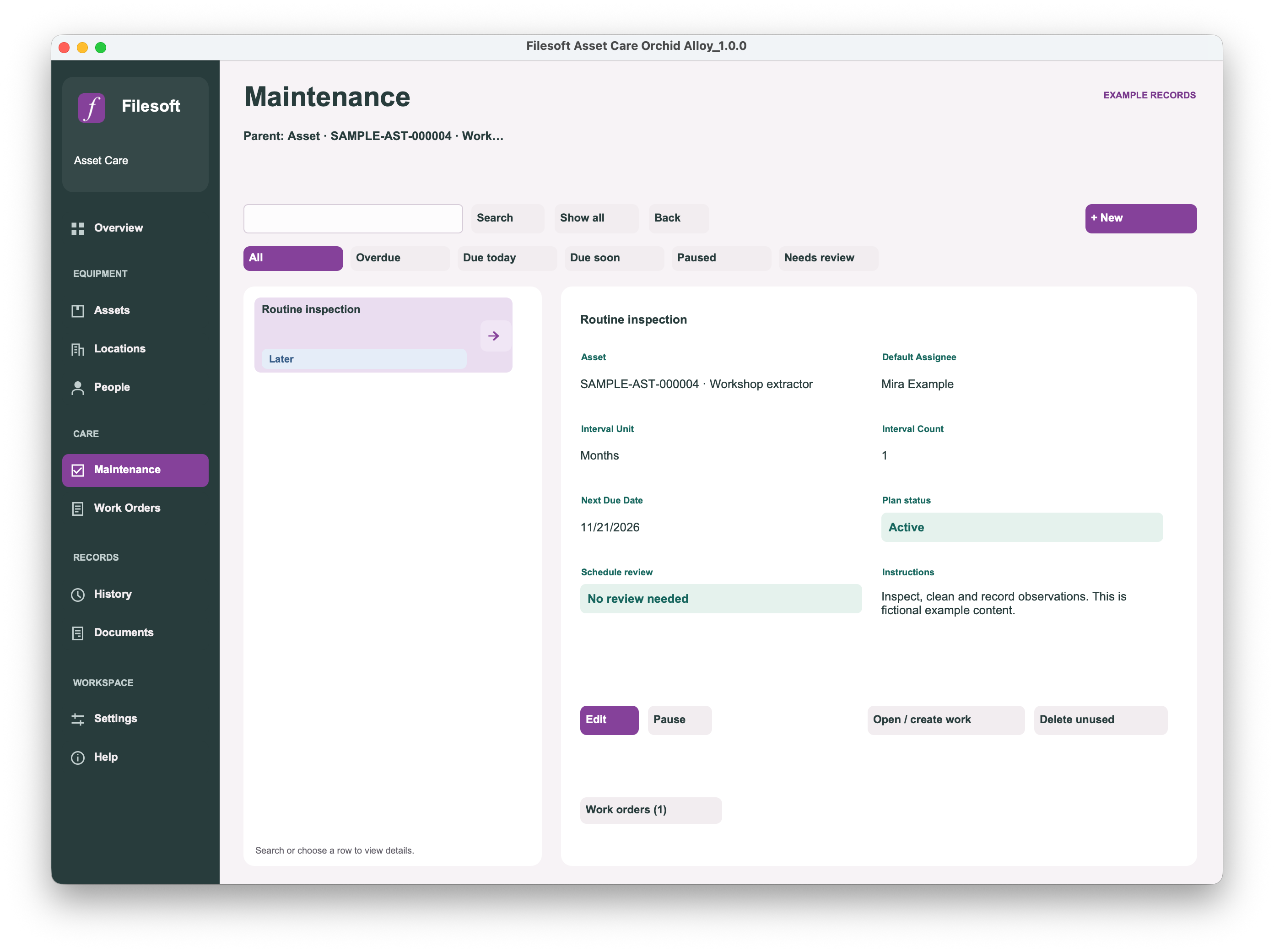
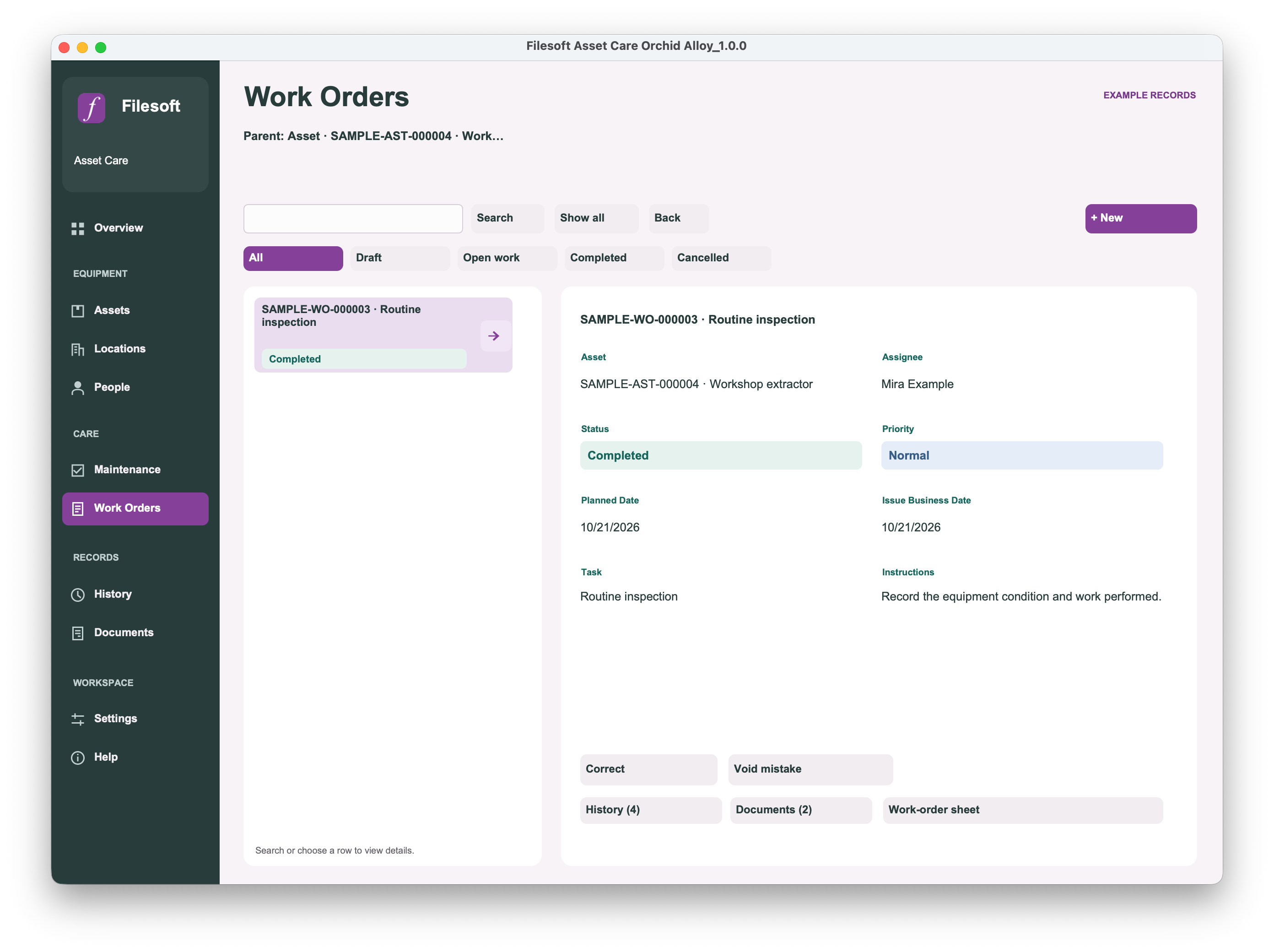
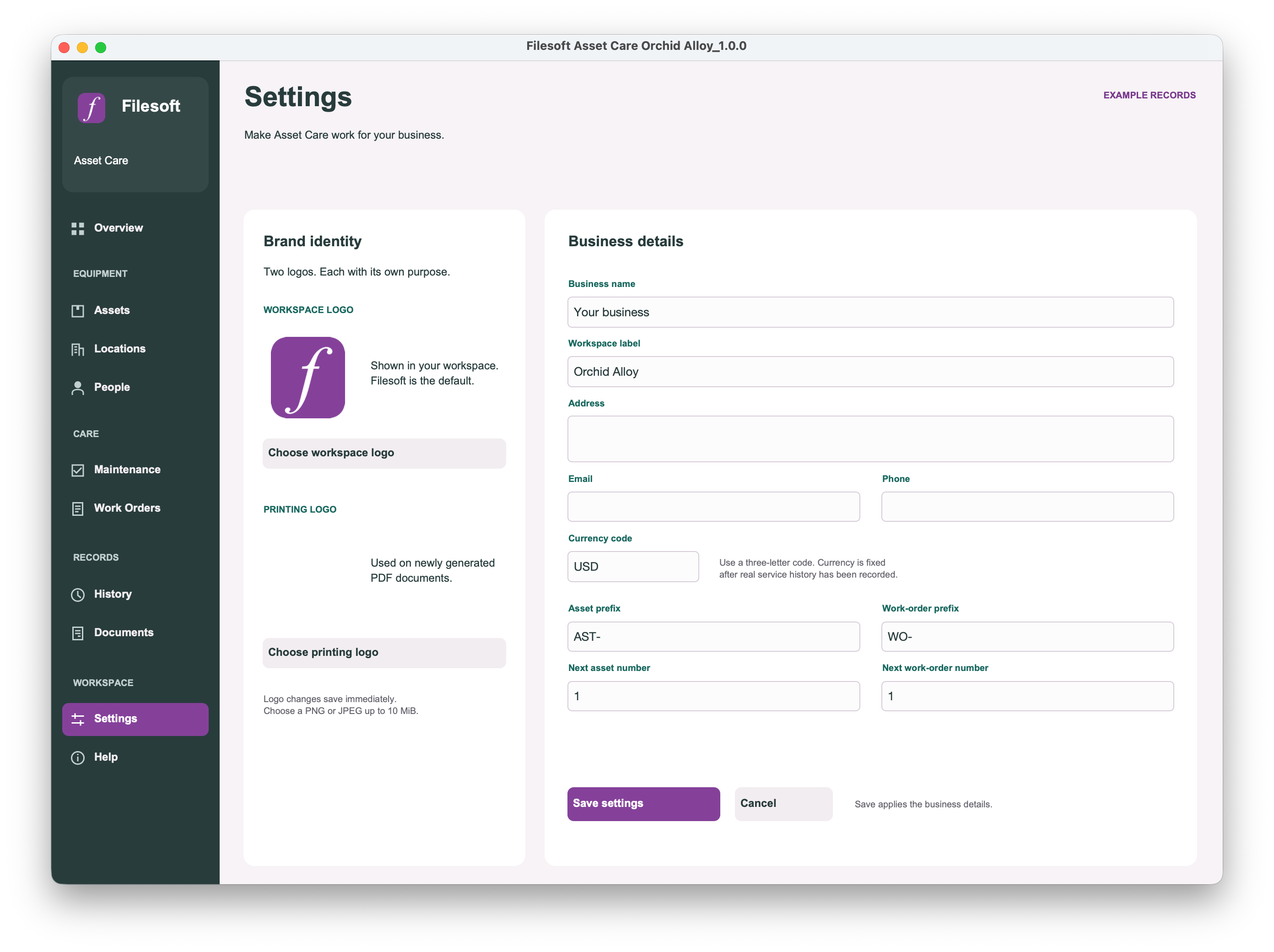
Orchid Alloy uses purple selection and action accents, an icon sidebar, and coloured maintenance status labels. Its asset detail presents the photo, condition, availability and related-record controls together.
Both are unlocked FileMaker files, supplied empty with a Read Me. FileMaker Pro is required separately; check this product’s compatibility.
Already using Standard? Premium is a separate empty file. It does not transfer your records or merge your customizations automatically. Keep your working file; migration is a separately scoped service.
Compare the editions.
Both editions include: Assets, locations, people, recurring maintenance, work orders, service history, documents, settings and optional fictional examples. Both let you edit FileMaker layouts, fields and scripts.
Asset Care 1.0.0 — the edition choice
Your choice
Standard
Premium
Price
Free
US$99 one-time
Presentation
Built-in Apex Blue
Filesoft Orchid Alloy
Starting file
Empty, editable file
Separate empty, editable file
Delivery
Name and email required; private link lasts seven days
Private link emailed after confirmed PayPal payment; lasts 30 days
Orchid Alloy uses purple selection and action accents, an icon sidebar, and coloured maintenance status labels. Its asset detail presents the photo, condition, availability and related-record controls together.
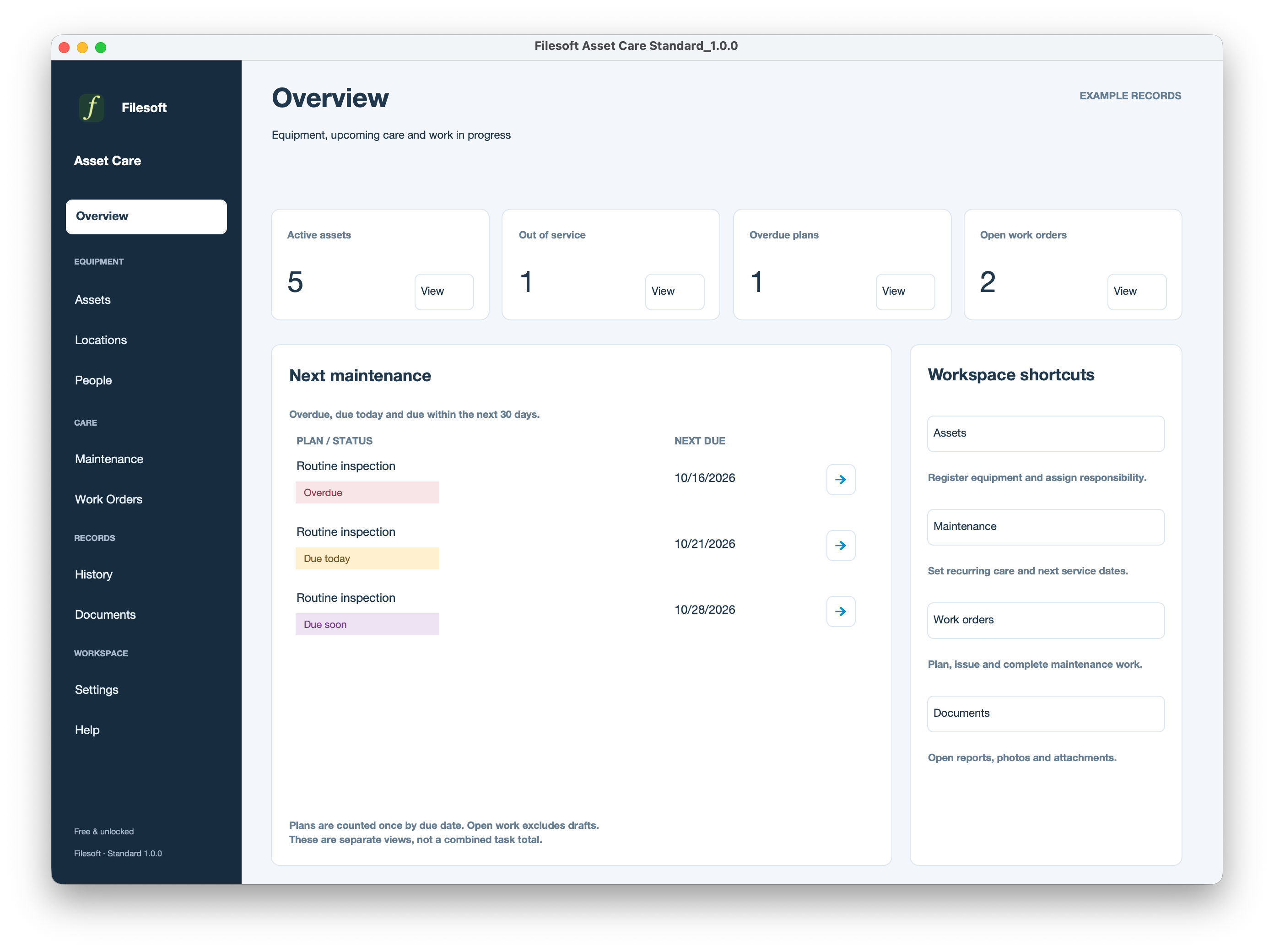
Overview
Standard — Free
White counters and blue links introduce maintenance due dates and workspace shortcuts. Version 1.0.0 · Fictional examplesView full size ↗
Premium — Orchid Alloy
Purple accents, coloured counts and status labels carry Orchid Alloy through maintenance and shortcuts. Version 1.0.0 · Fictional examplesView full size ↗
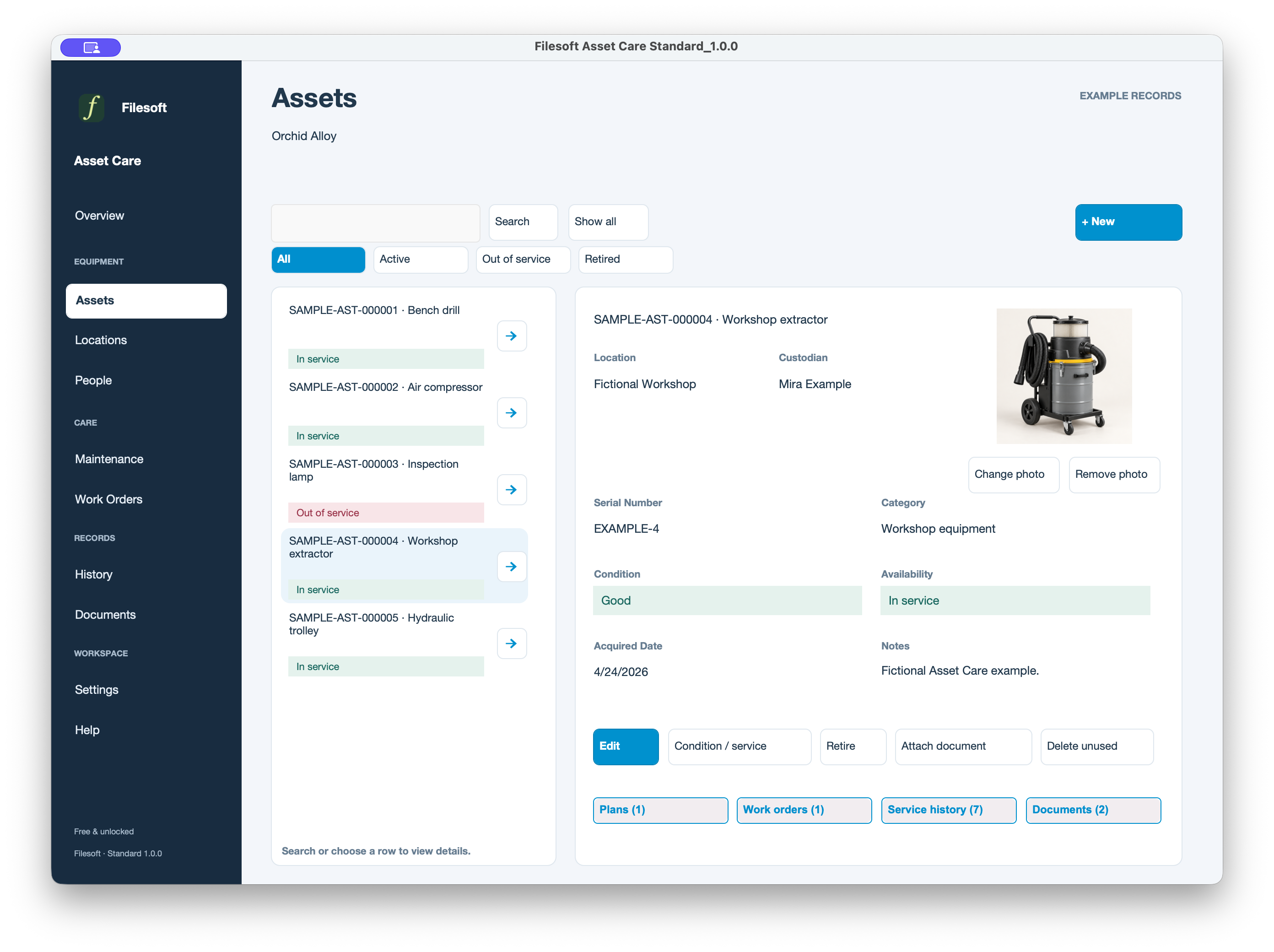
Reviewing equipment — compare both editions
Standard — Free
Blue selections and outlined related-record buttons surround the asset photo and details. Version 1.0.0 · Fictional examplesView full size ↗
Premium — Orchid Alloy
Purple selections, a green availability band and grouped related-record controls frame the same equipment. Version 1.0.0 · Fictional examplesView full size ↗
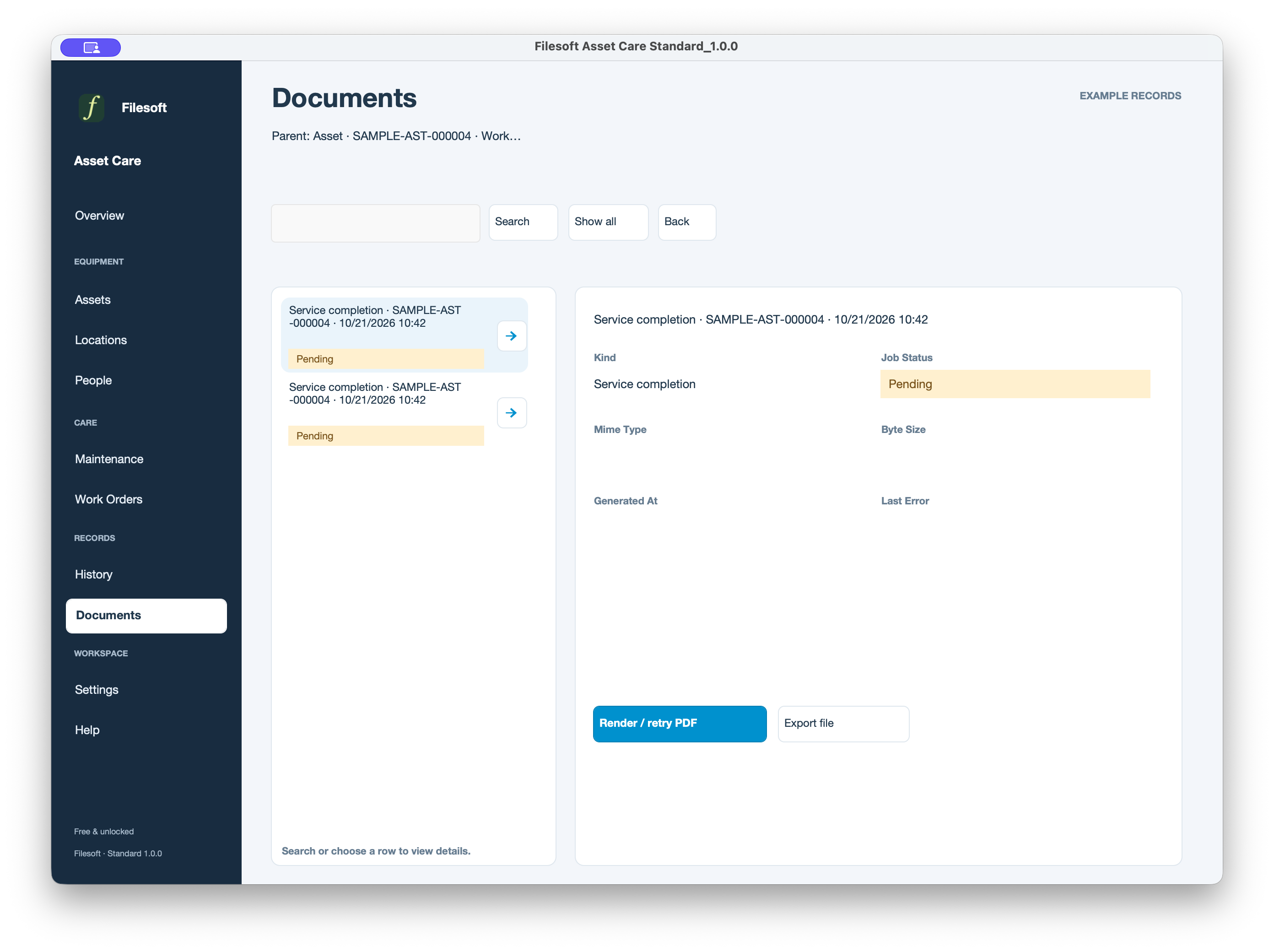
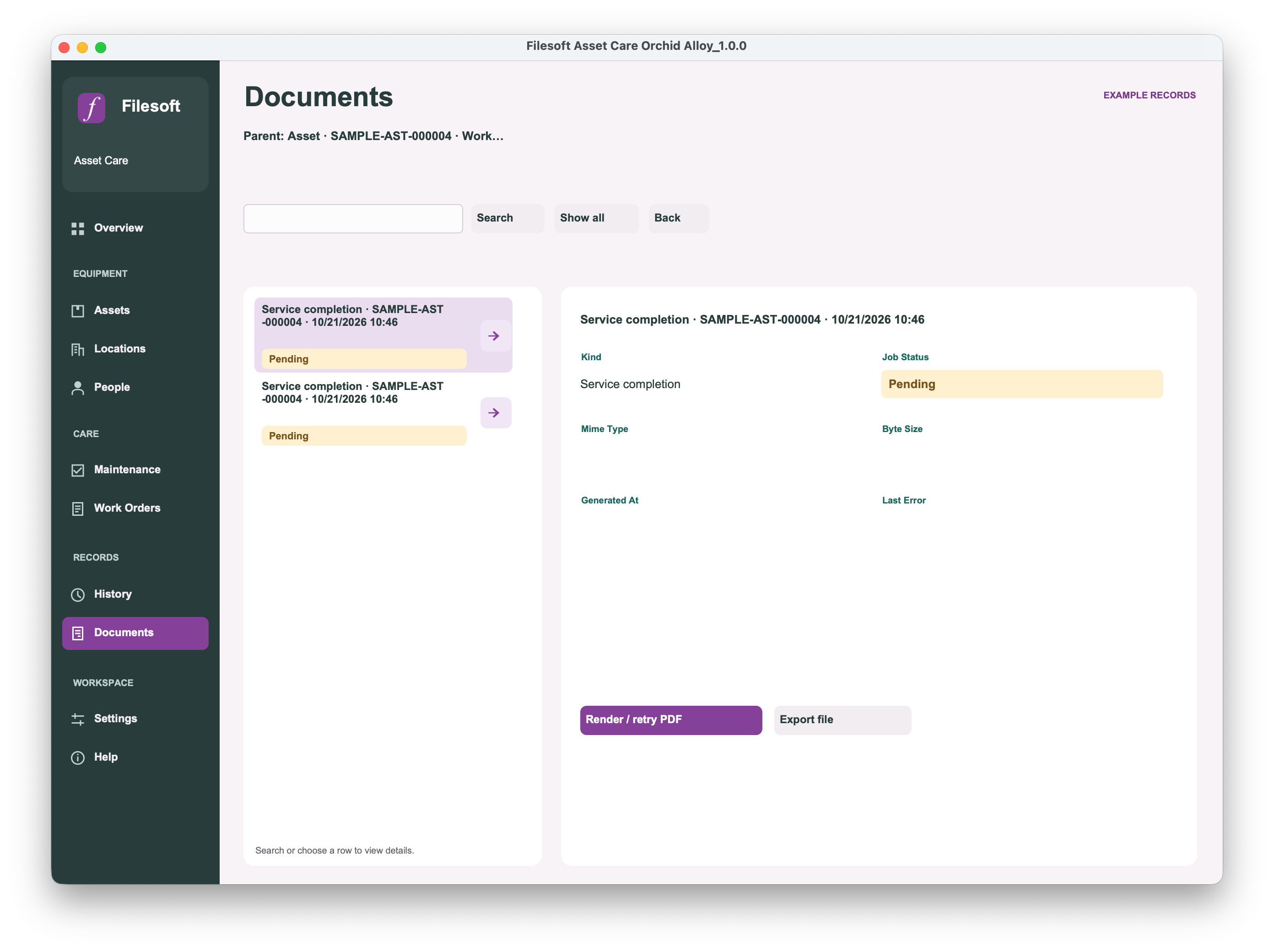
The Documents screenshots show Pending snapshots, not rendered PDF output. Render and check the PDF before exporting it.
These are version 1.0.0 screenshots with fictional examples. Original framing and presentation are preserved; open full size to inspect the details.
Standard · See asset availability, upcoming maintenance and open work at a glance. Fictional examples; the download starts empty.View full size ↗
Premium — Orchid Alloy
Premium — Orchid Alloy · See asset availability, upcoming maintenance and open work at a glance. Fictional examples; the download starts empty.View full size ↗
Assets
Standard
Standard · Keep equipment photos, condition, location and related records together. Fictional examples; the download starts empty.View full size ↗
Premium — Orchid Alloy
Premium — Orchid Alloy · Keep equipment photos, condition, location and related records together. Fictional examples; the download starts empty.View full size ↗
Maintenance
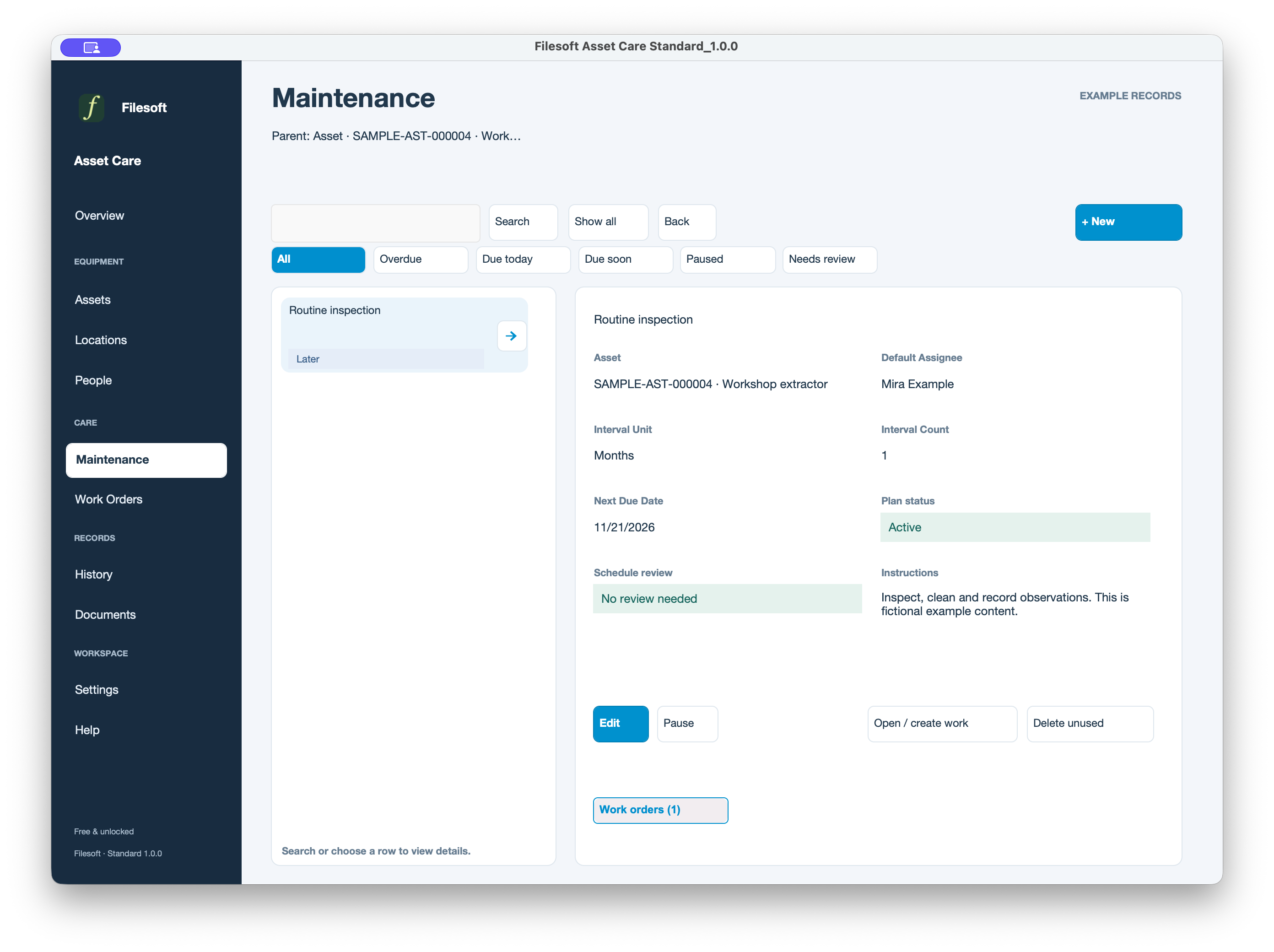
Standard
Standard · Plan recurring care with due dates, instructions and a default assignee. Fictional examples; the download starts empty.View full size ↗
Premium — Orchid Alloy
Premium — Orchid Alloy · Plan recurring care with due dates, instructions and a default assignee. Fictional examples; the download starts empty.View full size ↗
Work Orders
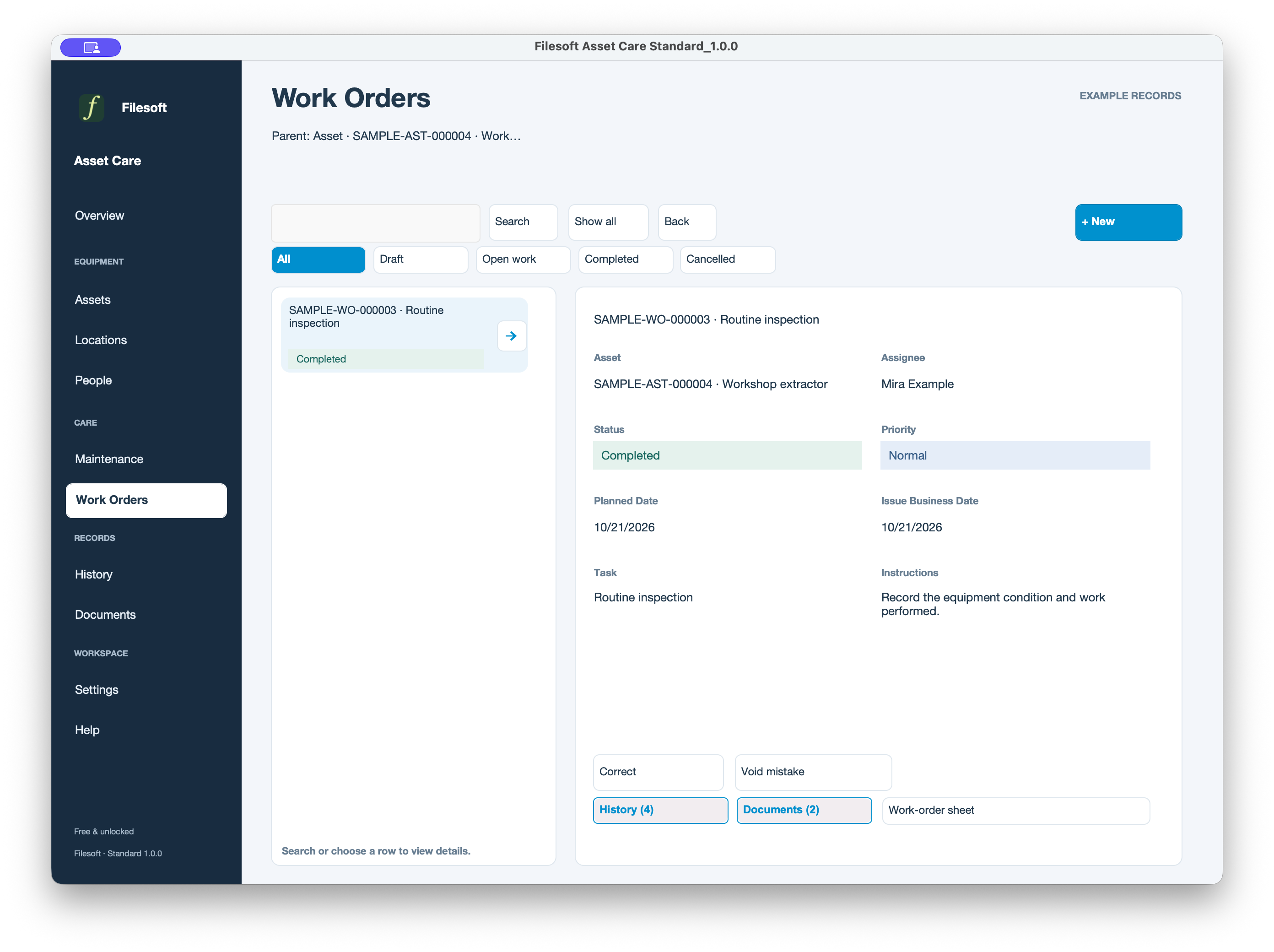
Standard
Standard · Review completed work and open its related history and documents. Fictional examples; the download starts empty.View full size ↗
Premium — Orchid Alloy
Premium — Orchid Alloy · Review completed work and open its related history and documents. Fictional examples; the download starts empty.View full size ↗
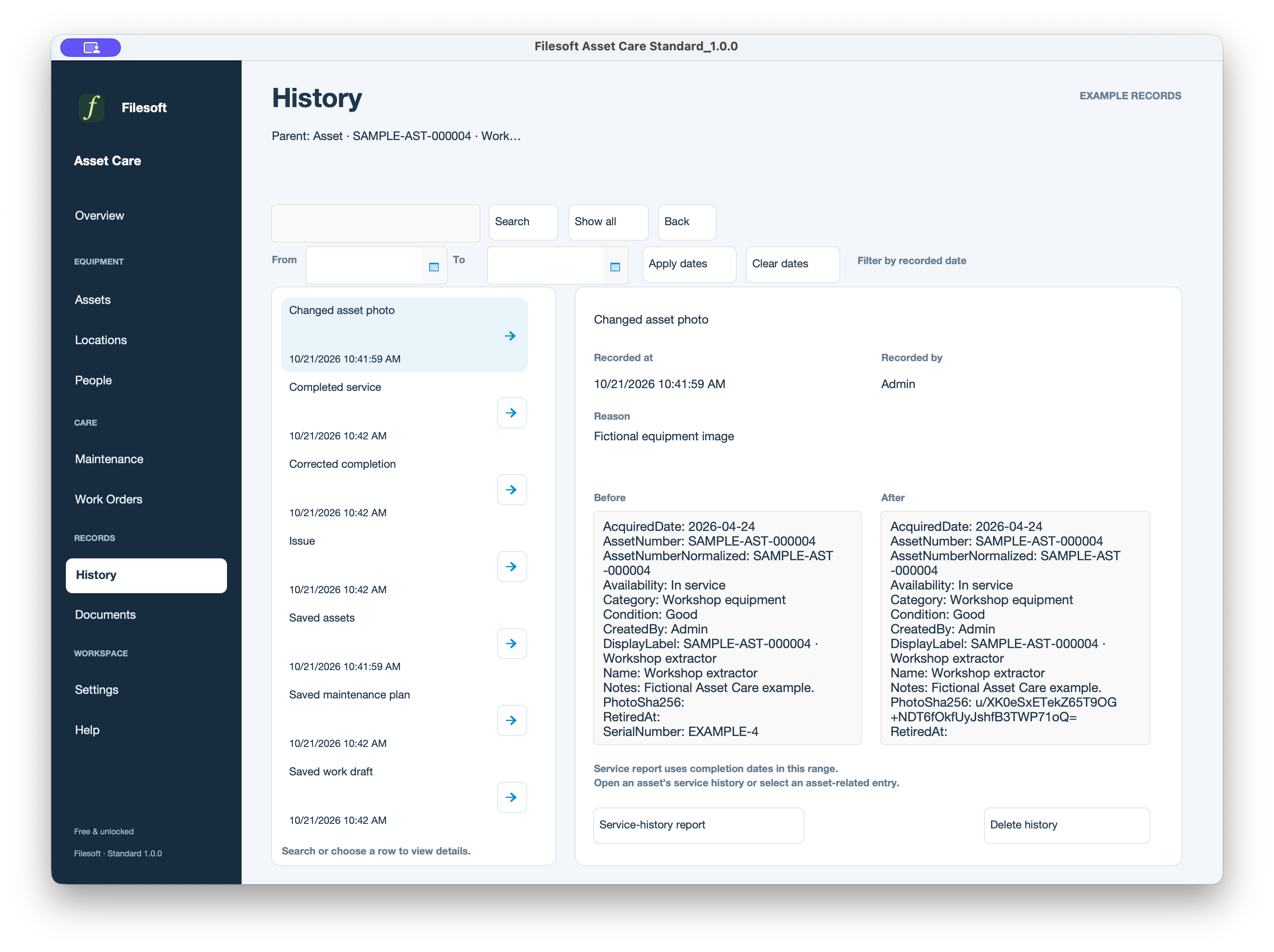
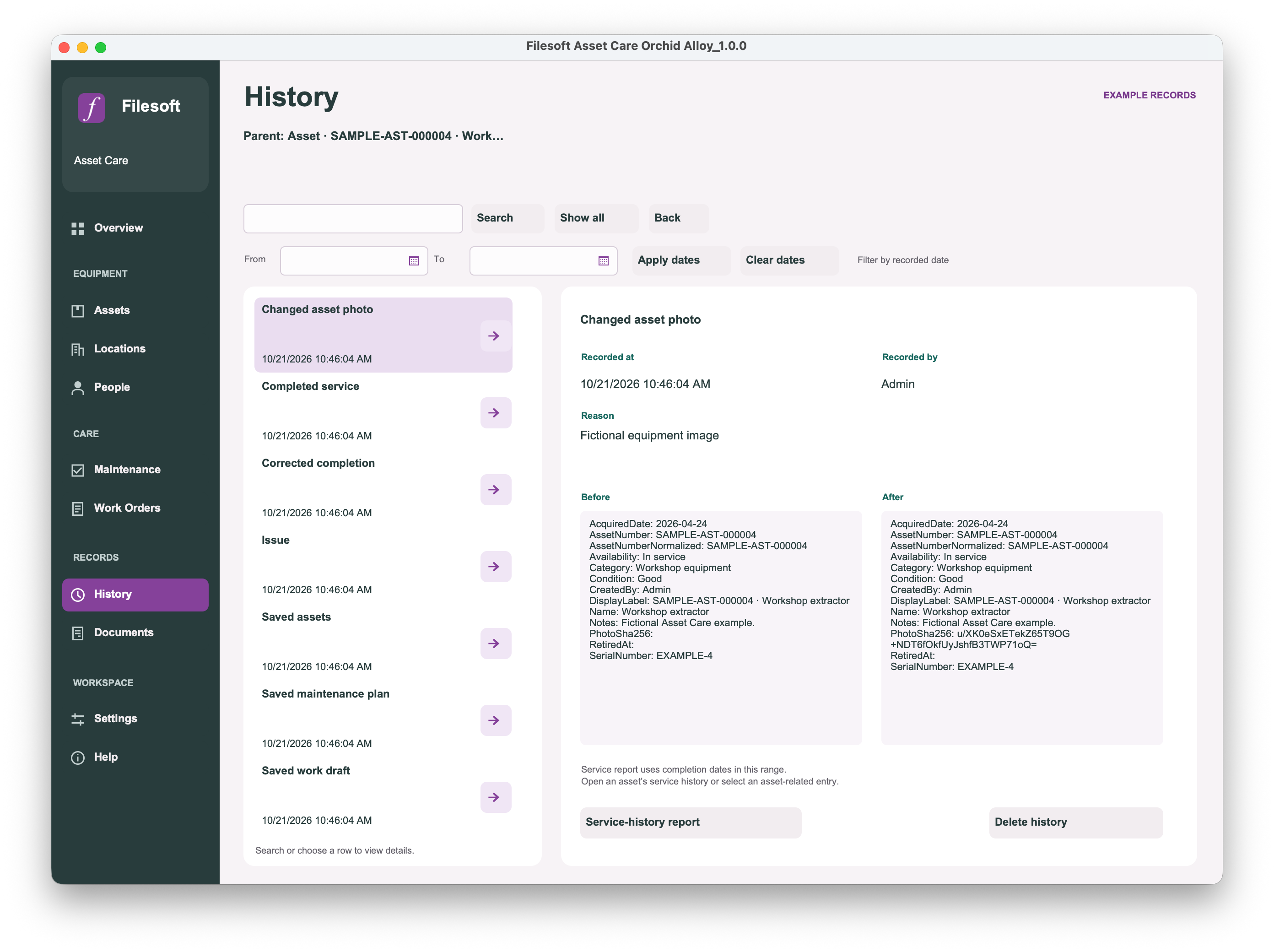
History
Standard
Standard · Review recorded changes with side-by-side before and after details. Fictional examples; the download starts empty.View full size ↗
Premium — Orchid Alloy
Premium — Orchid Alloy · Review recorded changes with side-by-side before and after details. Fictional examples; the download starts empty.View full size ↗
Documents
Standard
Standard · Find related report snapshots and render their PDF files. These Pending snapshots have not yet been rendered to PDF. Fictional examples; the download starts empty.View full size ↗
Premium — Orchid Alloy
Premium — Orchid Alloy · Find related report snapshots and render their PDF files. These Pending snapshots have not yet been rendered to PDF. Fictional examples; the download starts empty.View full size ↗
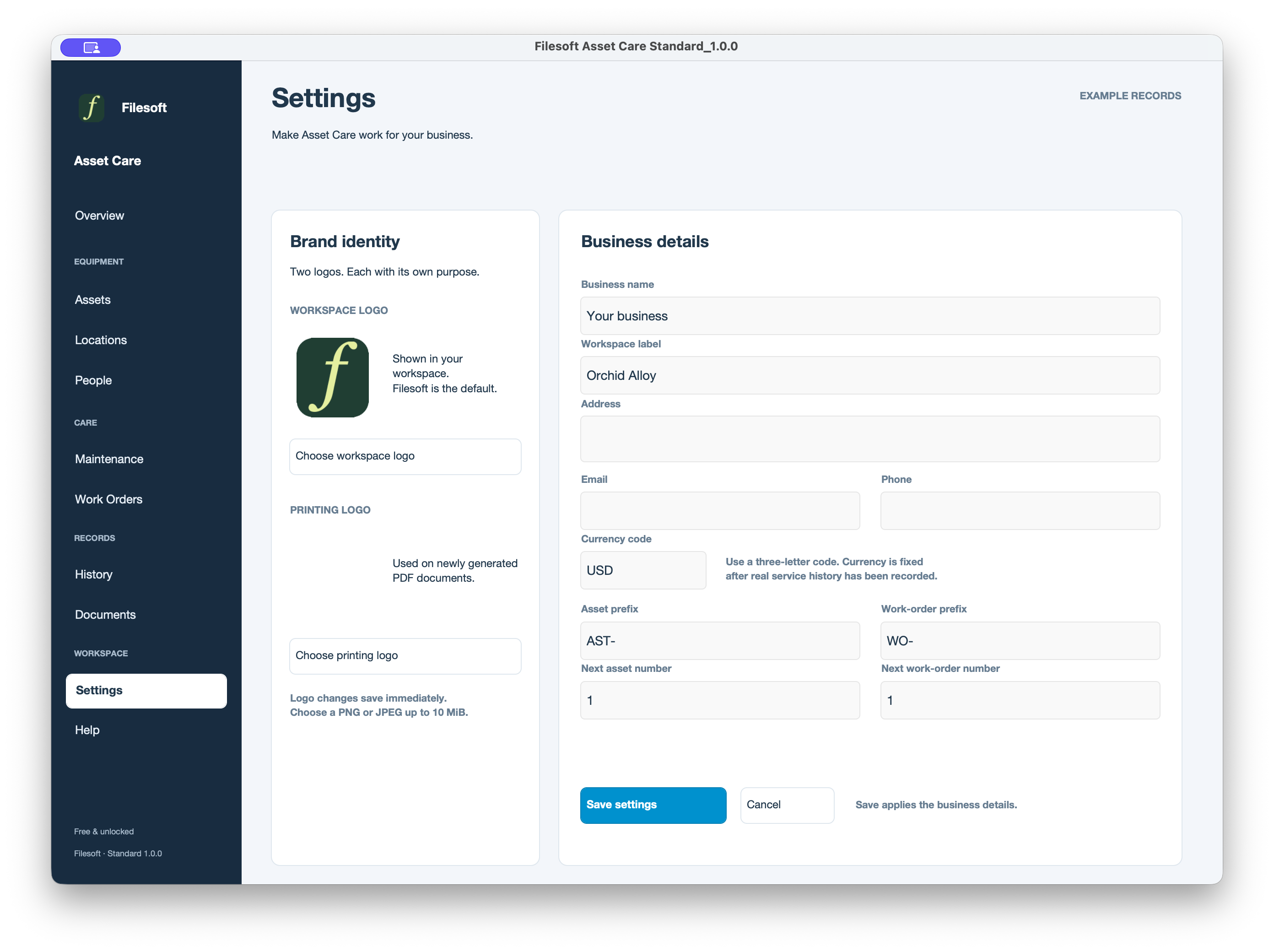
Settings
Standard
Standard · Set business details, workspace branding and record numbering. Fictional examples; the download starts empty.View full size ↗
Premium — Orchid Alloy
Premium — Orchid Alloy · Set business details, workspace branding and record numbering. Fictional examples; the download starts empty.View full size ↗
Follow an equipment record through its care.
See how the fictional Workshop extractor connects to its maintenance plan, completed work, history and report snapshots in Standard.
Keep an empty original. Unzip the package. Keep the original download, and open a working copy in FileMaker Pro 19.6 or later. Close the database before making filesystem backups.
Set up your business. In Settings, enter your business name, printing logo and numbering preferences before creating your records.
Explore safely. In a separate practice copy, use Help → Create examples. The illustrated equipment is fictional. Back up before using Help → Remove examples; do not use it to clear real business records.
Register equipment. Add Locations and People, then register equipment in Assets. Check the photo, condition, location and assigned person.
Plan and complete work. Schedule Maintenance with a due date and assignee, create a Work Order, and record the completed work. Review its related history.
Check your report. In Documents, use Render / Retry PDF for a generated report. Open and inspect the PDF before exporting or sharing it yourself. A Pending snapshot is not a finished PDF.
Requires FileMaker Pro 19.6 or later, sold separately, for desktop use. Both editions were tested by Filesoft in FileMaker Pro 19 and 26 on macOS; exact point releases were not recorded and intermediate versions were not individually tested. Windows, FileMaker Go, WebDirect, hosting and multi-user use are not validated.
Styles are included in the solution. No separate theme installation is needed. Asset Care focuses on equipment, scheduled maintenance and service work; it is not an accounting or stock-control system.
Use it. Make it yours.
Personal and internal-business use and customization are permitted. Resale or redistribution is not permitted. Support is best effort, without guaranteed response times or future updates. FileMaker licensing, hosting, implementation, migration and training are separate.
Premium includes the styled Asset Care solution, not a separate Orchid Alloy theme license. It is a new empty file: buying it does not transfer Standard records or merge customizations.
Discuss migration separately and keep using your existing file until a migrated copy is accepted. Never replace a file containing your records with an empty download.
Need a closer fit?
Tailored asset fields, maintenance workflows, reports, migration and team deployment are separately scoped services.
Initial public release of Standard and Premium Orchid Alloy: assets, locations, people, maintenance, work orders, history, documents, settings and optional fictional examples. Both customer packages start empty.