A file of its own
Open a separate FileMaker file. No add-on installation is needed.
Get the standalone solution ↗FILESOFT TIME LEDGER ADD-ON · FREE ADD-ON · 0.1.0
Record project time, keep activity notes and see where your working hours go.
One shared time collection inside your existing FileMaker file.
Requires Claris FileMaker Pro, sold separately.
Single-user desktop on macOS · One active window.
ONE WORKFLOW. TWO WAYS TO USE IT.
Open a separate FileMaker file. No add-on installation is needed.
Get the standalone solution ↗Install one self-contained shared time collection, with an Open Time Ledger launcher and Back to host.
Get the Time Ledger Add-on ↗FileMaker Pro required, sold separately. Both downloads are free with name and email delivery. No automatic marketing subscription.
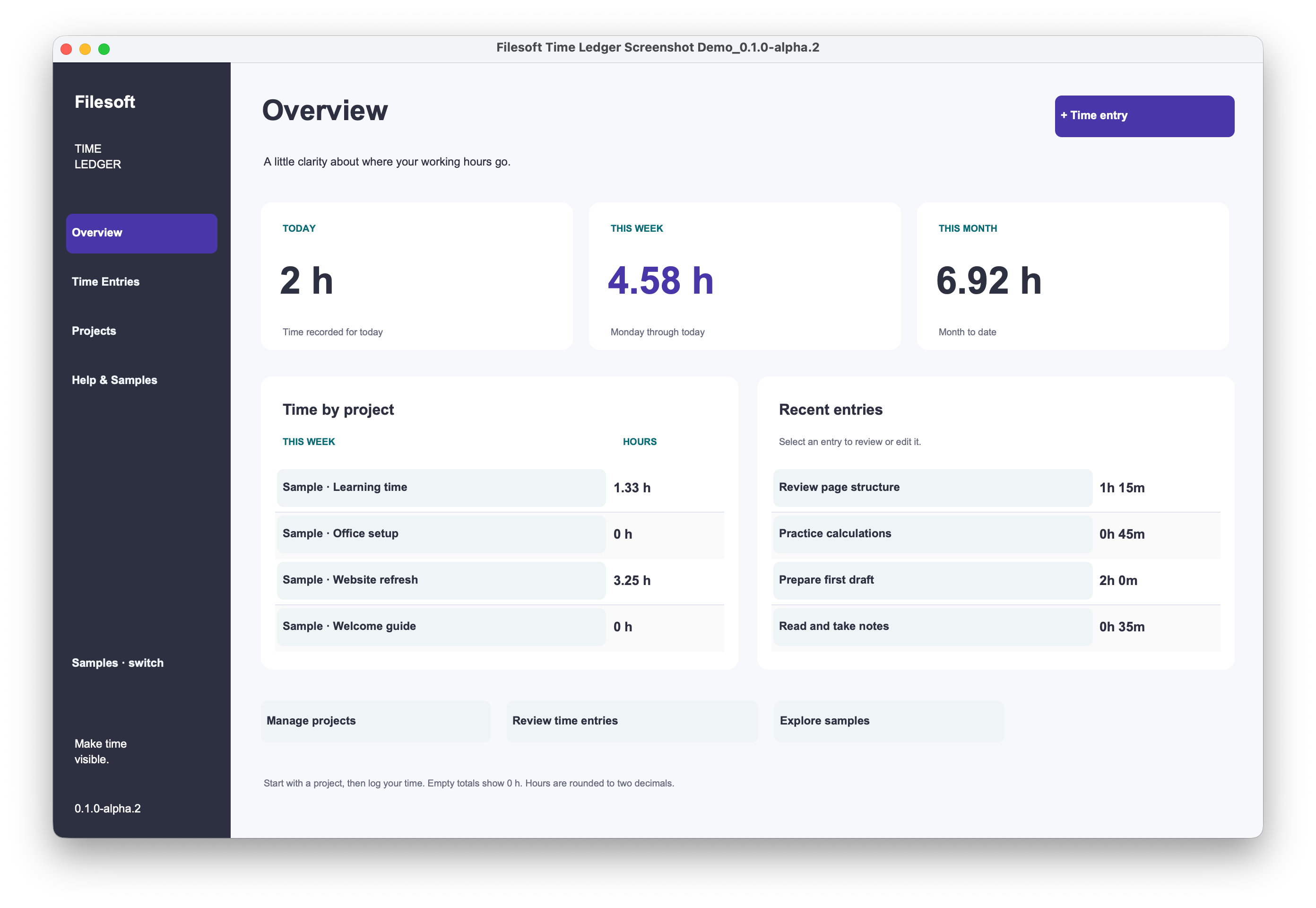
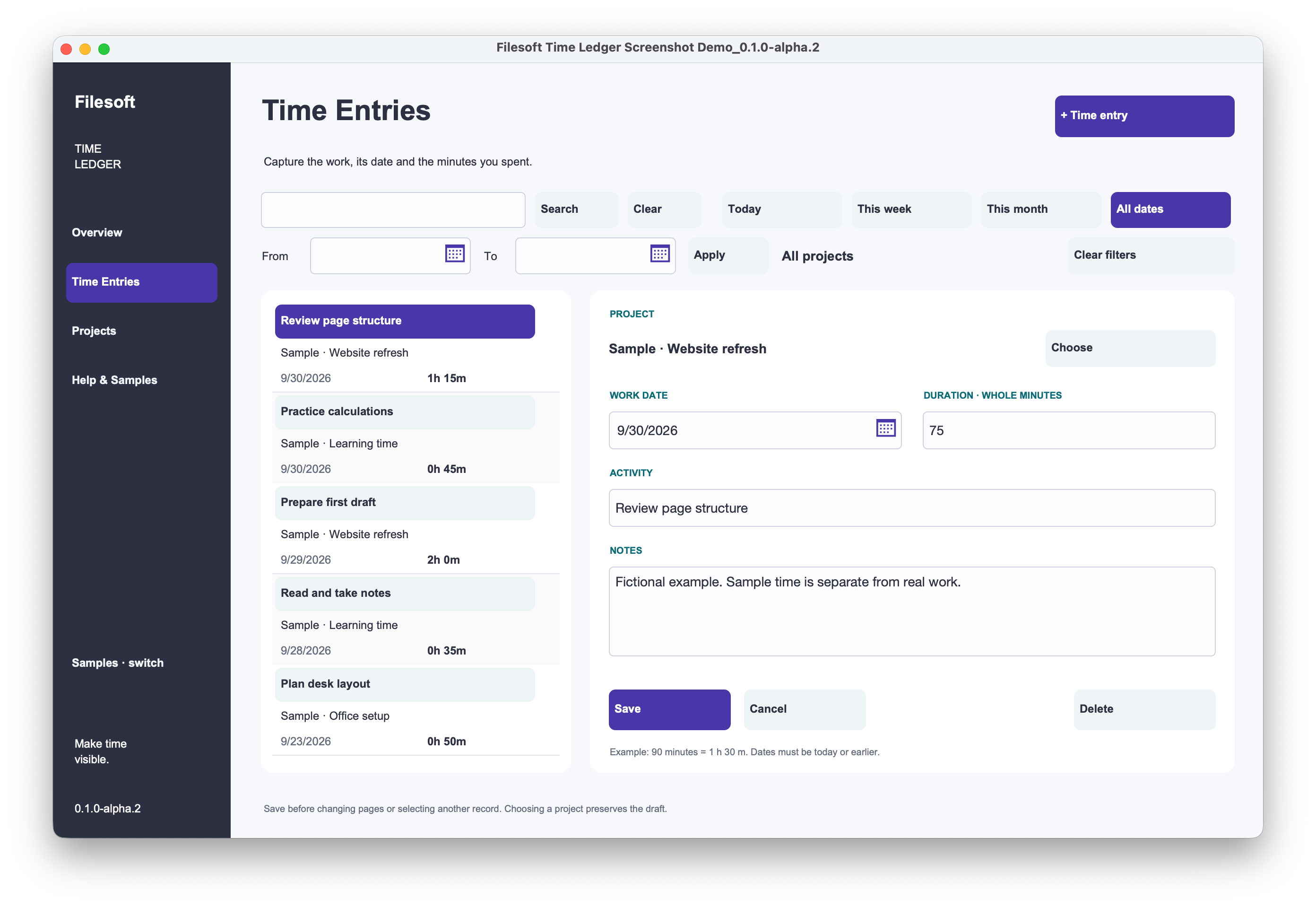
Record a project, work date, whole-minute duration, activity and notes.
See totals for today, this week and this month, plus project time and recent entries.
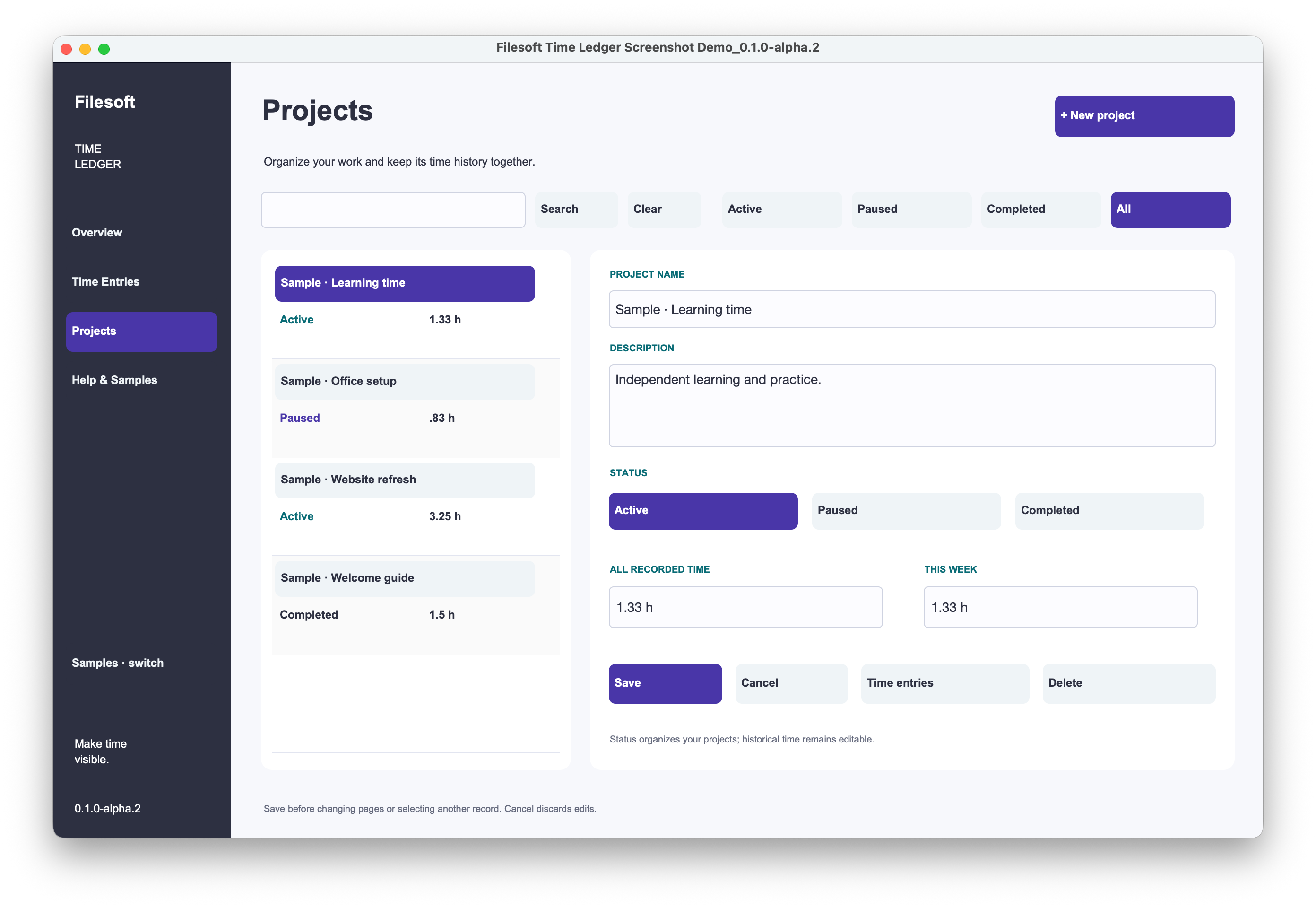
Organize projects as Active, Paused or Completed while retaining time history.
Use date and project filtering, search and Clear controls, editable details and View Only displays.
Optional fictional examples stay separate from real records. No artificial record-count limits or expiry.
Single-user desktop use with one active window. No timer, invoices or scheduled notifications.
Drop a compact Open Time Ledger launcher onto a host layout. All launchers in the same file open the same collection. Entries are not attached to individual host records. No host relationship, primary key or startup-script modification is required. Use Back to host to return after saving editor changes.
Original, unchanged standalone alpha.2 screens with fictional data. These show the shared workflow, not an installed add-on.
STYLED WITH INDIGO TONIC
Required Indigo Tonic styles are embedded. The full commercial theme library is a separate paid product.
Explore the Indigo Tonic theme ↗Replacing chooser resources does not upgrade installed modules. Never uninstall a populated module as an update strategy.
FREE · 0.1.0
Filesoft Time Ledger Add-on: the native .fmaddon and customer Read Me.
Personal and internal business use and modification are permitted. Resale or redistribution of the solution or included resources is prohibited. Support is best effort, with no promised future updates or response time.
Requires Claris FileMaker Pro, sold separately. Intended for FileMaker Pro 19.6.3–26 on macOS, single-user desktop use with one active window. Both products were owner-tested in FileMaker 19 and 26; exact patch versions were not restated. Intermediate versions were not individually tested. Windows, FileMaker Go, WebDirect, hosting, concurrent multi-user and multi-window operation are not validated.
Native add-on export: FM 26.0.3. Accepted package bytes are unchanged.
Explore all free add-ons ↗