Suppliers & products
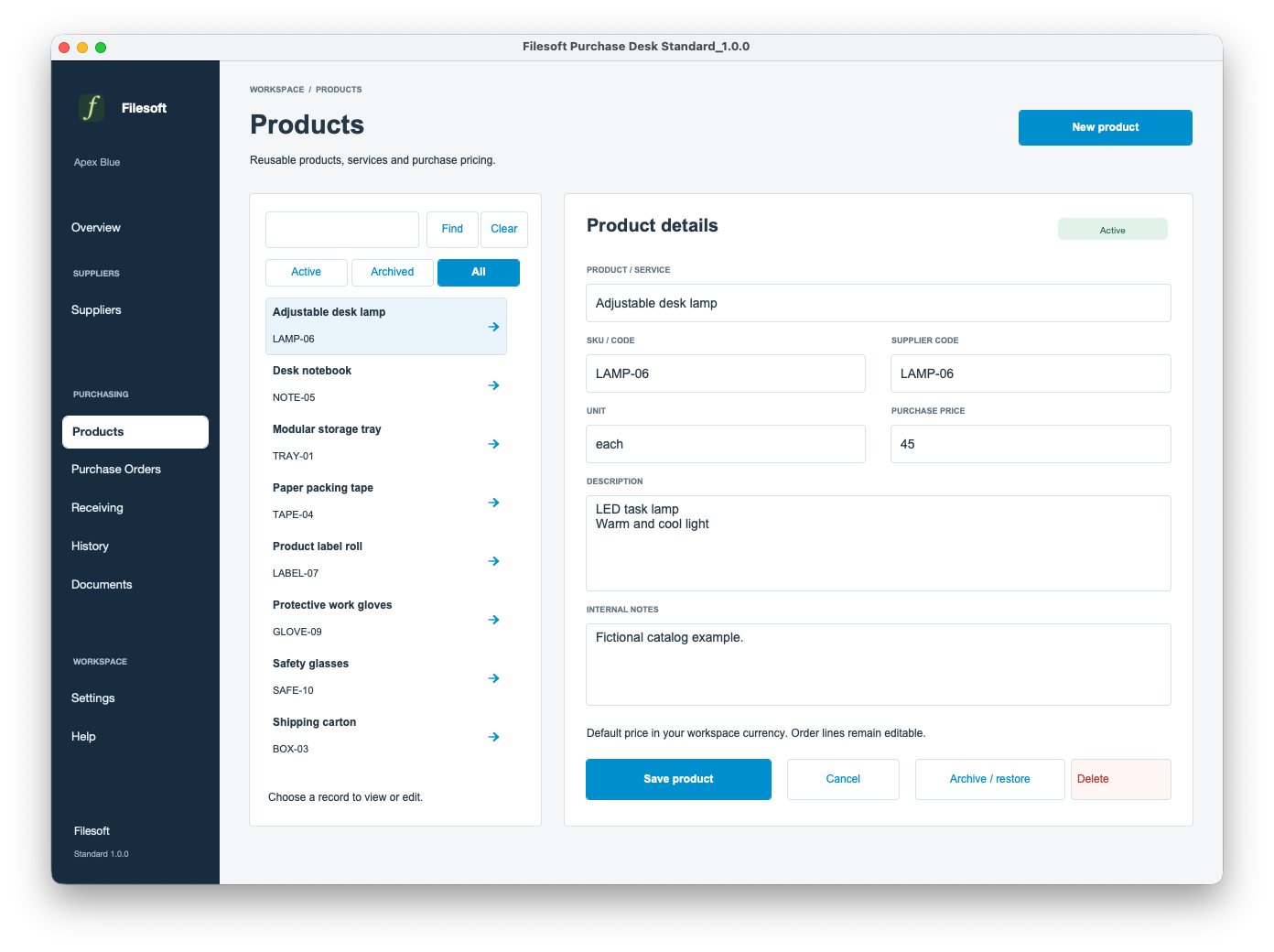
Keep supplier details and a reusable product catalog together. Select products into draft order lines.
FILESOFT PURCHASE DESK · 1.0.0
Manage suppliers and products, prepare purchase orders and track partial deliveries in one FileMaker workspace.
Free Standard and Premium Jade Meridian have the same functional modules and actions. Choose the design that suits your work.
FileMaker Pro required, sold separately. Reviewed in FileMaker Pro 26 on macOS. Full requirements.
FOLLOW THE WORKFLOW
A tour of the shared workflow. These native screenshots show free Standard with fictional samples; your download starts empty.
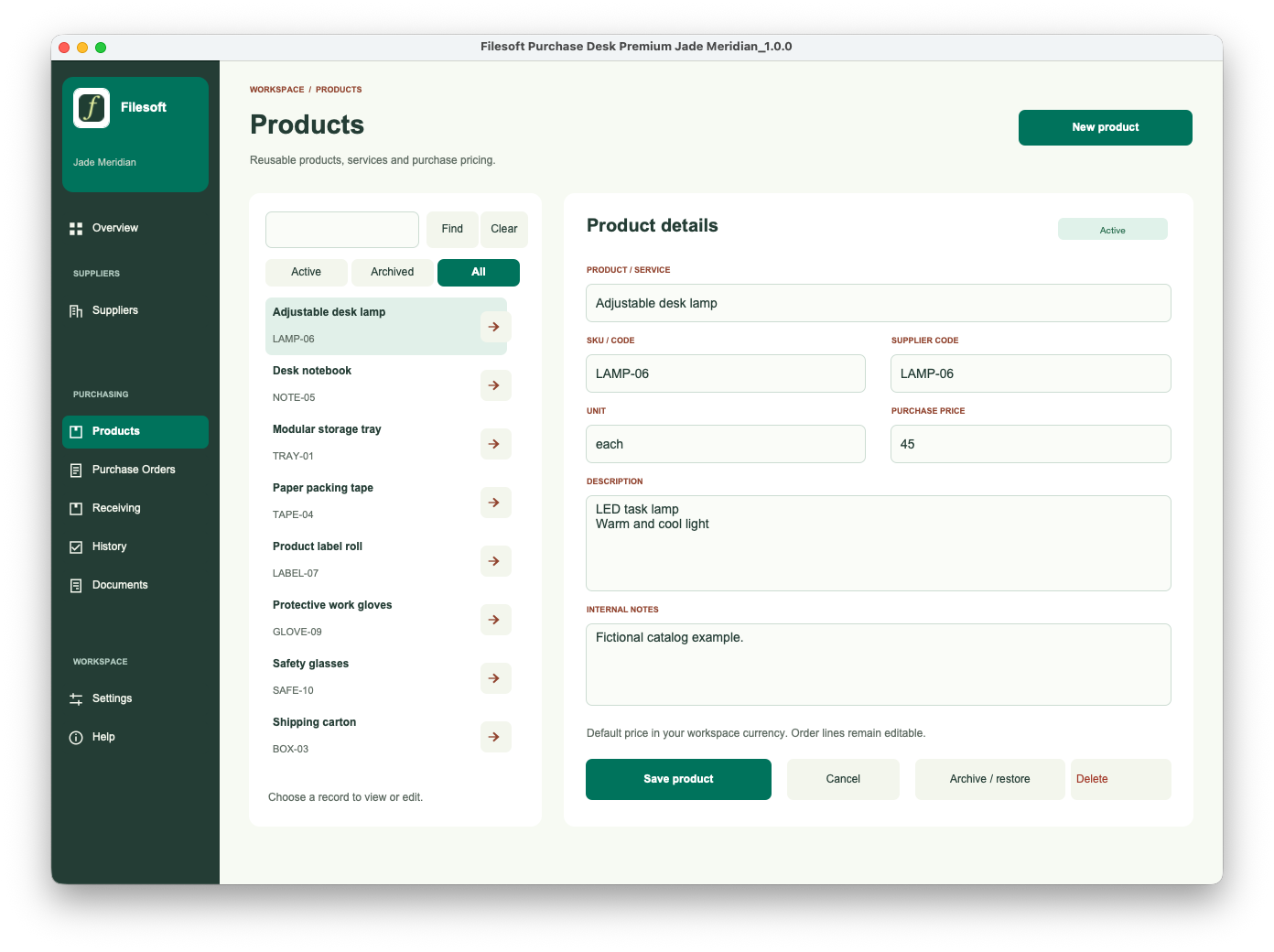
Create reusable products before ordering. Product selection is included in Standard as well as Premium.
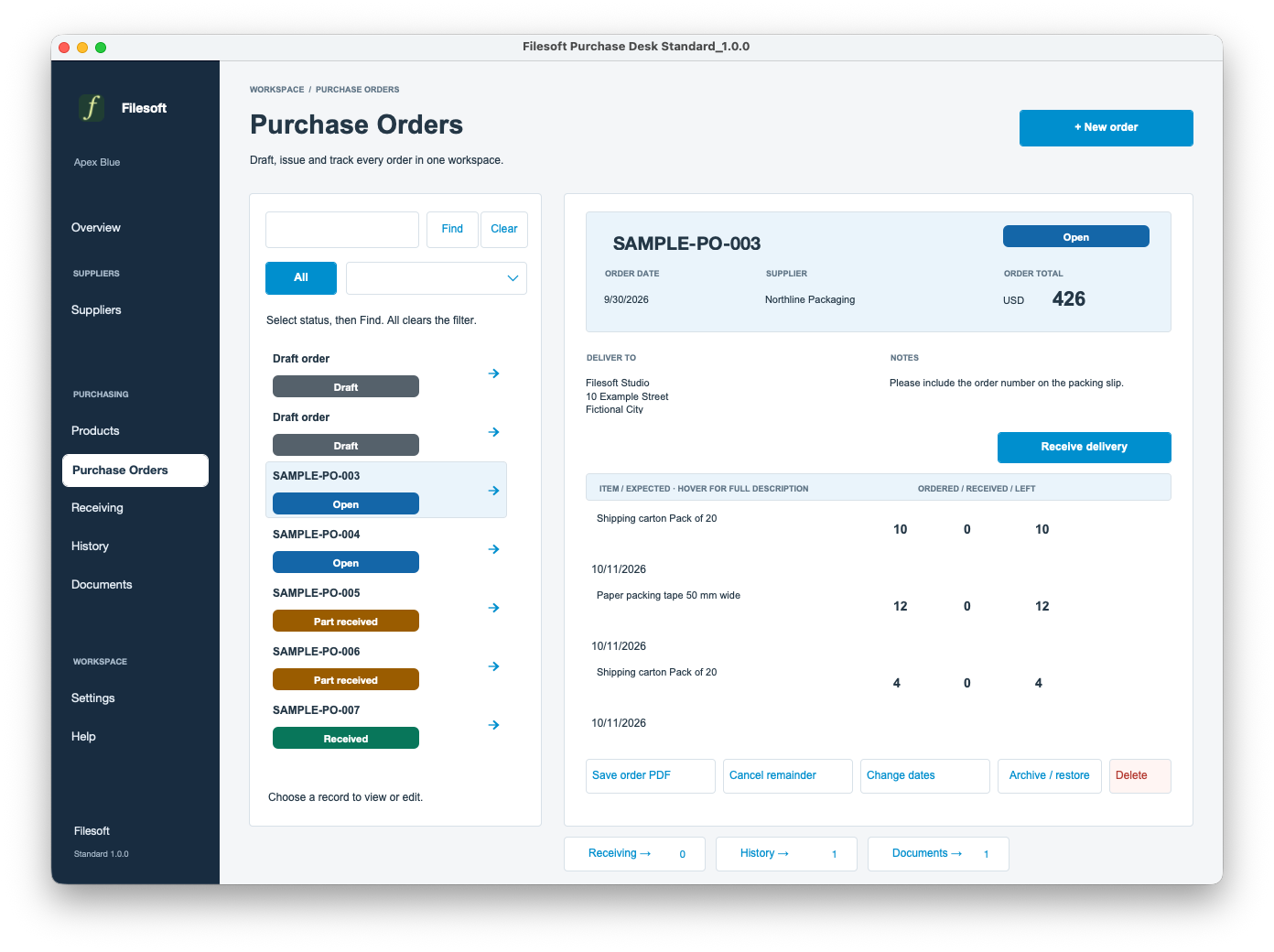
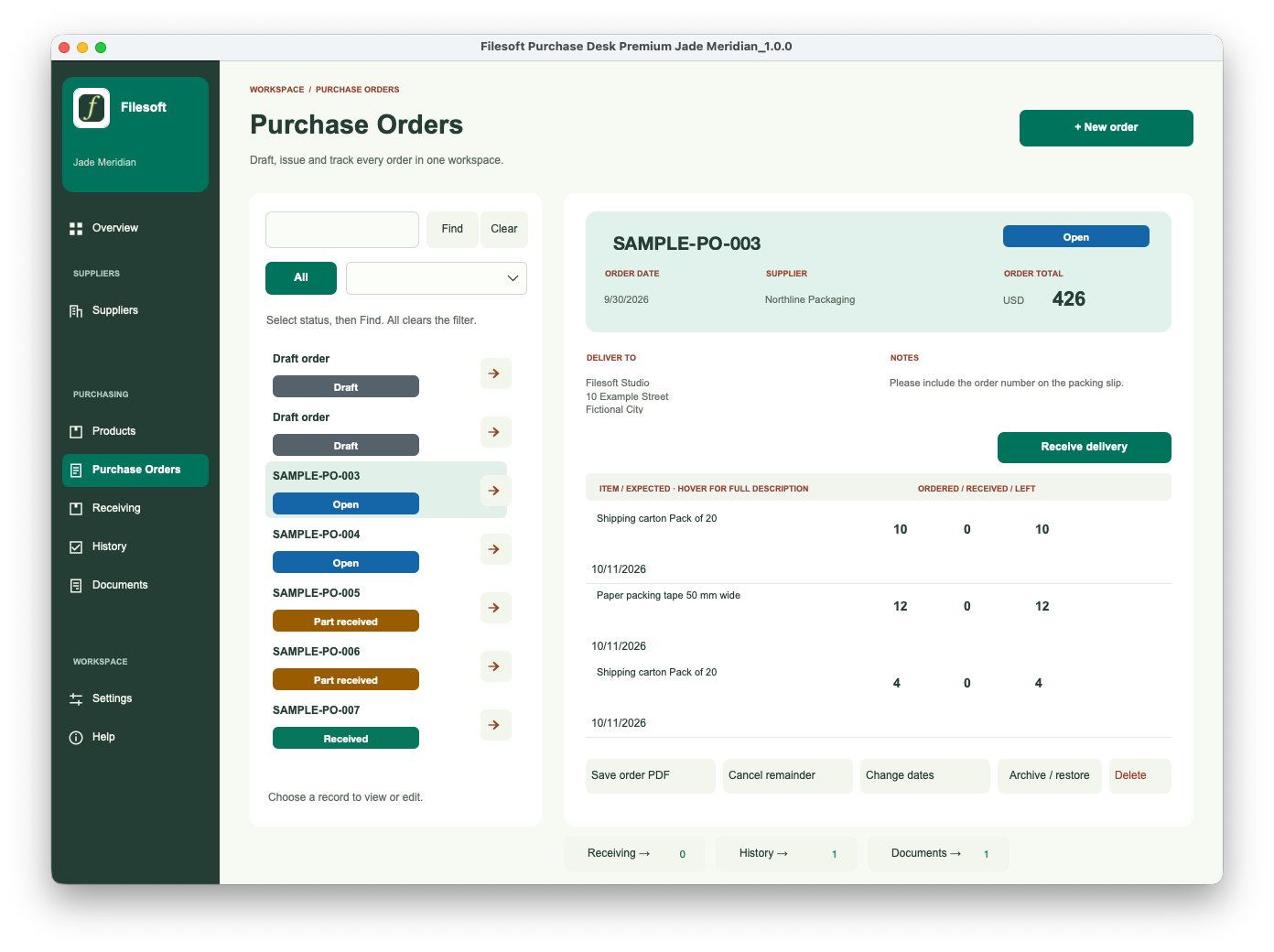
Choose a supplier, add line items and review quantities, prices and the expected delivery date. Issue the order when it is ready.
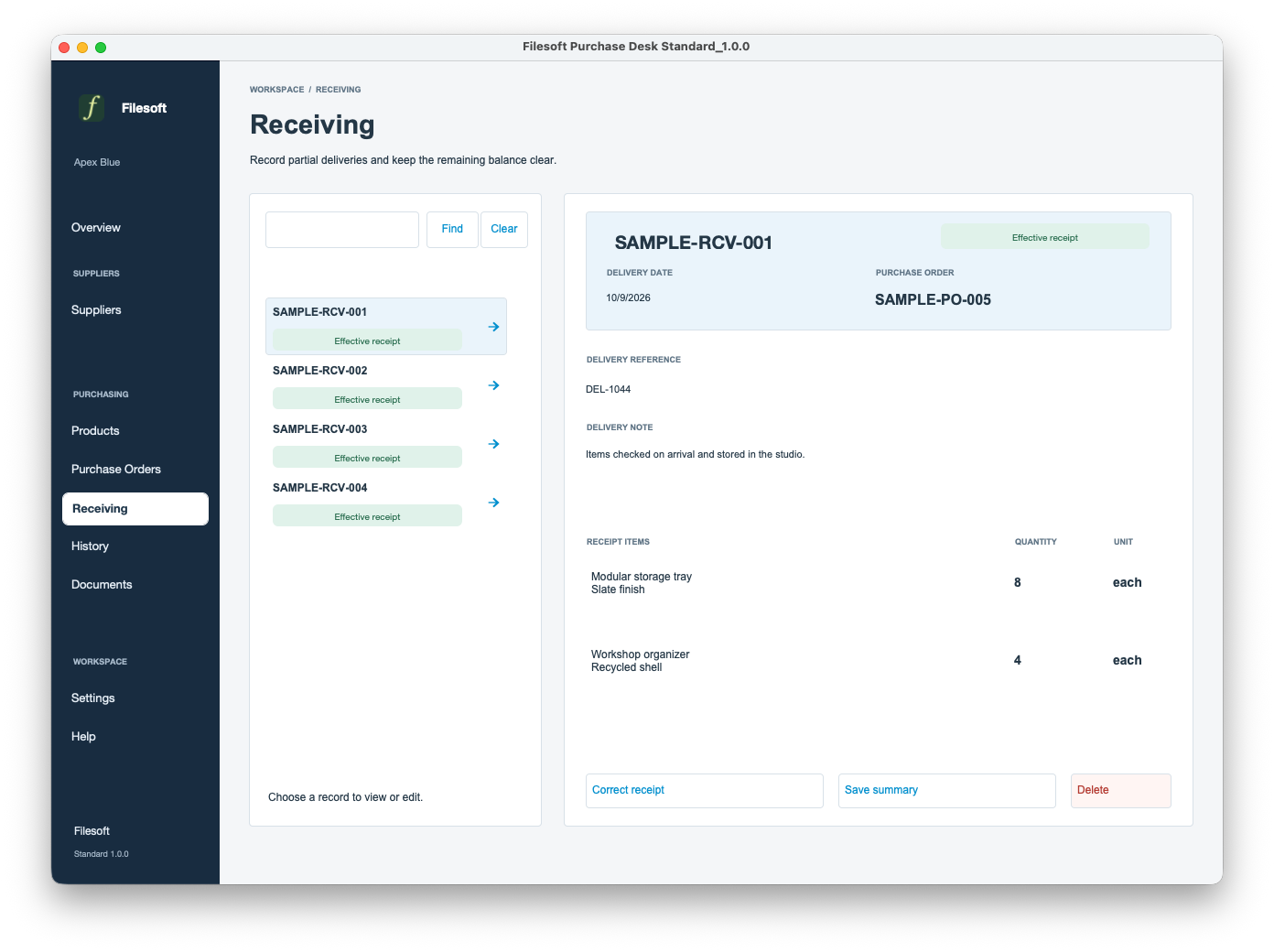
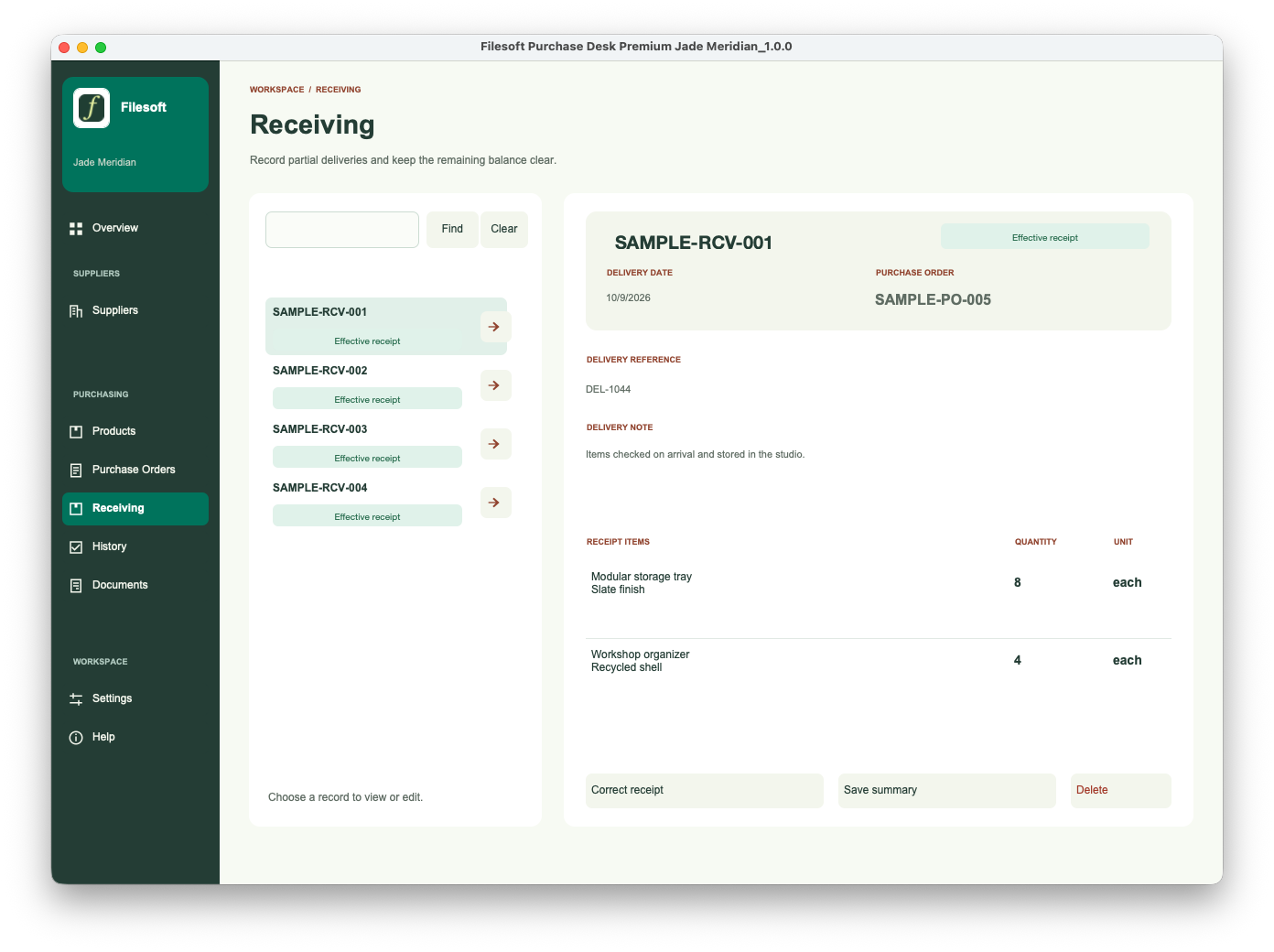
Record the quantities that arrived, including partial deliveries. Review what remains and keep a saved receiving summary for your records.
Same purchasing workflow. Two designs.
| Included | Standard | Premium Jade Meridian |
|---|---|---|
| Price | Free | US$99 one-time |
| Design | Apex Blue / navy | Jade Meridian with sidebar icons |
| Suppliers, products & purchase orders | Included | Included |
| Partial receiving, history & documents | Included | Included |
| Business settings & optional samples | Included | Included |
| Starting data | Empty | Empty |
| Migration & implementation | Separately scoped | Separately scoped |
Keep supplier details and a reusable product catalog together. Select products into draft order lines.
Prepare line items, issue numbered orders and review their status. Follow supplier links to related orders and back.
Record what arrived and see the received and remaining quantities. Review overdue orders before the next delivery.
Use separate correction, cancellation and expected-date change workflows. Archive and restore records; linked records have deletion protection.
Save purchase-order and receiving-summary PDFs with your business details and print branding. Review and share them yourself.
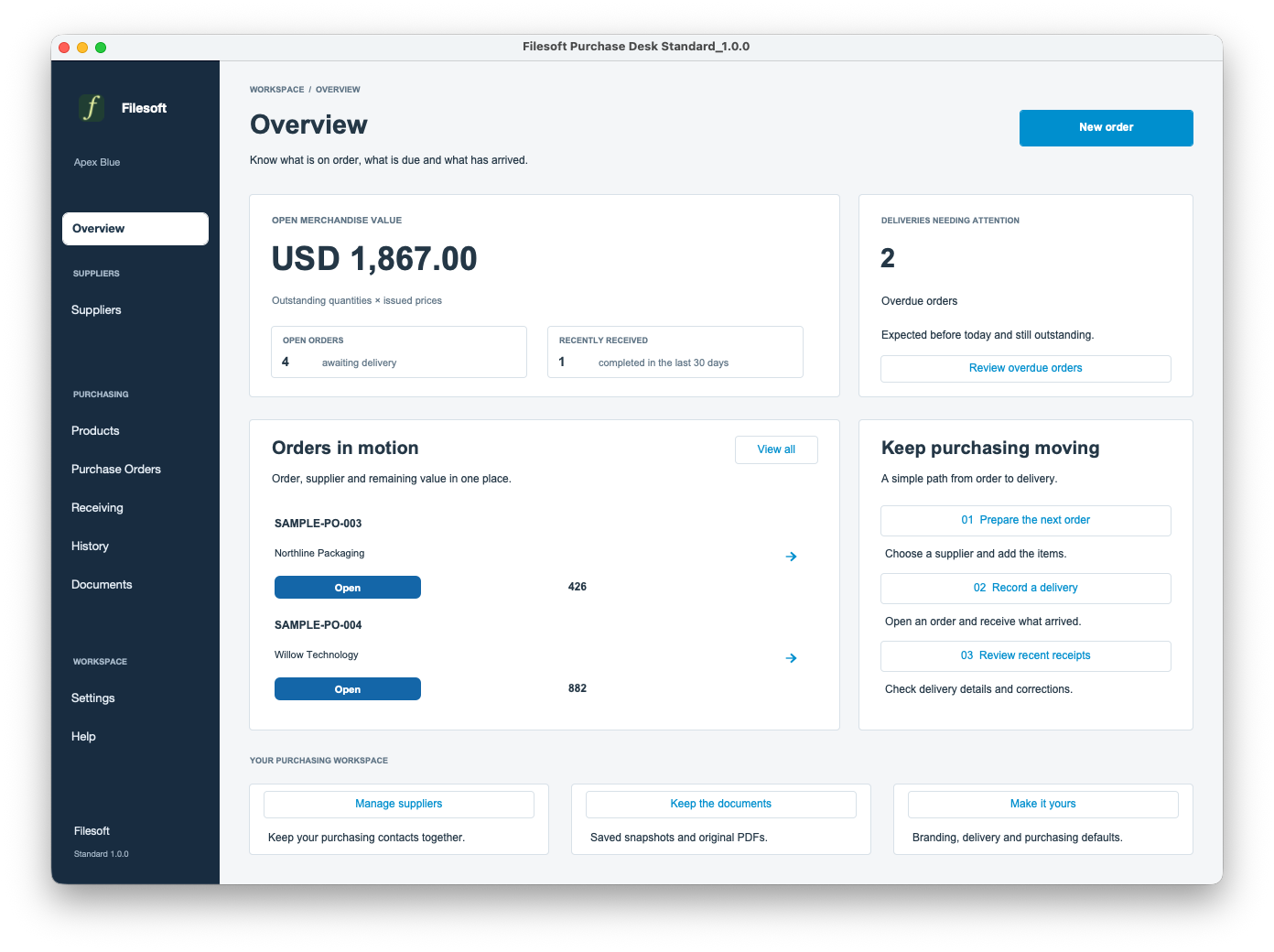
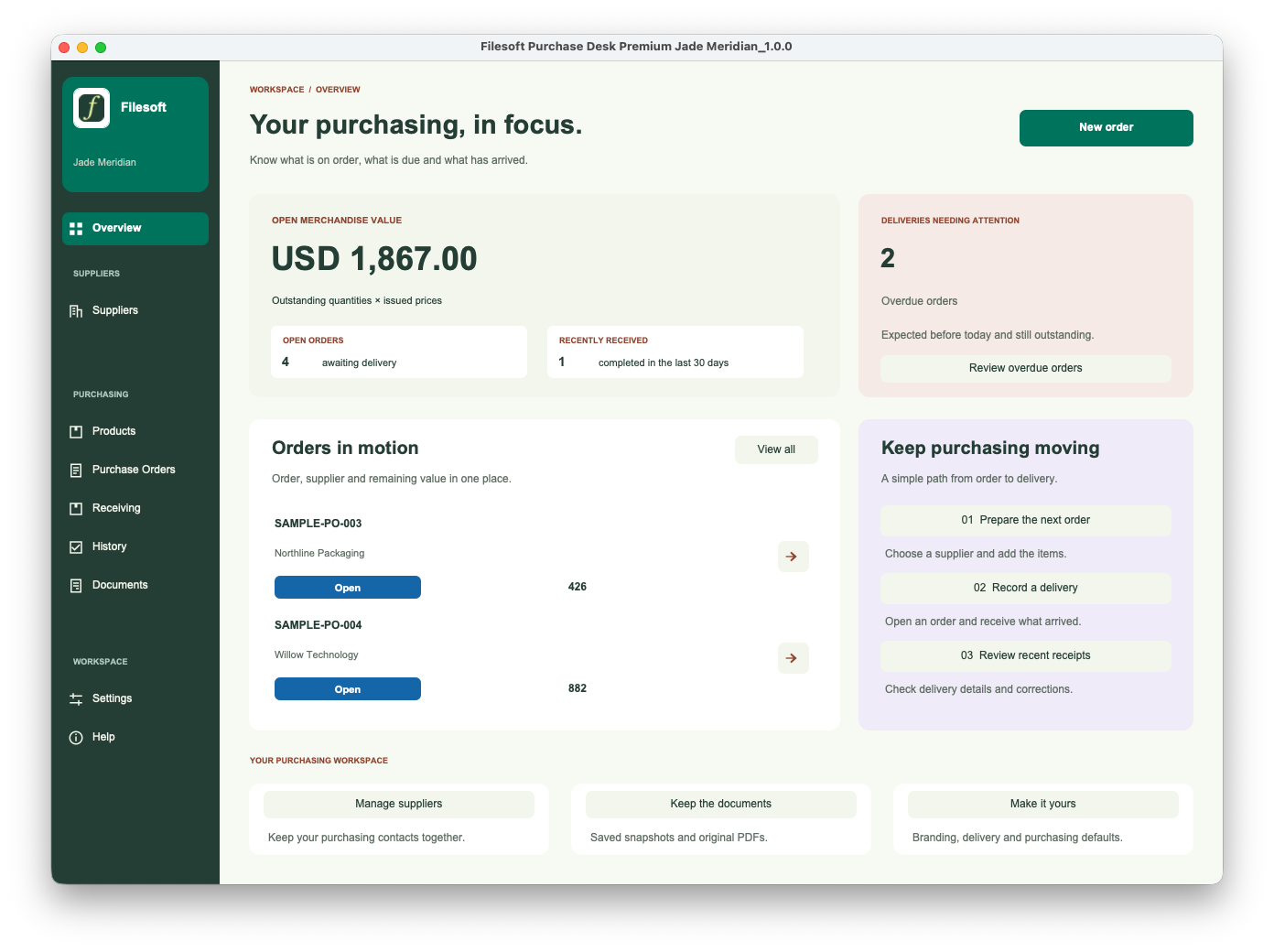
Review outstanding merchandise value, open orders and recent receipts. Use the included Settings and Help, with optional fictional examples.
Requires FileMaker Pro, sold separately. Reviewed with FileMaker Pro 26 on macOS. Older FileMaker versions, Windows, FileMaker Go, WebDirect, hosting and multi-user use have not been validated for this release.
One configured currency. Merchandise totals exclude tax, freight and discounts. Purchase Desk does not process payments, update stock on hand, manage physical returns, convert currencies or automatically email suppliers. History records workflow events; it is not a tamper-proof compliance log.
The styles and icons are embedded in each solution. No separate theme installation is needed.
Personal and internal-business use and customization are permitted. Resale or redistribution is not permitted. Support is best effort, without guaranteed response times or future updates. FileMaker licensing, hosting, implementation, migration and training are separate.
Premium includes the styled Purchase Desk solution, not a separate Jade Meridian theme license. It is a new empty file. Purchasing Premium does not transfer Standard records or merge customizations.
Before changing a live workspace, discuss migration separately and keep using your existing file until a migrated copy is accepted.
Ask about tailored purchasing layouts, supplier links, document changes or migration. These are separately scoped services.
Discuss a customization ↗Standard and Premium include suppliers, products, purchase orders, partial receiving, workflow history, saved purchasing PDFs, settings and optional samples.