PURCHASE DESK · GETTING STARTED
Set up your purchasing workspace.
Start with an empty file, explore the optional examples, then follow an order through its deliveries.
These steps apply to Standard and Premium 1.0.0.
Before your first order.
- Keep the original. Unzip the download and back up the empty .fmp12 file. Open it in FileMaker Pro 26 on macOS.
- Set your business details. Review Settings, workspace and print branding, currency, precision and document numbering before issuing orders.
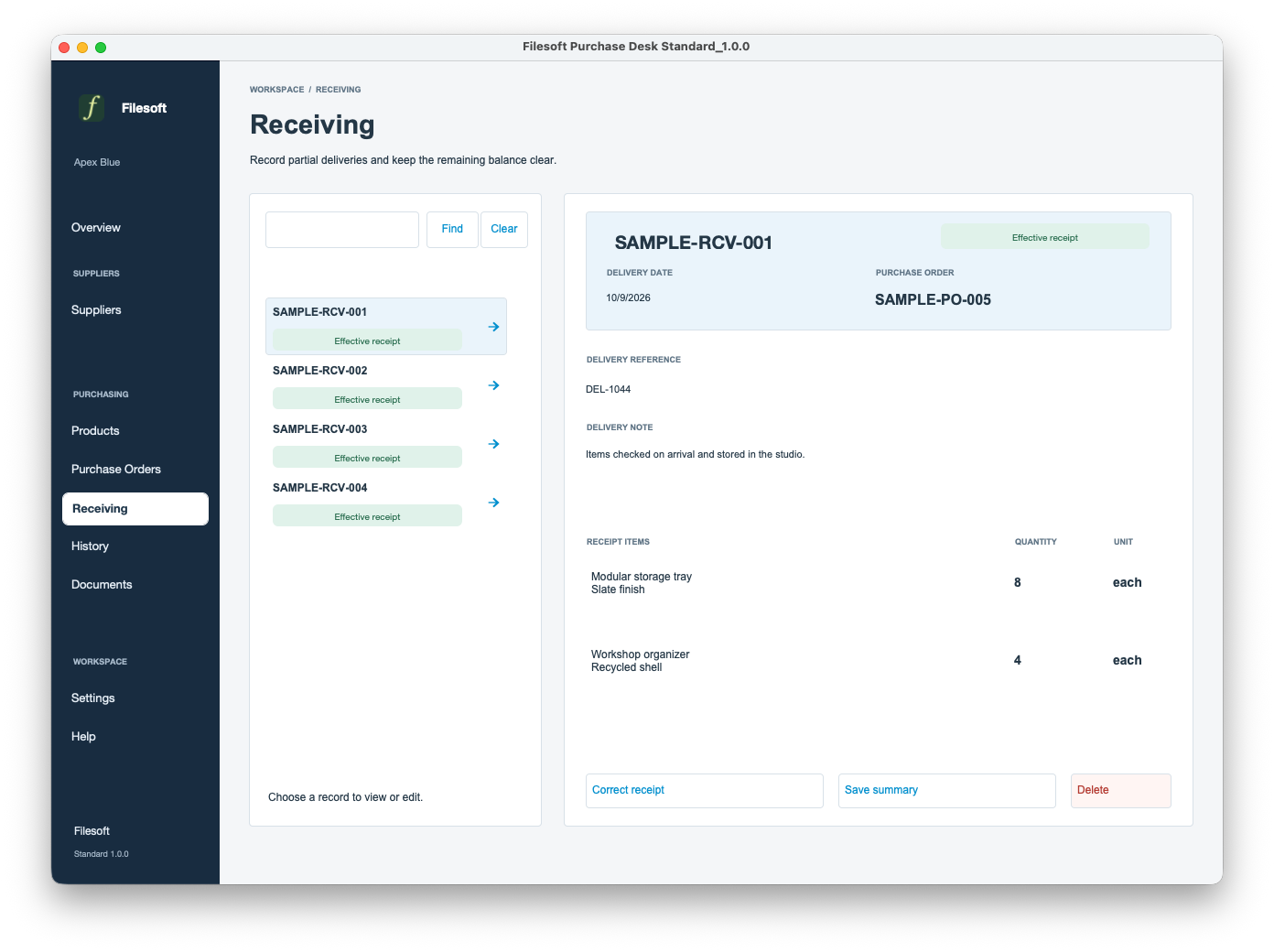
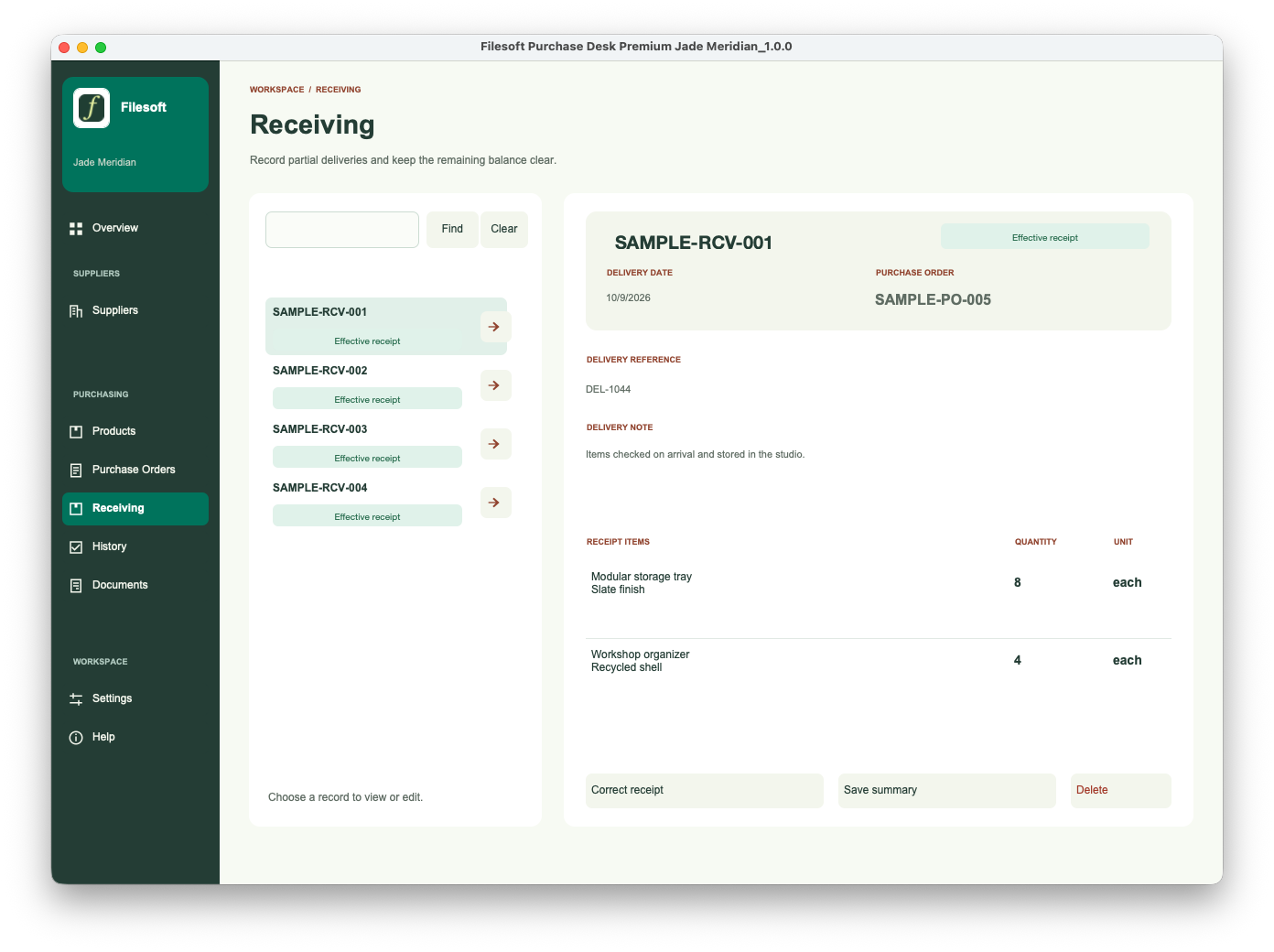
- Explore the examples. In Help, choose Explore / leave samples to open fictional examples. Repeated visits reuse the same collection. Both downloads start empty; the website screenshots show these optional examples.
- Return to your workspace. Leave sample mode to return to your own records. If you want to remove the examples, back up first and use Help’s guarded sample-removal action. Linked records can prevent removal. This is not a delete-all command.
- Prepare an order. Add a supplier and products, prepare a draft purchase order and check its quantities, prices and expected date before issuing it.
- Record what arrived. Open the order and record a delivery. Check received and remaining quantities, then review a saved receiving-summary PDF. Export does not send the document.
Check the result before moving on.
- Confirm the supplier and product belong to the intended order.
- Check the issued quantities and prices before recording a delivery.
- After a partial delivery, review both received and remaining quantities.
- Open the saved PDF and check business details and line items before sharing it yourself.
- Use the separate correction or cancellation flow for a mistake; do not treat a recorded correction as a physical goods return.
Optional examples, real boundaries.
The sample supplier and order records are fictional. They illustrate the workflow, not customer results. Back up before removing samples. If removal is blocked by linked records, review those links instead of deleting unrelated business data.
Requirements & scope.
Requires FileMaker Pro, sold separately. Reviewed with FileMaker Pro 26 on macOS. Older FileMaker versions, Windows, FileMaker Go, WebDirect, hosting and multi-user use have not been validated for this release.
One configured currency. Merchandise totals exclude tax, freight and discounts. Purchase Desk does not process payments, update stock on hand, manage physical returns, convert currencies or automatically email suppliers. History records workflow events; it is not a tamper-proof compliance log.
The styles and icons are embedded in each solution. No separate theme installation is needed.
Getting your file.
Standard is free: request the seven-day private link using your name and email. Premium Jade Meridian is US$99 one-time: after PayPal confirms payment, the private 30-day download link goes to your PayPal email address.
Check your spam folder if the message is missing. Contact support@filesofttools.com for help with delivery. Download messages do not subscribe you to marketing.
Usage and support.
Personal and internal-business use and customization are permitted. Resale or redistribution is not permitted. Support is best effort, without guaranteed response times or future updates. FileMaker licensing, hosting, implementation, migration and training are separate.
Premium includes the styled Purchase Desk solution, not a separate Jade Meridian theme license. It is a new empty file. Purchasing Premium does not transfer Standard records or merge customizations.
Before changing a live workspace, discuss migration separately and keep using your existing file until a migrated copy is accepted.