Getting started with Hiring Desk
SETUP GUIDE · STANDARD & PREMIUM
Use an empty working file for real recruitment and a separate copy for practice.
Back to Hiring Desk ↗Start with an empty workspace
- Unzip the download and keep the original empty file as a backup. Open a working copy in FileMaker Pro on macOS.
- Set your business details and the separate system and printing logos in Settings.
- For practice, use Help to load fictional examples in a separate copy. Keep real candidate information out of that practice file.
- Create a vacancy and candidate, then link them through an application. Record the stage, next action and due date.
- Plan interviews, record outcomes and decisions, then save the required documents. Review the saved PDF before sharing it.
- Close the database before making filesystem backups. Keep your backups and candidate documents in an appropriate private location.
A first hiring workflow
Vacancies
Keep role details, location and requirements together.
Candidates and applications
Reuse candidate records, attach an optional PDF résumé and keep one application per candidate and vacancy pair.
Next actions
Track application stages, due dates, reviews and overdue follow-ups.
Interviews
Plan interviews and record their outcomes beside the application.
Decisions
Record Offer, Hired, Not selected or Withdrawn decisions with reasons and history. Resolve applications before closing a vacancy.
Saved documents
Save shortlist, interview worksheet and hiring summary PDF snapshots. Later record edits do not rewrite saved snapshots.
Keep saved snapshots distinct from live records
Save a shortlist, interview worksheet or hiring summary when you need a record of the current information. Later edits do not rewrite that saved snapshot. Review exported PDFs before sharing them.
Standard · Documents
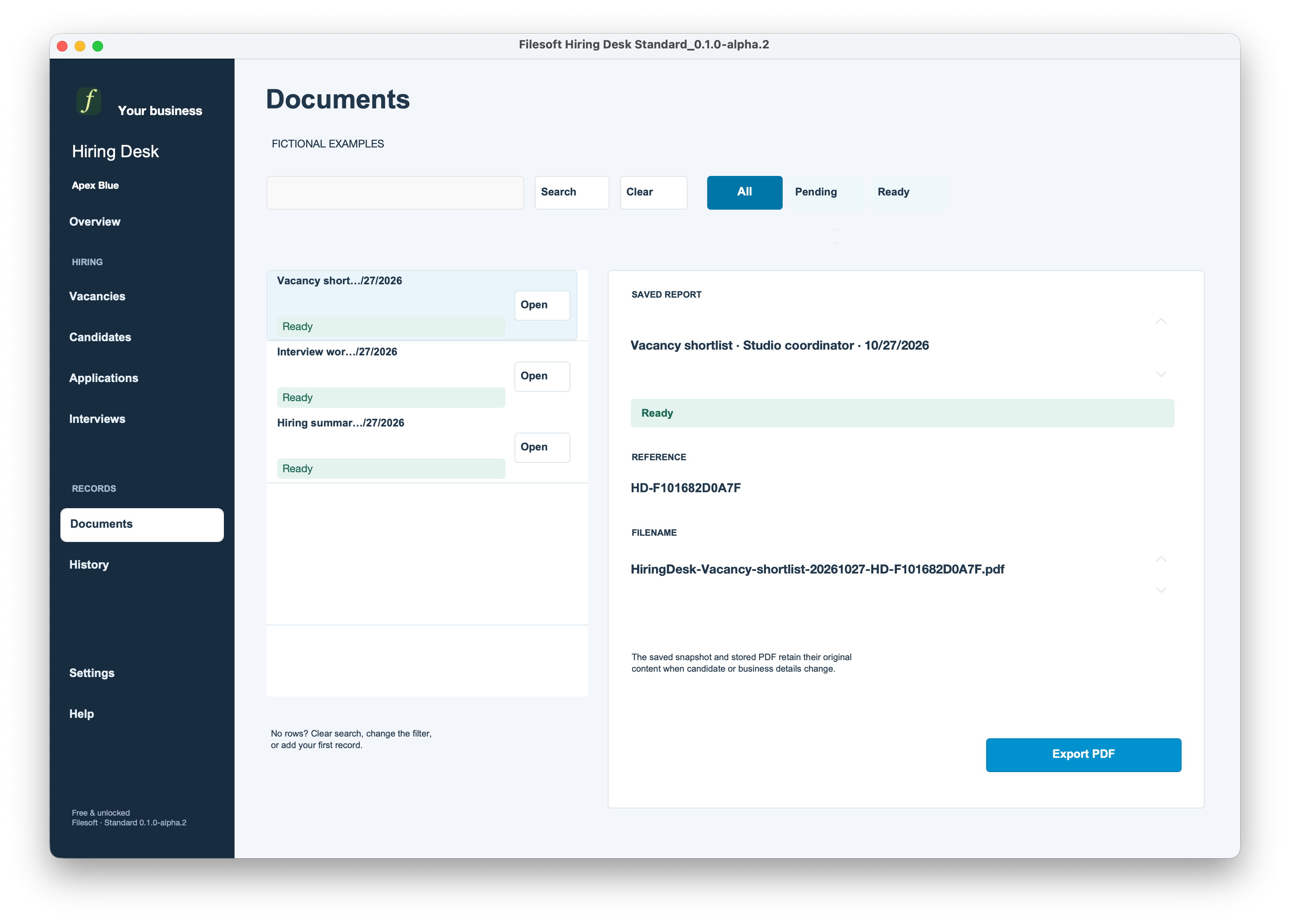
This screenshot shows the Documents workspace, not the PDF itself.
Before you download
Requires FileMaker Pro, sold separately, for one local user and one window on macOS desktop. Both source editions were checked in FileMaker Pro 26.0.3, with separate core compatibility checks in 19.6.3. Intermediate versions, Windows, FileMaker Go, WebDirect, hosting and multi-user use are not validated.
The owner accepted both source editions. The final 1.0.0 copies change release captions only and received structural and package checks; they have not had a fresh native first-open or full test suite.
Not included: candidate ranking, public applications or job boards, email/calendar synchronization, résumé parsing, contracts, payroll or onboarding.
Usage, support and delivery
Personal and internal-business use and customization are permitted. No resale or redistribution. Support is best effort, with no guaranteed response times or future updates. FileMaker licensing, hosting, custom development, implementation, deployment, training and migration are separate.
Standard is free and unlocked. Premium Polar Bloom is US$99 once and unlocked. Premium includes its embedded styling, not a separate standalone theme license.
Standard uses a name and email request and a private seven-day download link. Premium uses PayPal; after confirmed payment, a private download link is emailed to your PayPal email and remains valid for 30 days. No automatic marketing subscription.
Standard and Premium are separate files. There is no automatic migration between them; discuss migration before entering a large amount of data.
Hiring Desk Standard · Free · Hiring Desk Premium Polar Bloom · US$99
Help and support
For download issues, visit Help & downloads. For product questions, email support@filesofttools.com with the product version, FileMaker version and a description of the issue. Use fictional examples if you include screenshots.
Return to the product page · Release notes · All product guides