A file of its own
Open the supplied .fmp12 in FileMaker Pro. No add-on installation is needed.
Get the standalone solution ↗FILESOFT CONTACT JOURNAL · FREE ADD-ON · 0.1.0
Keep contacts, conversations and follow-ups inside your FileMaker file. Open a shared collection from a compact Cerulean Drift launcher and return to your host layout when finished.
Requires Claris FileMaker Pro, sold separately.
For single-user desktop use on macOS.

ONE WORKFLOW. TWO WAYS TO USE IT.
Open the supplied .fmp12 in FileMaker Pro. No add-on installation is needed.
Get the standalone solution ↗One shared contact collection per host file, with a Cerulean Drift launcher and Back to host.
Get the Contact Journal Add-on ↗Both require FileMaker Pro, sold separately. Enter your name and email for the selected package’s private link. No marketing subscription. Check each product’s requirements.
FROM FIRST CONTACT TO FOLLOW-THROUGH
For one user on a Mac, with one working window.
Save contact details, organizations and notes so your next conversation starts with context.
Keep dated notes alongside each contact and review conversations in one journal.
Track overdue, due-today and upcoming follow-ups. Record an outcome when work is completed, cancelled or rescheduled.
Keep dated history as plans change and follow-ups are resolved.
Archive contacts when work is finished. When needed, permanently remove archived contacts and their history.
Optional fictional samples stay separate from real contacts. No artificial record limits or expiry. The add-on does not send emails or automated reminders.
INSIDE CONTACT JOURNAL
These five unchanged standalone alpha.6 screenshots illustrate shared contact, conversation and follow-up workflows. They do not show installed add-on placement. Their genuine version labels are preserved.
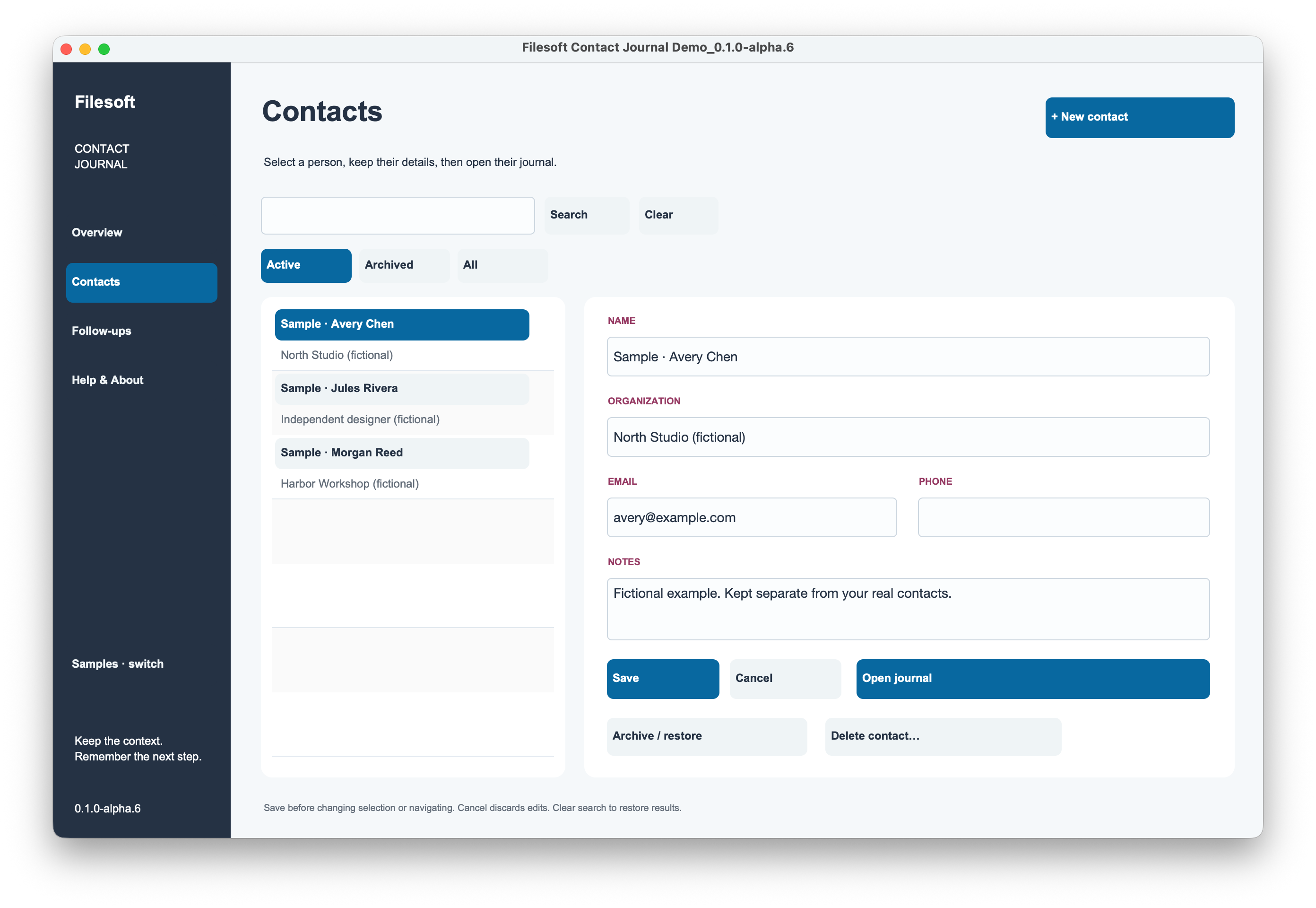
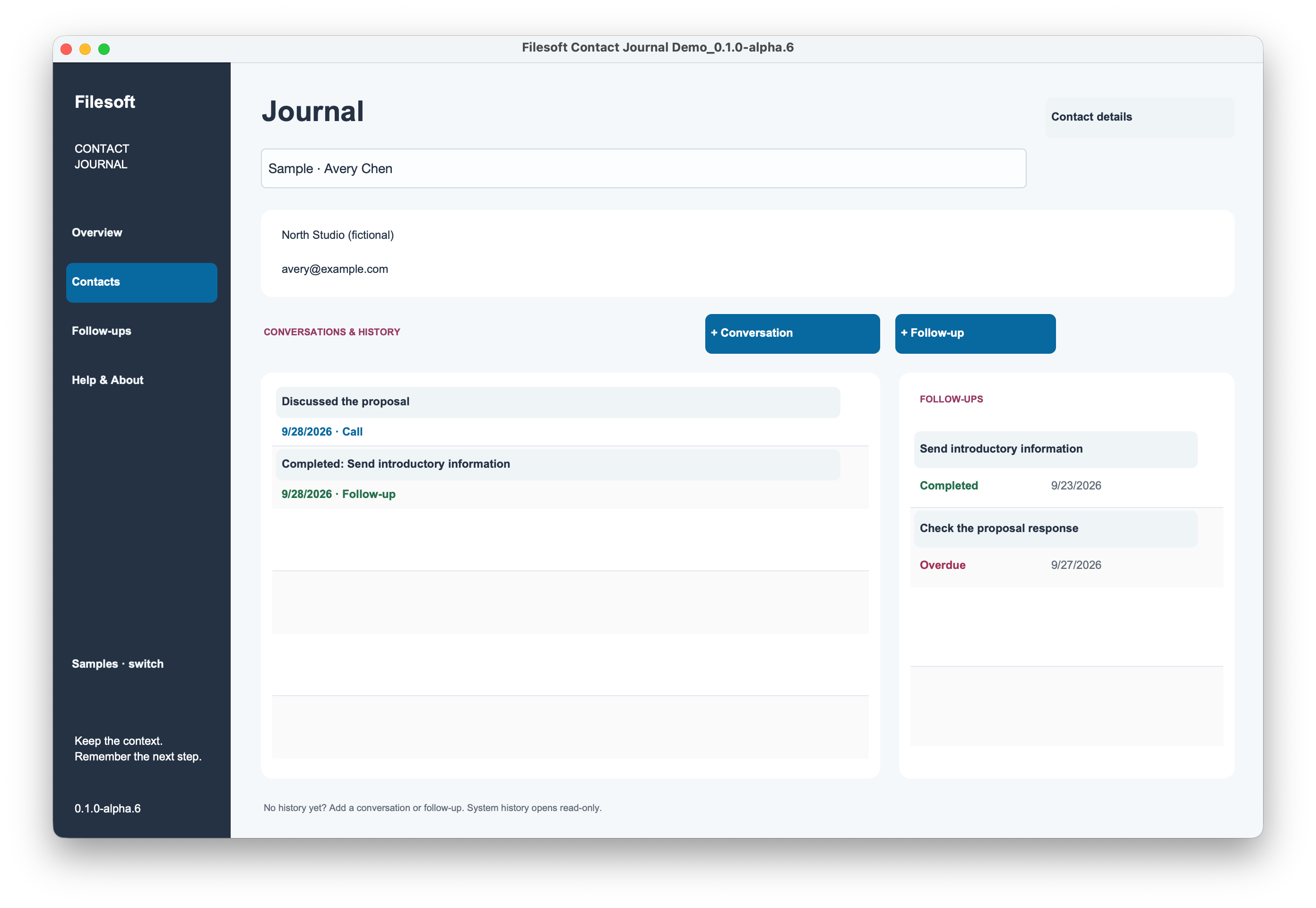
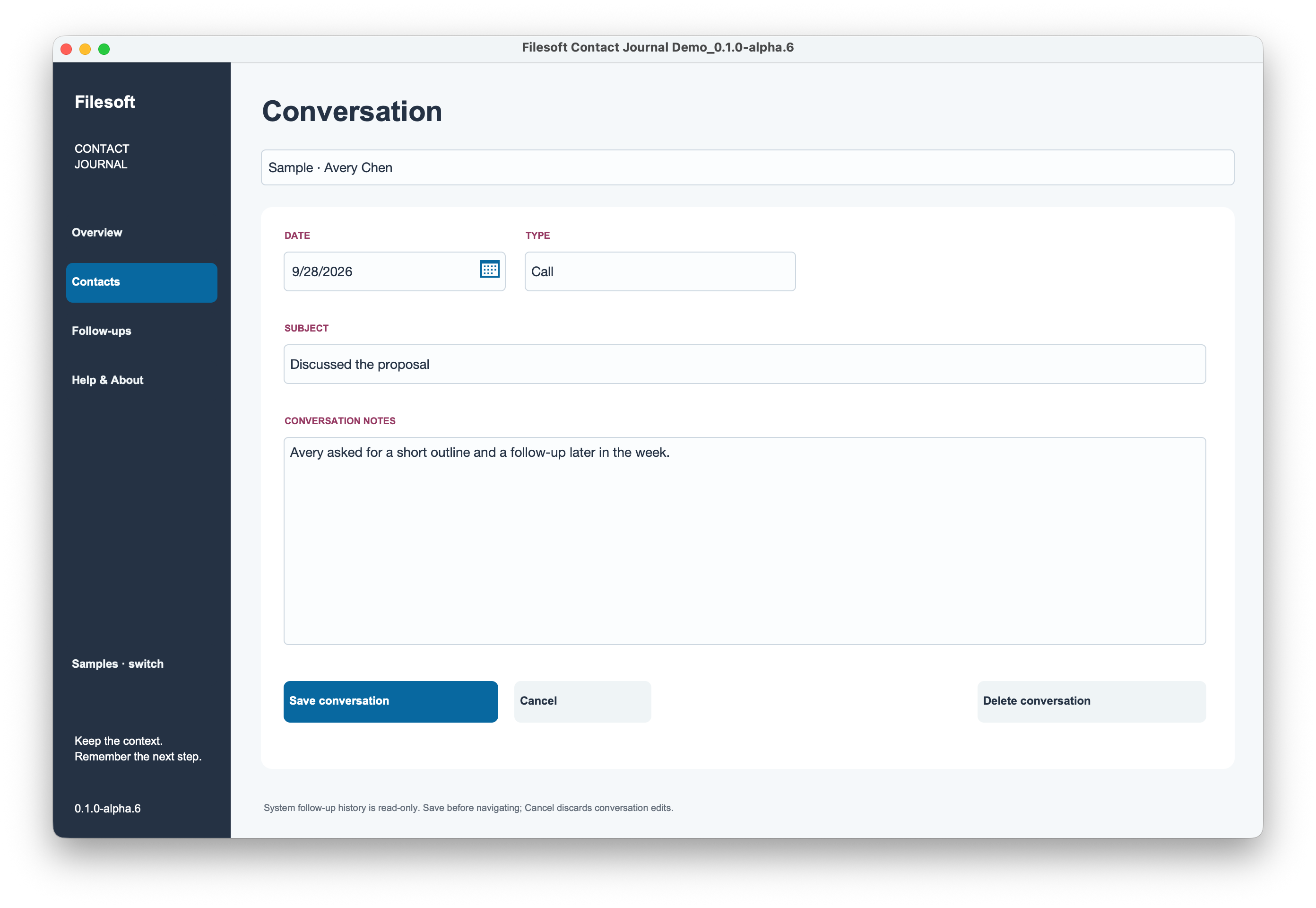
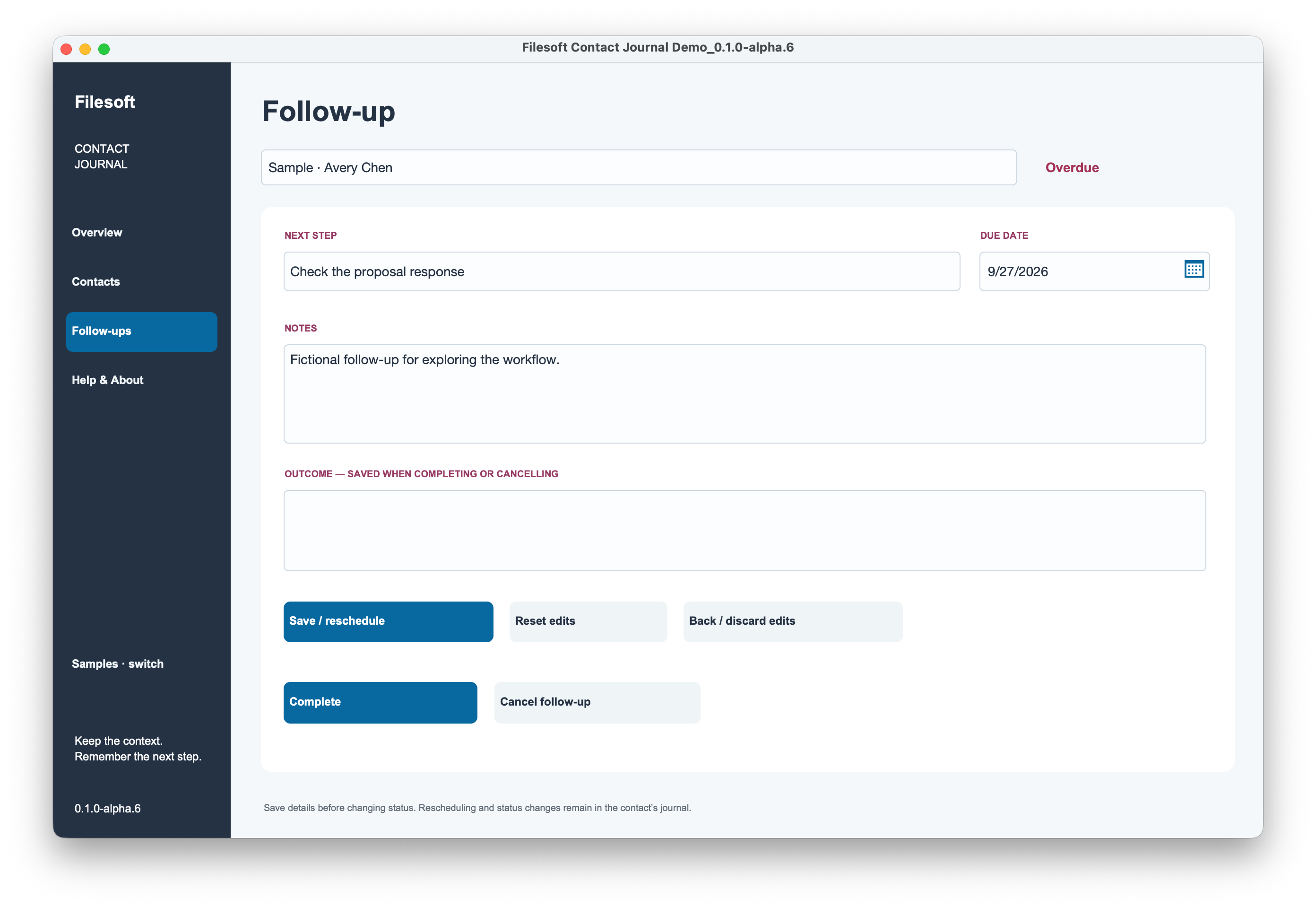
Sample dates and counts describe the captured demo.
STYLED WITH CERULEAN DRIFT
Contact Journal showcases selected Cerulean Drift styles. The full commercial Cerulean Drift theme is a separate product and is not included in this free download.
Explore the Cerulean Drift theme ↗Personal and internal business use and modification are allowed. Resale or redistribution is prohibited. Support is best effort, with no promised updates or response times.
WRITTEN INSTALLATION GUIDE
Use one module and one active window. All launchers in a file share one collection. Do not install into a file already containing FSCJ components, including the standalone solution.
Save editor changes before navigating or returning to the host: ordinary navigation discards unsaved editor buffers. Back to host commits module context; host triggers may run. Development access is required for installation; normal use respects host privileges.
Preserve FSCJ schema, script and layout names. Replacing chooser resources does not update installed copies. Never uninstall a populated module to upgrade it. Keep backups and follow the included Read Me.
FREE · ADD-ON 0.1.0
Download Filesoft Contact Journal Add-on 0.1.0, free.
Install into an existing FileMaker file using the written instructions above. One shared collection per host file; contacts are not linked to individual host records. No host relationship, primary key or startup-script change is required.
ZIP · 1353 KB · FileMaker Pro required.
BEFORE YOU GET STARTED
Requires Claris FileMaker Pro, sold separately. Intended for FileMaker Pro 19.6.3–26 on macOS, single-user desktop use with one active window. The owner tested the add-on in FileMaker 19 and 26; exact patch versions were not specified. Intermediate versions were not individually tested. Native export: 19.6.3. Windows, FileMaker Go, WebDirect, hosting and concurrent multi-user or multi-window use are not validated.
Questions? support@filesofttools.com
Explore all free add-ons ↗