Install and view the example
For FileMaker 19 setup, save your work and quit FileMaker 19 first. Open the 1.0.1 add-on explicitly with FileMaker Pro 19 if double-clicking selects FileMaker 26. Reopen FileMaker 19 and test installation in a fresh disposable target file.
- Back up your host and use a disposable copy for first setup. Open the .fmaddon to register it in FileMaker Pro.
- In Layout mode, install Filesoft Dashboard and place it on a Form View layout with enough room. Preserve its object names and scripts; do not put it inside a portal.
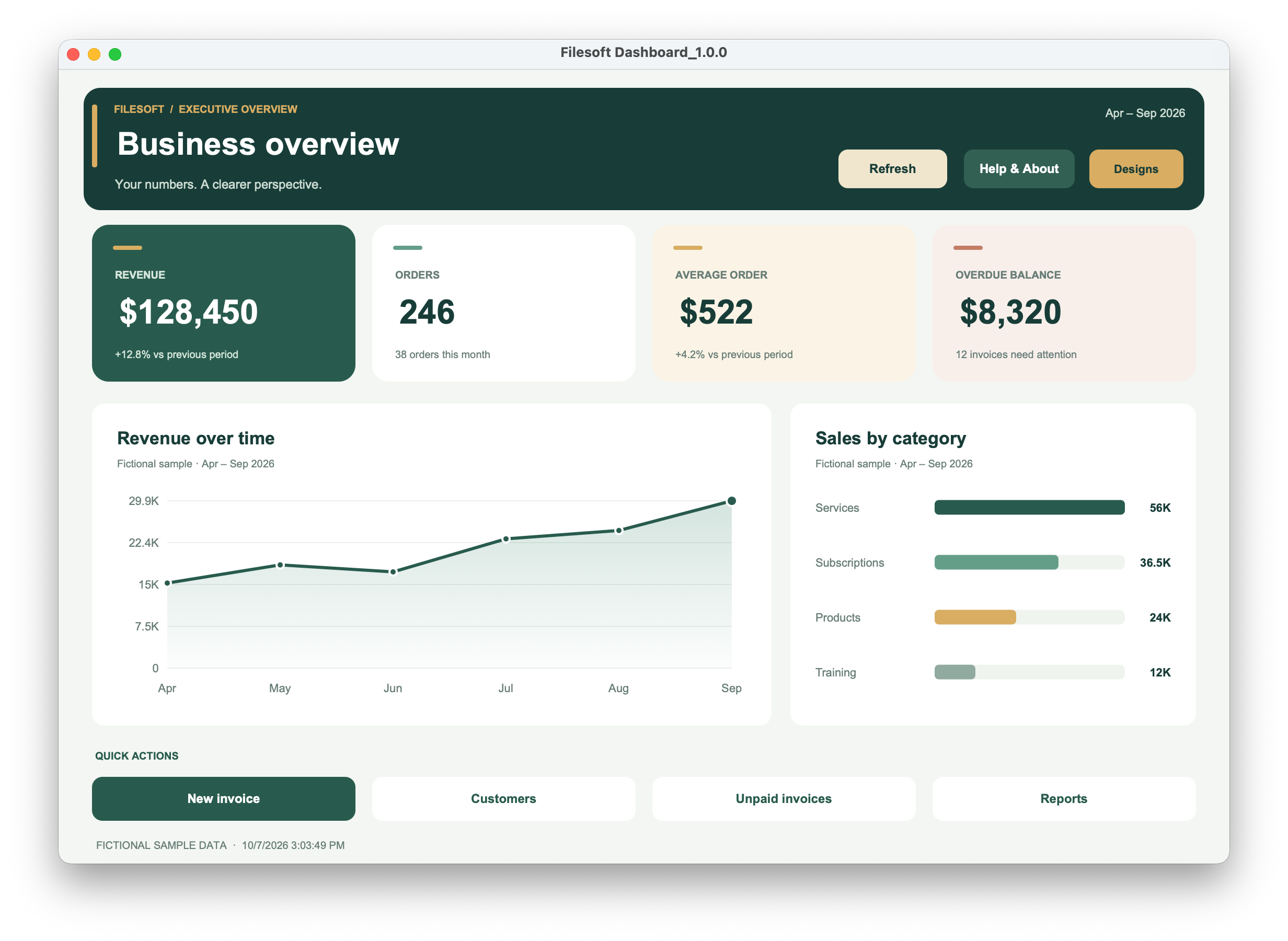
- Return to Browse mode and use Refresh to view the labelled fictional data. Use Designs to explore the four included layouts.
Connect your figures and actions
- Ask your FileMaker developer to map your data in FSDASH | Data Provider. Return the documented JSON payload with four KPI objects, four action labels and the two chart datasets.
- Format KPI values as display strings; chart values must be JSON numbers. Keep chart label and value counts equal. Mark live data with sample=false.
- Map the four slots in FSDASH | Action Router to your existing scripts and handle their returned results.
- Refresh and reconcile every figure against the source records. Exercise each action using the privileges your users actually have.
Full configuration reference
The illustrated configuration guide contains the complete JSON contract, provider and action examples, design dimensions and error handling. The demo is 1.0.0; the add-on and guide are 1.0.1.
If a refresh or action fails
Check the provider’s JSON types, required fields and matching chart counts. On invalid data, the dashboard retains its last valid snapshot; do not mistake it for a successful refresh. Unconnected action slots need your script mapping. The period caption displays a label; your provider must apply the filters.
Design selection opens an included layout. It does not rearrange a group already placed on a custom layout. FileMaker object styles and the embedded chart HTML have separate styling.
Requirements and scope
The intended FileMaker 19 target is 19.6.3, not every 19.x release. The transaction-state guard requires 19.6.1 or newer. Reported testing in FileMaker 19 and 26 does not establish every intermediate version.
Requires Claris FileMaker Pro, sold separately. Tested by Filesoft in FileMaker Pro 19 and 26 on macOS; exact tested point releases were not restated. One active dashboard window per file/session, with fixed desktop layouts. Other versions, Windows, FileMaker Go, WebDirect and hosting are not validated.
Backups and updates
Keep your customized host file. A new add-on package does not update an installed component or migrate its data. Keep one active dashboard window per file/session.
Reference screenshot
Help and support
For download issues, visit Help & downloads. For product questions, email support@filesofttools.com with the product version, FileMaker version and a description of the issue. Use fictional examples if you include screenshots.
Return to the product page · Release notes · All product guides