First identify who returned the number
You see 401 in a log and assume the password is wrong. That can send you down the wrong path. An HTTP response status and a FileMaker error code use separate numbering systems. Preserve the source of the number whenever you log it.
| Where 401 appears | What to investigate first |
|---|---|
| Get ( LastError ) after a FileMaker find | The find returned no matching records |
| A FileMaker messages entry in an API JSON response | The FileMaker operation and its criteria |
| The HTTP response status line | Authentication for the HTTP resource |
The Claris error list defines FileMaker 401 as no records matching the request. HTTP 401 has a different meaning. Do not rename every numeric code “HTTP error” in your logs.
1. Capture the failure at its source
For a native find, capture Get ( LastError ) immediately after Perform Find, before another operation changes the error state. Store it in a local variable. Also preserve the layout name and a safe description of the search. The Get ( LastError ) reference explains why timing matters.
For an HTTP request, keep three separate observations: transport success or failure, HTTP response status, and the application response body. A proxy may return an HTML error page instead of FileMaker JSON. Do not run JSON extraction blindly and then mistake that parsing failure for the original error.
Observation record
Operation: find a practice contact
Source: FileMaker messages array
Code: 401
HTTP status: record separately if this was REST
Layout: Contacts API
Expected: one known practice contact
Actual: no matching records
2. Investigate the no-match branch
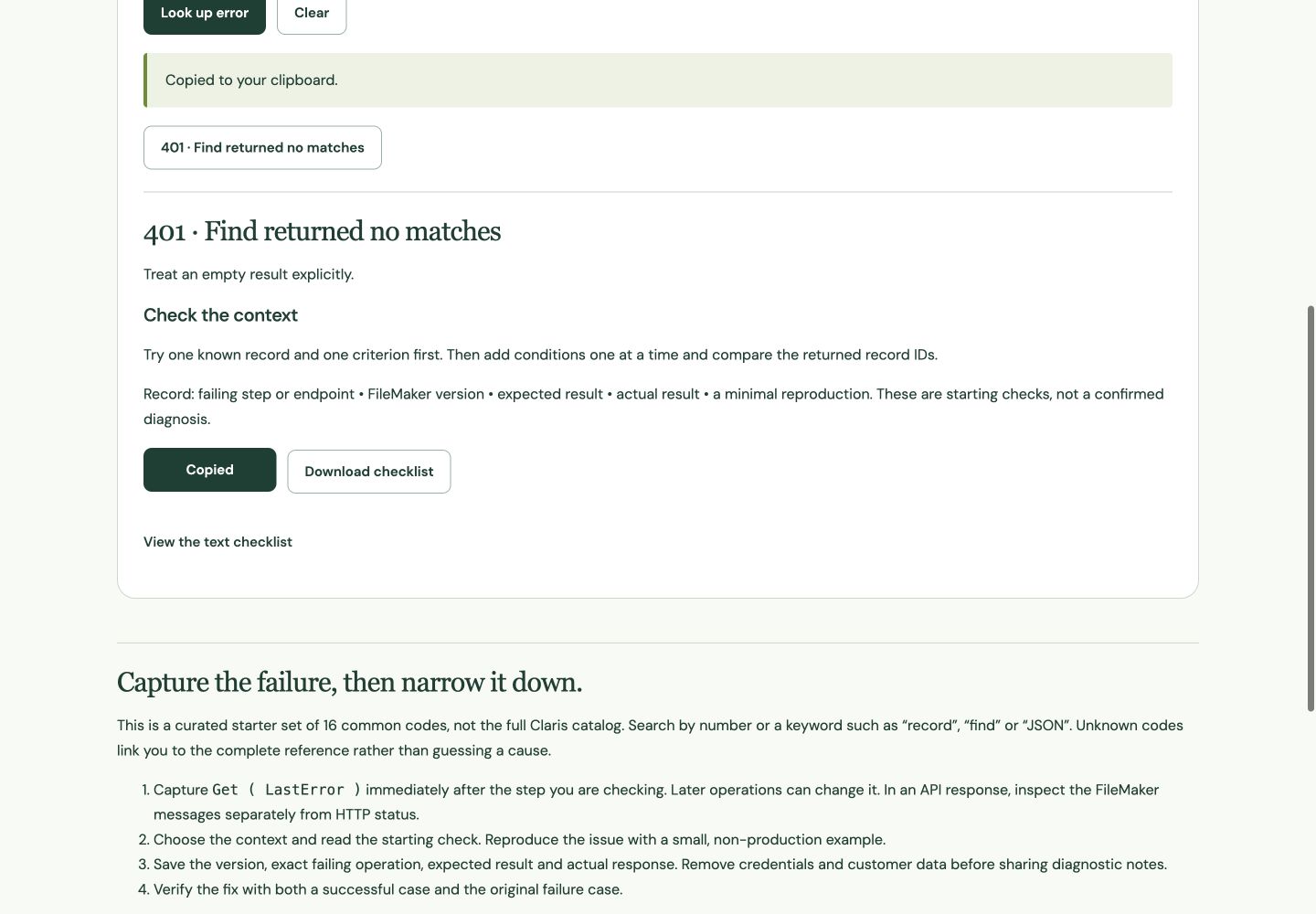
- Use the Error Troubleshooter with code 401, source FileMaker error code, and context Find request.
- In your practice file, search for one ContactID you can see on the intended layout. If that fails, check the layout’s table context and the actual stored value.
- Remove additional criteria temporarily. Add each one back until the expected record disappears.
- Check exact-match operators, blank values, date interpretation and omit requests. Two criteria inside the same request must both be satisfied.
- Repeat a deliberately impossible find and confirm your interface shows a clear empty result.
An empty result is sometimes expected. A “find overdue tasks” button can reasonably report that none exist. A “load the contact just selected” action may treat the same outcome as a problem to investigate. Handle the result according to the workflow; do not suppress every 401 without checking the operation.
3. Investigate the HTTP branch separately
If the HTTP status is 401, inspect the response’s authentication information and the service documentation. For a FileMaker Data API integration, confirm you are addressing the intended host and database and using the correct authorized session token. Keep tokens out of screenshots and shared logs.
- Check whether the request reached the expected service rather than a proxy, gateway or different URL.
- Check the authorization header’s presence and format without publishing its value.
- Follow the service’s documented session renewal process when the session is no longer valid.
- Retry in a controlled way, retaining the original failure and the new result. Avoid an unlimited retry loop.
Changing city or status criteria will not repair an HTTP authentication failure. Likewise, replacing a valid password will not create a contact that does not match a FileMaker find.
4. Use the lookup as a starting checklist
The Filesoft tool covers a curated set of common FileMaker codes. Choose the context as well as the number, then copy the checklist into your investigation notes. Unknown codes should be checked against the complete Claris reference; absence from this tool does not mean a code is invalid.
The HTTP option explains the namespace distinction. It is not a complete HTTP-status troubleshooter. For a non-FileMaker service, consult that service’s documentation before applying FileMaker-specific advice.
5. Verify both success and failure
| Check | Evidence to keep |
|---|---|
| Known matching contact | Expected ContactID returned |
| Impossible practice criterion | Clear no-match outcome without stale contact details |
| HTTP authentication failure, if relevant | Status identified separately; no success message |
| Recovery after correction | One successful result, without uncontrolled repeated requests |
Do not leave the previous customer’s details visible when a new search returns no match. Clear or explicitly label the stale result. Finish the investigation with the failing operation, the change you made, and both test outcomes. “It worked after a retry” is weaker evidence than knowing which condition changed.
References
Use a practice copy and verify the result in your FileMaker version. Browser screenshots demonstrate the tool; they do not establish native FileMaker testing.